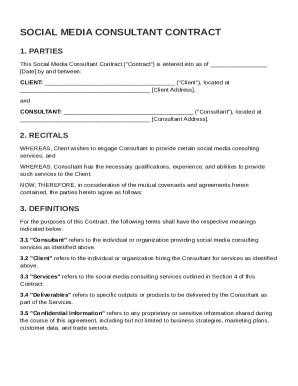
Get Social Media Consultant Contract Template
How it works
-

Open form follow the instructions
-

Easily sign the form with your finger
-

Send filled & signed form or save
How to fill out and sign Social Media Consultant Contract Template online?
Get your online template and fill it in using progressive features. Enjoy smart fillable fields and interactivity.Follow the simple instructions below:The preparing of lawful documents can be high-priced and time-ingesting. However, with our predesigned web templates, things get simpler. Now, creating a Social Media Consultant Contract Template requires a maximum of 5 minutes. Our state online blanks and crystal-clear recommendations remove human-prone mistakes.
Adhere to our simple steps to have your Social Media Consultant Contract Template well prepared rapidly:
- Select the web sample in the catalogue.
- Complete all necessary information in the required fillable fields. The easy-to-use drag&drop interface allows you to add or relocate areas.
- Check if everything is filled in correctly, without typos or missing blocks.
- Apply your e-signature to the PDF page.
- Click on Done to save the alterations.
- Download the data file or print your PDF version.
- Submit instantly towards the receiver.
Use the fast search and powerful cloud editor to generate a correct Social Media Consultant Contract Template. Clear away the routine and create documents on the internet!
Tips on how to fill out, edit and sign Social Media Consultant Contract Template online
How to fill out and sign Social Media Consultant Contract Template online?
Get your online template and fill it in using progressive features. Enjoy smart fillable fields and interactivity.Follow the simple instructions below:
The preparing of lawful documents can be high-priced and time-ingesting. However, with our predesigned web templates, things get simpler. Now, creating a Social Media Consultant Contract Template requires a maximum of 5 minutes. Our state online blanks and crystal-clear recommendations remove human-prone mistakes.
Adhere to our simple steps to have your Social Media Consultant Contract Template well prepared rapidly:
- Select the web sample in the catalogue.
- Complete all necessary information in the required fillable fields. The easy-to-use drag&drop interface allows you to add or relocate areas.
- Check if everything is filled in correctly, without typos or missing blocks.
- Apply your e-signature to the PDF page.
- Click on Done to save the alterations.
- Download the data file or print your PDF version.
- Submit instantly towards the receiver.
Use the fast search and powerful cloud editor to generate a correct Social Media Consultant Contract Template. Clear away the routine and create documents on the internet!
How to edit Social Media Consultant Contract Template: customize forms online
Fill out and sign your Social Media Consultant Contract Template quickly and error-free. Find and edit, and sign customizable form templates in a comfort of a single tab.
Your document workflow can be far more efficient if all you need for editing and managing the flow is organized in one place. If you are searching for a Social Media Consultant Contract Template form sample, this is a place to get it and fill it out without looking for third-party solutions. With this intelligent search engine and editing tool, you won’t need to look any further.
Simply type the name of the Social Media Consultant Contract Template or any other form and find the right template. If the sample seems relevant, you can start editing it right on the spot by clicking Get form. No need to print out or even download it. Hover and click on the interactive fillable fields to place your information and sign the form in a single editor.
Use more editing tools to customize your template:
- Check interactive checkboxes in forms by clicking on them. Check other parts of the Social Media Consultant Contract Template form text with the help of the Cross, Check, and Circle tools
- If you need to insert more textual content into the file, utilize the Text tool or add fillable fields with the respective button. You can also specify the content of each fillable field.
- Add pictures to forms with the Image button. Add pictures from your device or capture them with your computer camera.
- Add custom graphic components to the document. Use Draw, Line, and Arrow tools to draw on the form.
- Draw over the text in the document if you wish to hide it or stress it. Cover text fragments using theErase and Highlight, or Blackout instrument.
- Add custom components like Initials or Date using the respective tools. They will be generated automatically.
- Save the form on your device or convert its format to the one you need.
When equipped with a smart forms catalog and a powerful document editing solution, working with documentation is easier. Find the form you require, fill it out right away, and sign it on the spot without downloading it. Get your paperwork routine simplified with a solution designed for editing forms.
To write a social media management contract, start by detailing the services you will provide, such as content creation, posting schedules, and analytics monitoring. Clearly state the payment terms and duration of the contract, along with any terms for renewal or termination. This clarity will help prevent disputes and ensure both parties understand their roles. Using a Social Media Consultant Contract Template can help you organize these details effectively.