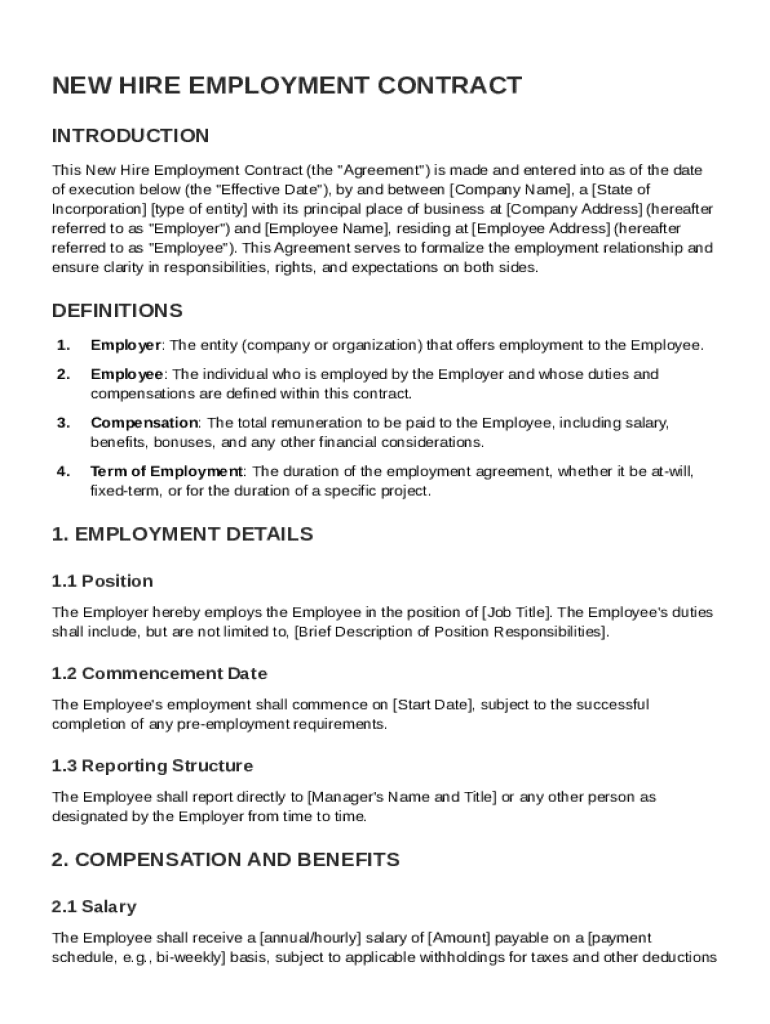
Date"), by and between Company Name , a State of Incorporation type of entity with its principal place of business at Company Address (hereafter referred to as "Employer") and Employee Name , residing at Employee Address (hereafter referred to as "Employee"). This Agreement serves to formalize the employment relationship and ensure clarity in responsibilities, rights, and expectations on both sides. DEFINITIONS 1. Employer: The entity (company or organization) that offers employment.

Open form follow the instructions

Easily sign the form with your finger

Send filled & signed form or save
How to fill out and sign New Hire Contract Template online?
Get your online template and fill it in using progressive features. Enjoy smart fillable fields and interactivity.Follow the simple instructions below:
The preparing of legal papers can be high-priced and time-consuming. However, with our pre-built web templates, everything gets simpler. Now, working with a New Hire Contract Template takes a maximum of 5 minutes. Our state-specific web-based samples and complete recommendations eradicate human-prone faults.
Comply with our simple steps to get your New Hire Contract Template ready rapidly:
- Find the template from the catalogue.
- Enter all necessary information in the required fillable fields. The intuitive drag&drop graphical user interface makes it easy to include or relocate areas.
- Check if everything is filled in properly, with no typos or missing blocks.
- Apply your electronic signature to the page.
- Simply click Done to save the adjustments.
- Save the data file or print your PDF version.
- Distribute instantly to the receiver.
Take advantage of the fast search and advanced cloud editor to produce a precise New Hire Contract Template. Eliminate the routine and make paperwork on the web!
Tips on how to fill out, edit and sign New Hire Contract Template online
How to fill and sign New Hire Contract Template
Get your online template and fill it in using progressive features. Enjoy smart fillable fields and interactivity.Follow the simple instructions below:
The preparing of legal papers can be high-priced and time-consuming. However, with our pre-built web templates, everything gets simpler. Now, working with a New Hire Contract Template takes a maximum of 5 minutes. Our state-specific web-based samples and complete recommendations eradicate human-prone faults.
Comply with our simple steps to get your New Hire Contract Template ready rapidly:
- Find the template from the catalogue.
- Enter all necessary information in the required fillable fields. The intuitive drag&drop graphical user interface makes it easy to include or relocate areas.
- Check if everything is filled in properly, with no typos or missing blocks.
- Apply your electronic signature to the page.
- Simply click Done to save the adjustments.
- Save the data file or print your PDF version.
- Distribute instantly to the receiver.
Take advantage of the fast search and advanced cloud editor to produce a precise New Hire Contract Template. Eliminate the routine and make paperwork on the web!
How to edit New Hire Contract Template
Completing paperwork is more comfortable with smart online instruments. Eliminate paperwork with easily downloadable New Hire Contract Template templates you can modify online and print.
Preparing papers and paperwork should be more reachable, whether it is a day-to-day part of one’s job or occasional work. When a person must file a New Hire Contract Template, studying regulations and tutorials on how to complete a form properly and what it should include might take a lot of time and effort. However, if you find the right New Hire Contract Template template, completing a document will stop being a struggle with a smart editor at hand.
Discover a wider selection of functions you can add to your document flow routine. No need to print, complete, and annotate forms manually. With a smart modifying platform, all of the essential document processing functions will always be at hand. If you want to make your work process with New Hire Contract Template forms more efficient, find the template in the catalog, select it, and see a less complicated method to fill it in.
- If you need to add text in a random part of the form or insert a text field, use the Text and Text field tools and expand the text in the form as much as you require.
- Use the Highlight instrument to stress the important aspects of the form. If you need to cover or remove some text pieces, utilize the Blackout or Erase instruments.
- Customize the form by adding default graphic elements to it. Use the Circle, Check, and Cross instruments to add these elements to the forms, if necessary.
- If you need additional annotations, use the Sticky note resource and put as many notes on the forms page as required.
- If the form needs your initials or date, the editor has instruments for that too. Reduce the chance of errors by using the Initials and Date tools.
- It is also possible to add custom graphic elements to the form. Use the Arrow, Line, and Draw instruments to customize the document.
The more instruments you are familiar with, the simpler it is to work with New Hire Contract Template. Try the solution that provides everything necessary to find and modify forms in one tab of your browser and forget about manual paperwork.
How to fill and sign New Hire Contract Template
Get your online template and fill it in using progressive features. Enjoy smart fillable fields and interactivity.Follow the simple instructions below:
The preparing of legal papers can be high-priced and time-consuming. However, with our pre-built web templates, everything gets simpler. Now, working with a New Hire Contract Template takes a maximum of 5 minutes. Our state-specific web-based samples and complete recommendations eradicate human-prone faults.
Comply with our simple steps to get your New Hire Contract Template ready rapidly:
- Find the template from the catalogue.
- Enter all necessary information in the required fillable fields. The intuitive drag&drop graphical user interface makes it easy to include or relocate areas.
- Check if everything is filled in properly, with no typos or missing blocks.
- Apply your electronic signature to the page.
- Simply click Done to save the adjustments.
- Save the data file or print your PDF version.
- Distribute instantly to the receiver.
Take advantage of the fast search and advanced cloud editor to produce a precise New Hire Contract Template. Eliminate the routine and make paperwork on the web!
Experience a faster way to fill out and sign forms on the web. Access the most extensive library of templates available.
Related content
Download Word Format (docx) [83 KB] Download a model contract for domestic workers to use...
This includes automobile, truck, and other travel expenses; vehicle maintenance and repair...
This form must be completed and signed by the individual performing the service; reviewed...
Get answers to your most pressing questions about US Legal Forms API.
How do you write a contract for a new employee?
To write a contract for a new employee, consider starting with a comprehensive New Hire Contract Template. Focus on incorporating vital information such as roles, responsibilities, and compensation. Add terms regarding employment duration and probationary periods if applicable. Carefully reviewing the completed contract ensures all necessary details are captured.
What are some examples of a simple contract?
Examples of simple contracts include freelance agreements, non-disclosure agreements, and New Hire Contract Templates. These documents outline basic terms and conditions in an easy-to-understand format. They facilitate a smooth engagement by making expectations clear for both parties. Lean on these templates for straightforward agreements.
How to fill out a contract agreement?
Filling out a contract agreement involves accessing a New Hire Contract Template that meets your requirements. Add your business details and the new employee's information next. Clearly state the terms, including confidentiality agreements and non-compete clauses if necessary. A clear and concise contract sets the tone for the new employment relationship.
How to write a contract for beginners?
For beginners, using a New Hire Contract Template simplifies the contract-writing process. Start with basic components such as job title, salary, and strength of relationship. Don't forget to add the start date and outline responsibilities. This template provides a solid foundation for future agreements.
How to write a contract for a new employee?
Writing a contract for a new employee entails using a reliable New Hire Contract Template. Begin by detailing the roles and responsibilities, followed by agreements on salary and benefits. Also, include information on confidentiality and termination procedures. This structure fosters a professional relationship from the beginning.
How do I fill up the contract?
To fill up a New Hire Contract Template, start by entering the employee's personal information and job details. Then, clearly outline the terms of employment, including work hours and reporting structure. Make sure both you and the employee understand every section to ensure clarity and avoid future disputes.
How to create an employee contract?
Creating an employee contract starts with selecting a New Hire Contract Template that fits your needs. Next, include essential details like job title, responsibilities, salary, and benefits. Ensure all parties have clear expectations to minimize misunderstandings. Finally, review the contract thoroughly before signing.
How to download an employment contract?
To download an employment contract, visit a reliable legal document platform like USLegalForms. Search for the New Hire Contract Template that fits your needs. Once you find the appropriate template, follow the website prompts to download it easily. This process allows you to have a professional contract ready for your new hire in just a few simple steps.
How to create a simple contract agreement?
Creating a simple contract agreement begins with defining the agreement's purpose and parties involved. Include key terms such as payment details and duration of the contract. A New Hire Contract Template can guide you through this process, making it easier to create a clear and comprehensive agreement. Using a template saves time and helps maintain professional standards.
How to fill a contract of employment template?
To fill a contract of employment template, carefully read each section to understand its purpose. Input specific details such as employee name, job title, and salary in the appropriate fields. After completing the template, review it with your new hire, ensuring all information is accurate and agreeable. Utilizing a New Hire Contract Template streamlines this process for you.
Use professional pre-built templates to fill in and sign documents online faster. Get access to thousands of forms.
If you believe that this page should be taken down, please follow our DMCA take down process here.