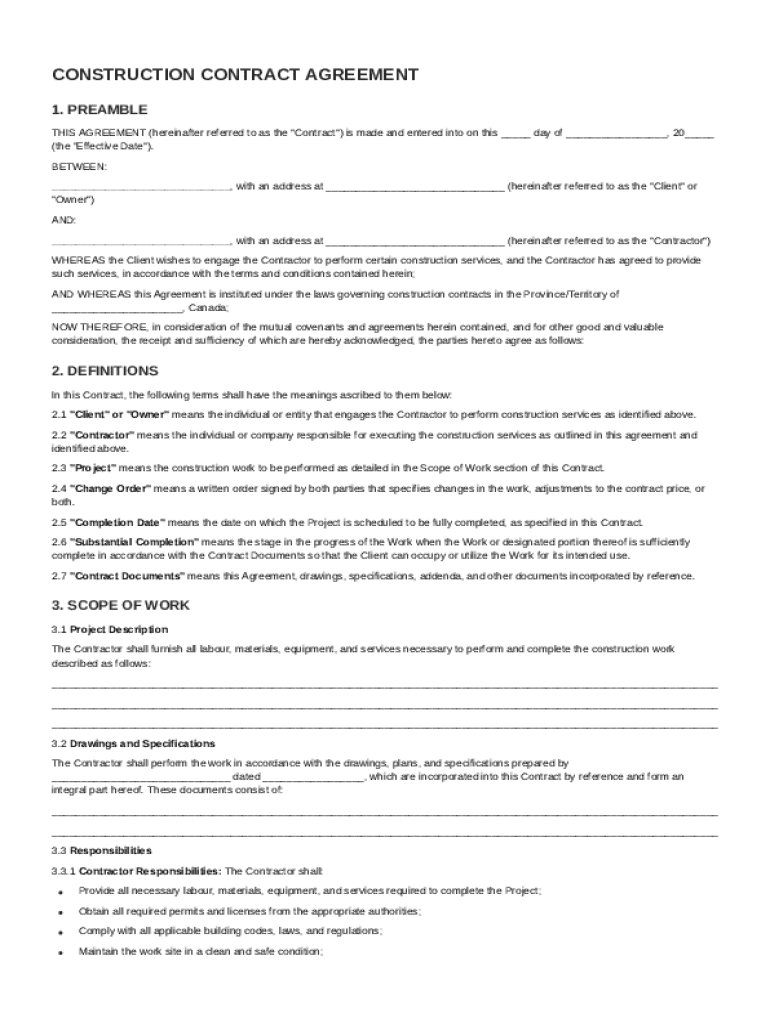
E"). BETWEEN: , with an address at (hereinafter referred to as the "Client" or "Owner") AND: , with an address at (hereinafter referred to as the "Contractor") WHEREAS the Client wishes to engage the Contractor to perform certain construction services, and the Contractor has agreed to provide such services, in accordance with the terms and conditions contained herein; AND WHE.

Open form follow the instructions

Easily sign the form with your finger

Send filled & signed form or save
How to fill out and sign Canadian Construction Contract Template online?
Get your online template and fill it in using progressive features. Enjoy smart fillable fields and interactivity.Follow the simple instructions below:
Choosing a legal professional, creating a scheduled appointment and going to the workplace for a personal meeting makes doing a Canadian Construction Contract Template from start to finish stressful. US Legal Forms lets you rapidly create legally valid documents according to pre-built online samples.
Perform your docs in minutes using our simple step-by-step instructions:
- Get the Canadian Construction Contract Template you want.
- Open it using the cloud-based editor and begin adjusting.
- Complete the empty areas; concerned parties names, places of residence and phone numbers etc.
- Customize the blanks with exclusive fillable areas.
- Add the date and place your e-signature.
- Click Done following twice-checking all the data.
- Download the ready-created papers to your gadget or print it out as a hard copy.
Swiftly produce a Canadian Construction Contract Template without having to involve specialists. We already have more than 3 million users making the most of our unique catalogue of legal documents. Join us right now and gain access to the #1 catalogue of web blanks. Try it yourself!
Tips on how to fill out, edit and sign Canadian Construction Contract Template online
How to fill and sign Canadian Construction Contract Template
Get your online template and fill it in using progressive features. Enjoy smart fillable fields and interactivity.Follow the simple instructions below:
Choosing a legal professional, creating a scheduled appointment and going to the workplace for a personal meeting makes doing a Canadian Construction Contract Template from start to finish stressful. US Legal Forms lets you rapidly create legally valid documents according to pre-built online samples.
Perform your docs in minutes using our simple step-by-step instructions:
- Get the Canadian Construction Contract Template you want.
- Open it using the cloud-based editor and begin adjusting.
- Complete the empty areas; concerned parties names, places of residence and phone numbers etc.
- Customize the blanks with exclusive fillable areas.
- Add the date and place your e-signature.
- Click Done following twice-checking all the data.
- Download the ready-created papers to your gadget or print it out as a hard copy.
Swiftly produce a Canadian Construction Contract Template without having to involve specialists. We already have more than 3 million users making the most of our unique catalogue of legal documents. Join us right now and gain access to the #1 catalogue of web blanks. Try it yourself!
How to edit Canadian Construction Contract Template
Have your stressless and paper-free way of modifying Canadian Construction Contract Template. Use our reliable online option and save a lot of time.
Drafting every form, including Canadian Construction Contract Template, from scratch requires too much time, so having a tried-and-tested platform of pre-drafted form templates can do wonders for your efficiency.
But modifying them can be problem, especially when it comes to the documents in PDF format. Luckily, our extensive library has a built-in editor that lets you quickly complete and edit Canadian Construction Contract Template without the need of leaving our website so that you don't need to lose hours completing your documents. Here's what to do with your document using our solution:
- Step 1. Find the necessary form on our website.
- Step 2. Click Get Form to open it in the editor.
- Step 3. Take advantage of professional editing features that allow you to add, remove, annotate and highlight or blackout text.
- Step 4. Generate and add a legally-binding signature to your document by using the sign option from the top toolbar.
- Step 5. If the form layout doesn’t look the way you need it, utilize the features on the right to erase, put, and re-order pages.
- step 6. Insert fillable fields so other persons can be invited to complete the form (if applicable).
- Step 7. Pass around or send the form, print it out, or select the format in which you’d like to get the file.
Whether you need to complete editable Canadian Construction Contract Template or any other form available in our catalog, you’re well on your way with our online document editor. It's easy and safe and doesn’t require you to have particular skills. Our web-based solution is designed to deal with practical everything you can imagine concerning document editing and completion.
Forget about the conventional way of handling your forms. Go with a more efficient option to help you streamline your tasks and make them less dependent on paper.
How to fill and sign Canadian Construction Contract Template
Get your online template and fill it in using progressive features. Enjoy smart fillable fields and interactivity.Follow the simple instructions below:
Choosing a legal professional, creating a scheduled appointment and going to the workplace for a personal meeting makes doing a Canadian Construction Contract Template from start to finish stressful. US Legal Forms lets you rapidly create legally valid documents according to pre-built online samples.
Perform your docs in minutes using our simple step-by-step instructions:
- Get the Canadian Construction Contract Template you want.
- Open it using the cloud-based editor and begin adjusting.
- Complete the empty areas; concerned parties names, places of residence and phone numbers etc.
- Customize the blanks with exclusive fillable areas.
- Add the date and place your e-signature.
- Click Done following twice-checking all the data.
- Download the ready-created papers to your gadget or print it out as a hard copy.
Swiftly produce a Canadian Construction Contract Template without having to involve specialists. We already have more than 3 million users making the most of our unique catalogue of legal documents. Join us right now and gain access to the #1 catalogue of web blanks. Try it yourself!
Experience a faster way to fill out and sign forms on the web. Access the most extensive library of templates available.
Related content
8.1 The Contract Documents are to be read into and form part of. this Agreement and the...
SECTION 7- FORMS CONT. Five Year Bond on Roofs and Walls. Specimen Certificate of...
The guide is meant to be used together with a document called the Project Charter...
Get answers to your most pressing questions about US Legal Forms API.
How do I get CCDC documents?
You can acquire CCDC documents by visiting the Canadian Construction Document Committee’s official website. They provide access to various templates, guidelines, and forms needed for construction contracts. Alternatively, platforms like uslegalforms can assist you in obtaining a Canadian Construction Contract Template tailored to your specific needs, ensuring you have the proper documentation for your project.
How to get a CCDC seal?
To obtain a CCDC seal, you first need to complete the necessary CCDC construction documents, including the Canadian Construction Contract Template. Once prepared, submit the documents to the appropriate authorities for review. If everything meets the required standards, you will receive a CCDC seal, which certifies the authenticity of your contract.
What are the construction bid documents?
Construction bid documents include various materials that outline the project requirements for bidders. These documents typically consist of the project plans, specifications, and the Canadian Construction Contract Template, which sets the terms for the contract. By using a well-prepared template, both the contractor and client can ensure clarity and avoid misunderstandings during the bidding process.
How to make a legal contract in Canada?
To create a legal contract in Canada, start by defining the parties involved and the purpose of the agreement. Use a reliable format such as the Canadian Construction Contract Template, ensuring all terms are clearly outlined, including obligations, rights, and payment information. Finally, both parties should read and sign the document to solidify the agreement legally.
What does a contract need to be legally binding in Canada?
For a contract to be legally binding in Canada, it must include an offer, acceptance, consideration, and mutual intent to create a legal relationship. Additionally, using a recognized format, such as the Canadian Construction Contract Template, helps ensure compliance with local laws. Be sure both parties agree to the terms, and it's beneficial to have a witness or notarization.
How to fill out a construction contract?
Filling out a construction contract involves several key steps. Start by clearly detailing the project scope, budget, and timeline in the Canadian Construction Contract Template. Make sure to include essential terms, payment schedules, and any conditions that must be met, providing clarity and reducing future disputes.
What is an example of a simple contract?
An example of a simple contract could be an agreement for home renovation services, outlining the work to be done, payment terms, and project duration. This type of contract should include signatures from all parties involved to validate it. Consider using a Canadian Construction Contract Template for a straightforward and legally sound approach to contract creation.
How to write a construction contract?
When writing a construction contract, start with a clear introduction that identifies the parties and their addresses. Then, detail the scope of work, payment terms, and project timelines. Using a Canadian Construction Contract Template can help you cover necessary details and ensure a professional presentation.
What are the 5 essential elements of a construction contract?
The five essential elements of a construction contract include the offer, acceptance, consideration, capacity, and legality. Each element builds the foundation for a valid agreement that protects all parties. A Canadian Construction Contract Template can provide a clear framework, ensuring that all these critical components are present.
How to write a contract in Canada?
Writing a contract in Canada requires you to ensure compliance with local laws and regulations. Start with the title, followed by the parties' names, project details, and payment structures. Utilizing a Canadian Construction Contract Template can help you meet legal standards and streamline the writing process.
Use professional pre-built templates to fill in and sign documents online faster. Get access to thousands of forms.
If you believe that this page should be taken down, please follow our DMCA take down process here.