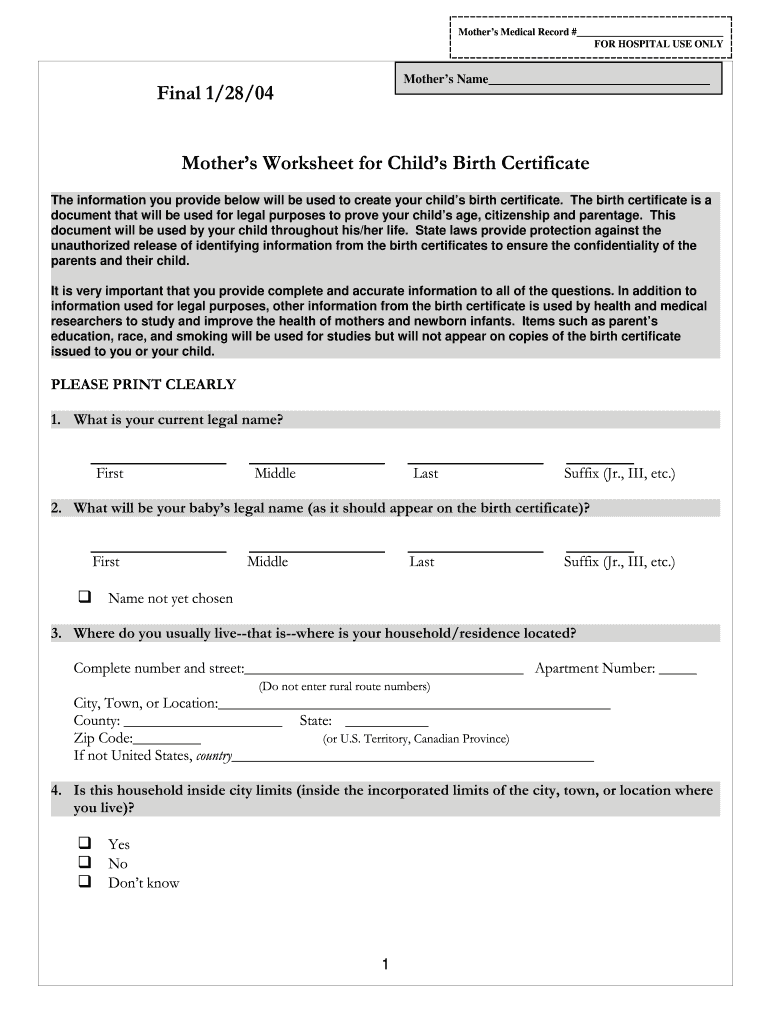
Mothers Medical Record # FOR HOSPITAL USE ONLYMothers Name Final 1/28/04Mothers Worksheet for Childs Birth Certificate The information you provide below will be used to create your childs birth certificate.
Loading

Open form follow the instructions

Easily sign the form with your finger

Send filled & signed form or save
How to fill out the Mother's Worksheet for Child's Birth Certificate online
Completing the Mother's Worksheet for a child's birth certificate online is an important step in ensuring that your child’s legal identity is properly documented. This guide provides detailed instructions to help you fill out the form accurately and efficiently.
Follow the steps to successfully complete the Mother's Worksheet.
- Press the ‘Get Form’ button to access the Mother's Worksheet for Child's Birth Certificate and open it in the editor.
- Begin by entering your current legal name in the designated fields for first, middle, last, and suffix (if applicable). Ensure that all details are accurate and clearly printed.
- Next, provide your baby's legal name as it should appear on the birth certificate, filling in the first, middle, last, and suffix sections. If the name has not yet been chosen, you may select the appropriate option.
- Indicate your residence by completing the street address, city, county, state, zip code, and specify the country if not within the United States.
- Answer whether your household is located inside city limits by selecting yes, no, or don’t know.
- Fill in your mailing address if it differs from your residence. If it is the same, check the appropriate box.
- Provide your date of birth in the format of month, day, and year.
- Specify where you were born by selecting the state, U.S. territory, or foreign country.
- Select the highest level of schooling you will have completed at the time of delivery using the corresponding checkboxes.
- Indicate if you identify as Spanish/Hispanic/Latina by checking the appropriate box.
- Select your race by checking one or more options that you consider yourself to be.
- Provide information about whether you received WIC (Women, Infants & Children) assistance during your pregnancy.
- Enter your height and your prepregnancy weight.
- Answer questions regarding cigarette consumption during specified time periods.
- If applicable, indicate whether you have ever been married and whether a paternity acknowledgment has been completed if you are not married.
- If you have been married, provide the name you used prior to your first marriage.
- Describe the current legal name of your baby's father along with his date of birth.
- Provide details about the father's education and race.
- Enter the Social Security numbers for both parents, if applicable.
- Indicate whether you would like a Social Security number issued for your baby and provide the required signature and date.
- Review your information for accuracy, then save your changes, download, print, or share the completed form as necessary.
Begin completing the Mother's Worksheet for Child's Birth Certificate online today.
Experience a faster way to fill out and sign forms on the web. Access the most extensive library of templates available.
Related content
The worksheet collects information for the child's birth certificate, used for legal...
The husband's name should be entered as father of the child on the birth certificate if at...
The information you provide below will be used to create your child's birth certificate...
Use professional pre-built templates to fill in and sign documents online faster. Get access to thousands of forms.
If you believe that this page should be taken down, please follow our DMCA take down process here.
This form is available in several versions. Select the version you need from the drop-down list below.