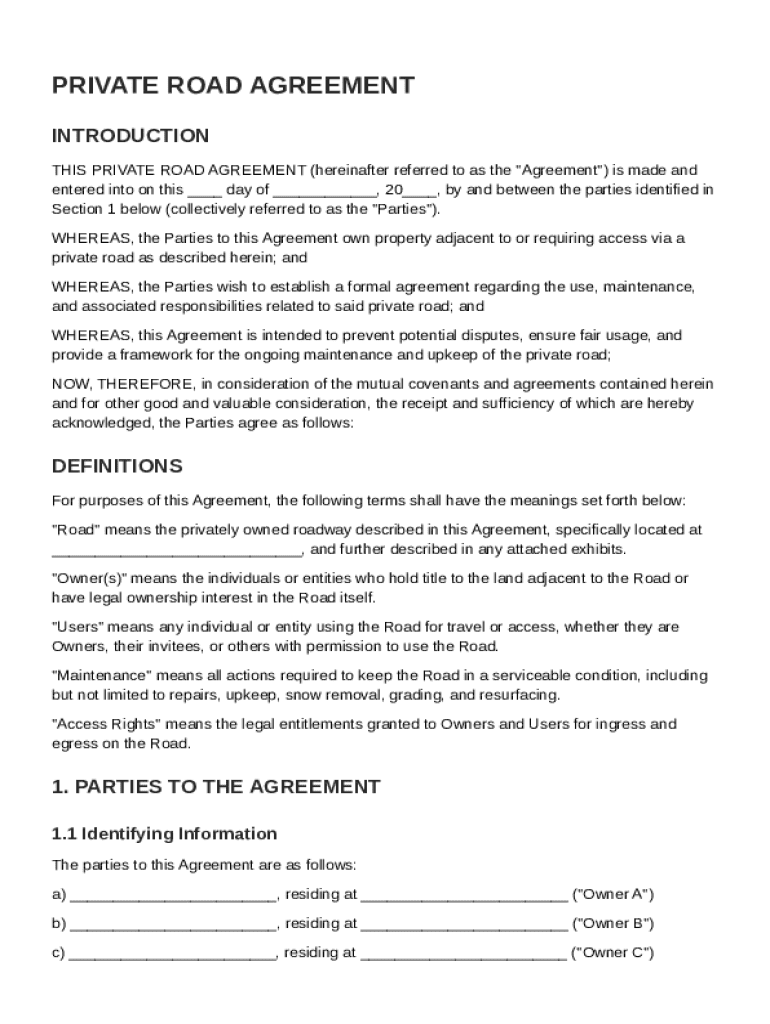
, 20 , by and between the parties identified in Section 1 below (collectively referred to as the "Parties"). WHEREAS, the Parties to this Agreement own property adjacent to or requiring access via a private road as described herein; and WHEREAS, the Parties wish to establish a formal agreement regarding the use, maintenance, and associated responsibilities related to said private road; and WHEREAS, this Agreement is intended to prevent potential disputes, ensure fair usage, and p.
Loading

Open form follow the instructions

Easily sign the form with your finger

Send filled & signed form or save
How to fill out and sign Private Road Agreement Template online?
Get your online template and fill it in using progressive features. Enjoy smart fillable fields and interactivity.Follow the simple instructions below:
The days of terrifying complex legal and tax forms have ended. With US Legal Forms the process of submitting legal documents is anxiety-free. The best editor is right close at hand supplying you with multiple beneficial instruments for filling out a Private Road Agreement Template. These guidelines, in addition to the editor will help you through the entire procedure.
- Click on the Get Form button to begin editing and enhancing.
- Switch on the Wizard mode on the top toolbar to acquire more suggestions.
- Fill each fillable area.
- Ensure the information you add to the Private Road Agreement Template is up-to-date and correct.
- Include the date to the document with the Date feature.
- Click on the Sign tool and create an e-signature. There are three options; typing, drawing, or capturing one.
- Be sure that each field has been filled in correctly.
- Select Done in the top right corne to save the form. There are various choices for getting the doc. An attachment in an email or through the mail as a hard copy, as an instant download.
We make completing any Private Road Agreement Template easier. Get started now!
Tips on how to fill out, edit and sign Private Road Agreement Template online
How to fill and sign Private Road Agreement Template
Get your online template and fill it in using progressive features. Enjoy smart fillable fields and interactivity.Follow the simple instructions below:
The days of terrifying complex legal and tax forms have ended. With US Legal Forms the process of submitting legal documents is anxiety-free. The best editor is right close at hand supplying you with multiple beneficial instruments for filling out a Private Road Agreement Template. These guidelines, in addition to the editor will help you through the entire procedure.
- Click on the Get Form button to begin editing and enhancing.
- Switch on the Wizard mode on the top toolbar to acquire more suggestions.
- Fill each fillable area.
- Ensure the information you add to the Private Road Agreement Template is up-to-date and correct.
- Include the date to the document with the Date feature.
- Click on the Sign tool and create an e-signature. There are three options; typing, drawing, or capturing one.
- Be sure that each field has been filled in correctly.
- Select Done in the top right corne to save the form. There are various choices for getting the doc. An attachment in an email or through the mail as a hard copy, as an instant download.
We make completing any Private Road Agreement Template easier. Get started now!
How to edit Private Road Agreement Template
Sign and share Private Road Agreement Template along with any other business and personal documentation online without wasting time and resources on printing and postal delivery. Take the most out of our online document editor using a built-in compliant eSignature tool.
Signing and submitting Private Road Agreement Template documents electronically is quicker and more effective than managing them on paper. However, it requires using online solutions that ensure a high level of data security and provide you with a compliant tool for creating eSignatures. Our robust online editor is just the one you need to prepare your Private Road Agreement Template and other personal and business or tax forms in an accurate and proper manner in accordance with all the requirements. It features all the essential tools to easily and quickly fill out, adjust, and sign paperwork online and add Signature fields for other parties, specifying who and where should sign.
It takes just a few simple steps to fill out and sign Private Road Agreement Template online:
- Open the chosen file for further processing.
- Use the top panel to add Text, Initials, Image, Check, and Cross marks to your sample.
- Underline the most significant details and blackout or erase the sensitive ones if necessary.
- Click on the Sign tool above and choose how you want to eSign your sample.
- Draw your signature, type it, upload its picture, or use another option that suits you.
- Move to the Edit Fillable Fileds panel and place Signature fields for other parties.
- Click on Add Signer and enter your recipient’s email to assign this field to them.
- Make sure that all data provided is complete and correct before you click Done.
- Share your documentation with others utilizing one of the available options.
When signing Private Road Agreement Template with our extensive online editor, you can always be sure to get it legally binding and court-admissible. Prepare and submit documents in the most effective way possible!
How to fill and sign Private Road Agreement Template
Get your online template and fill it in using progressive features. Enjoy smart fillable fields and interactivity.Follow the simple instructions below:
The days of terrifying complex legal and tax forms have ended. With US Legal Forms the process of submitting legal documents is anxiety-free. The best editor is right close at hand supplying you with multiple beneficial instruments for filling out a Private Road Agreement Template. These guidelines, in addition to the editor will help you through the entire procedure.
- Click on the Get Form button to begin editing and enhancing.
- Switch on the Wizard mode on the top toolbar to acquire more suggestions.
- Fill each fillable area.
- Ensure the information you add to the Private Road Agreement Template is up-to-date and correct.
- Include the date to the document with the Date feature.
- Click on the Sign tool and create an e-signature. There are three options; typing, drawing, or capturing one.
- Be sure that each field has been filled in correctly.
- Select Done in the top right corne to save the form. There are various choices for getting the doc. An attachment in an email or through the mail as a hard copy, as an instant download.
We make completing any Private Road Agreement Template easier. Get started now!
Experience a faster way to fill out and sign forms on the web. Access the most extensive library of templates available.
Related content
The following agreement template is intended for use by persons legally authorized to...
Cooperative Agreements for Corridor Management (2004) Chapter: APPENDIX B - SAMPLE...
Jan 19, 2017 — Roads and driveways. The cost of building a private road on your business...
Get answers to your most pressing questions about US Legal Forms API.
Can I write my own agreement?
Yes, you can write your own agreement as long as you include the necessary components, such as terms and signatures. However, using a well-structured Private Road Agreement Template can simplify the process and ensure that you don't overlook important legal requirements. It's always beneficial to seek legal advice to validate your document.
What is the difference between a local road and a private road?
A local road is generally owned and maintained by a governmental entity, making it accessible to the public. In contrast, a private road is owned by individuals or organizations and limits access to authorized users only. Knowing this difference is crucial when drafting a Private Road Agreement Template to understand rights and responsibilities.
How do I write a maintenance agreement?
Writing a maintenance agreement requires you to specify the responsibilities for maintaining a property or asset. Clearly outline what needs maintenance, the schedule, and who will perform it. Using a Private Road Agreement Template can help you identify the necessary details and ensure that maintenance obligations are clearly defined and understood.
How do you write a simple agreement?
To write a simple agreement, focus on clarity and brevity. Start with the parties’ names and a straightforward purpose statement. List the essential terms and obligations in a concise manner. Finally, have both parties sign and date the document to validate the agreement.
How private is a private road?
The privacy of a private road typically depends on the property agreements established by the owners. Often, a private road limits public access, allowing only individuals authorized by the owners. It's essential to document these access rights in a Private Road Agreement Template to ensure clarity and prevent disputes.
What is a private agreement?
A private agreement is a legally binding document created between two or more parties to outline specific responsibilities and terms. This can pertain to various situations, including property use or maintenance duties. For instance, a Private Road Agreement Template specifies the use, upkeep, and access of a private road, protecting the interests of all parties involved.
How to write a private agreement?
Writing a private agreement involves several key steps. Begin with a title that reflects the purpose, such as 'Private Road Agreement Template.' Then, specify the roles and responsibilities of each party, include any required payments or obligations, and state the conditions for termination. Ensure that all involved parties read the document carefully before signing.
How do you write a private agreement?
To write a private agreement, start by clearly outlining the purpose of the agreement. Include the names of all parties involved, the specific terms, and the agreement's duration. You should also define any important terms to avoid confusion. Finally, both parties should sign and date the document, ideally in front of a witness.
What does PVT mean for roads?
PVT typically stands for 'Private.' It designates roads or rights-of-way that are not publicly maintained and are exclusive to certain property owners. When dealing with a private road, utilizing a Private Road Agreement Template can clarify responsibilities among the owners and ensure proper maintenance.
What is a private road agreement?
A private road agreement is a legal document that outlines the terms and conditions for the use, maintenance, and access of a private road. This agreement protects the interests of all involved parties and helps avoid disputes. A well-crafted Private Road Agreement Template ensures clarity and fairness for everyone.
Use professional pre-built templates to fill in and sign documents online faster. Get access to thousands of forms.
If you believe that this page should be taken down, please follow our DMCA take down process here.