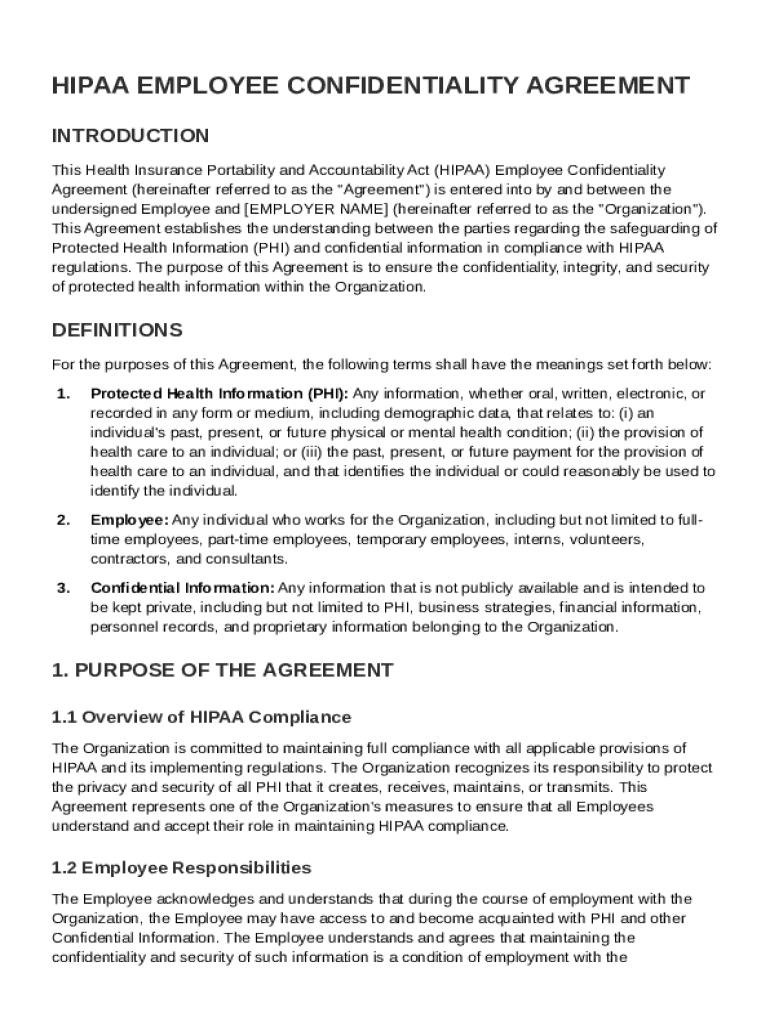
Ent") is entered into by and between the undersigned Employee and EMPLOYER NAME (hereinafter referred to as the "Organization"). This Agreement establishes the understanding between the parties regarding the safeguarding of Protected Health Information (PHI) and confidential information in compliance with HIPAA regulations. The purpose of this Agreement is to ensure the confidentiality, integrity, and security of protected health information within the Organization. DEFINITIONS For the purpos.
Loading

Open form follow the instructions

Easily sign the form with your finger

Send filled & signed form or save
How to fill out and sign HIPAA Employee Confidentiality Agreement Template online?
Get your online template and fill it in using progressive features. Enjoy smart fillable fields and interactivity.Follow the simple instructions below:
The days of frightening complex legal and tax documents are over. With US Legal Forms the procedure of creating legal documents is anxiety-free. A powerhouse editor is right at your fingertips giving you a wide variety of advantageous instruments for filling out a HIPAA Employee Confidentiality Agreement Template. These guidelines, along with the editor will guide you with the whole process.
- Hit the Get Form option to start filling out.
- Switch on the Wizard mode on the top toolbar to obtain extra tips.
- Fill out every fillable area.
- Make sure the data you add to the HIPAA Employee Confidentiality Agreement Template is updated and correct.
- Include the date to the document using the Date option.
- Click the Sign icon and make a digital signature. Feel free to use 3 options; typing, drawing, or capturing one.
- Double-check each field has been filled in properly.
- Click Done in the top right corne to save or send the document. There are various ways for getting the doc. As an instant download, an attachment in an email or through the mail as a hard copy.
We make completing any HIPAA Employee Confidentiality Agreement Template much faster. Get started now!
Tips on how to fill out, edit and sign HIPAA Employee Confidentiality Agreement Template online
How to fill and sign HIPAA Employee Confidentiality Agreement Template
Get your online template and fill it in using progressive features. Enjoy smart fillable fields and interactivity.Follow the simple instructions below:
The days of frightening complex legal and tax documents are over. With US Legal Forms the procedure of creating legal documents is anxiety-free. A powerhouse editor is right at your fingertips giving you a wide variety of advantageous instruments for filling out a HIPAA Employee Confidentiality Agreement Template. These guidelines, along with the editor will guide you with the whole process.
- Hit the Get Form option to start filling out.
- Switch on the Wizard mode on the top toolbar to obtain extra tips.
- Fill out every fillable area.
- Make sure the data you add to the HIPAA Employee Confidentiality Agreement Template is updated and correct.
- Include the date to the document using the Date option.
- Click the Sign icon and make a digital signature. Feel free to use 3 options; typing, drawing, or capturing one.
- Double-check each field has been filled in properly.
- Click Done in the top right corne to save or send the document. There are various ways for getting the doc. As an instant download, an attachment in an email or through the mail as a hard copy.
We make completing any HIPAA Employee Confidentiality Agreement Template much faster. Get started now!
How to edit HIPAA Employee Confidentiality Agreement Template
Enjoy the user friendliness of the multi-featured online editor while filling out your HIPAA Employee Confidentiality Agreement Template. Use the diversity of tools to quickly fill out the blanks and provide the requested data in no time.
Preparing documentation is time-consuming and expensive unless you have ready-to-use fillable forms and complete them electronically. The best way to deal with the HIPAA Employee Confidentiality Agreement Template is to use our professional and multi-functional online editing tools. We provide you with all the essential tools for quick form fill-out and allow you to make any adjustments to your templates, adapting them to any requirements. Apart from that, you can make comments on the changes and leave notes for other people involved.
Here’s what you can do with your HIPAA Employee Confidentiality Agreement Template in our editor:
- Fill out the blank fields using Text, Cross, Check, Initials, Date, and Sign tools.
- Highlight essential details with a preferred color or underline them.
- Conceal sensitive data using the Blackout tool or simply erase them.
- Add pictures to visualize your HIPAA Employee Confidentiality Agreement Template.
- Replace the original text using the one corresponding with your requirements.
- Leave comments or sticky notes to inform others on the updates.
- Create additional fillable areas and assign them to exact recipients.
- Protect the template with watermarks, place dates, and bates numbers.
- Share the paperwork in various ways and save it on your device or the cloud in different formats as soon as you finish modifying.
Working with HIPAA Employee Confidentiality Agreement Template in our powerful online editor is the quickest and most efficient way to manage, submit, and share your documentation the way you need it from anywhere. The tool operates from the cloud so that you can access it from any place on any internet-connected device. All templates you create or complete are safely stored in the cloud, so you can always open them whenever needed and be assured of not losing them. Stop wasting time on manual document completion and eliminate papers; make it all on the web with minimum effort.
How to fill and sign HIPAA Employee Confidentiality Agreement Template
Get your online template and fill it in using progressive features. Enjoy smart fillable fields and interactivity.Follow the simple instructions below:
The days of frightening complex legal and tax documents are over. With US Legal Forms the procedure of creating legal documents is anxiety-free. A powerhouse editor is right at your fingertips giving you a wide variety of advantageous instruments for filling out a HIPAA Employee Confidentiality Agreement Template. These guidelines, along with the editor will guide you with the whole process.
- Hit the Get Form option to start filling out.
- Switch on the Wizard mode on the top toolbar to obtain extra tips.
- Fill out every fillable area.
- Make sure the data you add to the HIPAA Employee Confidentiality Agreement Template is updated and correct.
- Include the date to the document using the Date option.
- Click the Sign icon and make a digital signature. Feel free to use 3 options; typing, drawing, or capturing one.
- Double-check each field has been filled in properly.
- Click Done in the top right corne to save or send the document. There are various ways for getting the doc. As an instant download, an attachment in an email or through the mail as a hard copy.
We make completing any HIPAA Employee Confidentiality Agreement Template much faster. Get started now!
Experience a faster way to fill out and sign forms on the web. Access the most extensive library of templates available.
Related content
In consideration of my employment or compensation from Larimer County, I hereby agree that...
The intent of this Agreement is to ensure that students and their faculty preceptors and...
This whitepaper was prepared for Microsoft, created by HIPAA. One, with the support of...
Get answers to your most pressing questions about US Legal Forms API.
What is the HIPAA Employee confidentiality agreement?
The HIPAA Employee Confidentiality Agreement is a legal document used in healthcare settings to protect patient information. This agreement ensures that employees understand their legal responsibilities under HIPAA regulations regarding patient confidentiality. Utilizing a HIPAA Employee Confidentiality Agreement Template can help you create a compliant and effective agreement quickly.
How do you write a simple confidentiality agreement?
To write a simple confidentiality agreement, start by identifying the parties and the date. Clearly define what constitutes confidential information and the limitations on using this information. A HIPAA Employee Confidentiality Agreement Template can help streamline this process, ensuring you create an effective and legally sound document.
How to fill out the NDA?
Filling out an NDA involves stating the purpose of the agreement, defining confidential information, and outlining the obligations of both parties. It's vital to include the duration of confidentiality and any penalties for breaches. A HIPAA Employee Confidentiality Agreement Template offers a straightforward way to organize this information effectively.
How to fill out a confidentiality agreement?
To fill out a confidentiality agreement, begin by entering the names of the parties involved and the date of the agreement. Next, clearly outline what information is confidential and the obligations of both parties. Using a HIPAA Employee Confidentiality Agreement Template can guide you through this process, ensuring you cover all essential points accurately.
What is an example of a confidentiality clause for employees?
A confidentiality clause for employees generally states that the individual cannot disclose company secrets or sensitive information. In a HIPAA Employee Confidentiality Agreement Template, this clause would specify the types of information considered confidential, such as patient health records or business practices. This ensures that employees understand their responsibilities regarding confidentiality.
Can I write an NDA myself?
You can draft a Non-Disclosure Agreement (NDA) yourself, but it is crucial to ensure all critical elements are included. Using a HIPAA Employee Confidentiality Agreement Template can simplify the process by providing a structured framework. This template helps you address specific concerns, such as the scope of confidential information and the penalties for breach.
What is an example of a confidential agreement?
A confidential agreement typically protects sensitive information from being disclosed. For instance, a healthcare provider may use a HIPAA Employee Confidentiality Agreement Template to ensure that employees do not share patient information with unauthorized individuals. This type of agreement establishes clear guidelines for confidentiality and fosters trust in the workplace.
How do you write a non-disclosure agreement for an employee?
To write a non-disclosure agreement for an employee, start by including the date and the names of the parties. Clearly define confidential information and describe the employee's obligations regarding that information. Additionally, state the duration of the agreement and the consequences of breaking it; using a HIPAA Employee Confidentiality Agreement Template can streamline this process.
Can I write my own NDA?
Yes, you can write your own non-disclosure agreement (NDA), but ensure it complies with relevant laws. Outline the specific information deemed confidential, set the duration of the confidentiality obligation, and state penalties for violation. However, using a standardized format like the HIPAA Employee Confidentiality Agreement Template simplifies the process and covers all vital aspects.
What is the confidentiality clause in an employee contract?
The confidentiality clause in an employee contract states the employee's obligation to protect proprietary and sensitive company information. This clause usually outlines what constitutes confidential information and the consequences of breaching this obligation. Incorporating a HIPAA Employee Confidentiality Agreement Template can help outline these terms clearly, ensuring everyone understands their responsibilities.
Use professional pre-built templates to fill in and sign documents online faster. Get access to thousands of forms.
If you believe that this page should be taken down, please follow our DMCA take down process here.