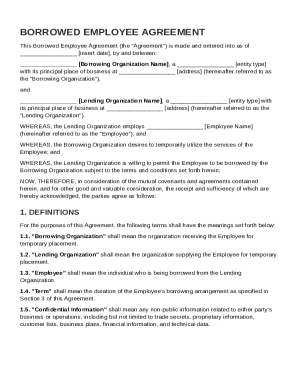
Get Borrowed Employee Agreement Template
How it works
-

Open form follow the instructions
-

Easily sign the form with your finger
-

Send filled & signed form or save
How to fill out and sign Borrowed Employee Agreement Template online?
Get your online template and fill it in using progressive features. Enjoy smart fillable fields and interactivity.Follow the simple instructions below:Experience all the key benefits of submitting and completing legal forms online. With our platform filling in Borrowed Employee Agreement Template only takes a matter of minutes. We make that possible by offering you access to our feature-rich editor effective at transforming/correcting a document?s original text, adding unique fields, and putting your signature on.
Fill out Borrowed Employee Agreement Template within a few clicks by using the instructions below:
- Pick the document template you will need from the library of legal form samples.
- Click the Get form key to open the document and begin editing.
- Complete the required fields (they will be yellowish).
- The Signature Wizard will enable you to add your e-autograph as soon as you have finished imputing data.
- Insert the date.
- Double-check the whole form to make sure you?ve filled in all the information and no changes are required.
- Hit Done and save the filled out form to your computer.
Send your Borrowed Employee Agreement Template in a digital form right after you are done with completing it. Your data is well-protected, because we adhere to the newest security criteria. Join millions of satisfied clients that are already completing legal templates from their houses.
Tips on how to fill out, edit and sign Borrowed Employee Agreement Template online
How to fill out and sign Borrowed Employee Agreement Template online?
Get your online template and fill it in using progressive features. Enjoy smart fillable fields and interactivity.Follow the simple instructions below:
Experience all the key benefits of submitting and completing legal forms online. With our platform filling in Borrowed Employee Agreement Template only takes a matter of minutes. We make that possible by offering you access to our feature-rich editor effective at transforming/correcting a document?s original text, adding unique fields, and putting your signature on.
Fill out Borrowed Employee Agreement Template within a few clicks by using the instructions below:
- Pick the document template you will need from the library of legal form samples.
- Click the Get form key to open the document and begin editing.
- Complete the required fields (they will be yellowish).
- The Signature Wizard will enable you to add your e-autograph as soon as you have finished imputing data.
- Insert the date.
- Double-check the whole form to make sure you?ve filled in all the information and no changes are required.
- Hit Done and save the filled out form to your computer.
Send your Borrowed Employee Agreement Template in a digital form right after you are done with completing it. Your data is well-protected, because we adhere to the newest security criteria. Join millions of satisfied clients that are already completing legal templates from their houses.
How to edit Borrowed Employee Agreement Template: customize forms online
Use our advanced editor to transform a simple online template into a completed document. Continue reading to learn how to edit Borrowed Employee Agreement Template online easily.
Once you find an ideal Borrowed Employee Agreement Template, all you have to do is adjust the template to your needs or legal requirements. Apart from completing the fillable form with accurate details, you might need to erase some provisions in the document that are irrelevant to your circumstance. Alternatively, you might like to add some missing conditions in the original form. Our advanced document editing tools are the best way to fix and adjust the document.
The editor allows you to modify the content of any form, even if the file is in PDF format. You can add and remove text, insert fillable fields, and make extra changes while keeping the initial formatting of the document. You can also rearrange the structure of the form by changing page order.
You don’t need to print the Borrowed Employee Agreement Template to sign it. The editor comes along with electronic signature capabilities. The majority of the forms already have signature fields. So, you simply need to add your signature and request one from the other signing party via email.
Follow this step-by-step guide to create your Borrowed Employee Agreement Template:
- Open the preferred form.
- Use the toolbar to adjust the form to your preferences.
- Complete the form providing accurate details.
- Click on the signature field and add your eSignature.
- Send the document for signature to other signers if needed.
Once all parties complete the document, you will get a signed copy which you can download, print, and share with others.
Our solutions let you save tons of your time and minimize the risk of an error in your documents. Streamline your document workflows with efficient editing tools and a powerful eSignature solution.
A borrowed employee is an individual who works for one employer but is temporarily assigned to another organization. This arrangement allows businesses to share employees for specific projects or tasks. It can be beneficial for both parties, as it enables flexibility and access to specialized skills. Employing a Borrowed Employee Agreement Template can help clarify the roles and responsibilities of all involved.