Loading
Form preview
  • US Legal Forms
  • Other Templates
  • More Forms
  • More Multi-State Forms
  • Generic Agreement Template

Get Generic Agreement Template

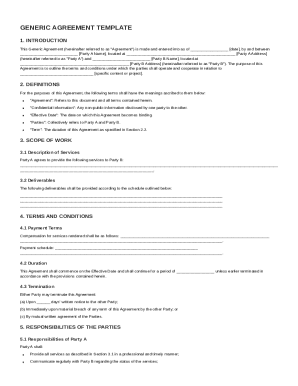
Ate , by and between Party A Name , located at Party A Address (hereinafter referred to as "Party A") and Party B Name , located at Party B Address (hereinafter referred to as "Party B"). The purpose of this Agreement is to outline the terms and conditions under which the parties shall operate and cooperate in relation to.

How it works

  1. Open form

    Open form follow the instructions

  2. Easily sign form

    Easily sign the form with your finger

  3. Share form

    Send filled & signed form or save

How to fill out and sign Generic Agreement Template online?

Get your online template and fill it in using progressive features. Enjoy smart fillable fields and interactivity.Follow the simple instructions below:

The times of distressing complicated tax and legal documents have ended. With US Legal Forms the process of completing legal documents is anxiety-free. The leading editor is right at your fingertips offering you a wide variety of advantageous instruments for completing a Generic Agreement Template. The following tips, in addition to the editor will help you with the whole process.

  1. Click on the Get Form button to begin modifying.
  2. Switch on the Wizard mode on the top toolbar to obtain more tips.
  3. Fill out each fillable field.
  4. Ensure that the data you add to the Generic Agreement Template is up-to-date and correct.
  5. Include the date to the sample with the Date option.
  6. Select the Sign tool and make a signature. You can use 3 available alternatives; typing, drawing, or uploading one.
  7. Be sure that each field has been filled in correctly.
  8. Select Done in the top right corne to save the template. There are many ways for receiving the doc. As an instant download, an attachment in an email or through the mail as a hard copy.

We make completing any Generic Agreement Template less difficult. Use it now!

Tips on how to fill out, edit and sign Generic Agreement Template online

How to fill out and sign Generic Agreement Template online?

Get your online template and fill it in using progressive features. Enjoy smart fillable fields and interactivity.Follow the simple instructions below:

The times of distressing complicated tax and legal documents have ended. With US Legal Forms the process of completing legal documents is anxiety-free. The leading editor is right at your fingertips offering you a wide variety of advantageous instruments for completing a Generic Agreement Template. The following tips, in addition to the editor will help you with the whole process.

  1. Click on the Get Form button to begin modifying.
  2. Switch on the Wizard mode on the top toolbar to obtain more tips.
  3. Fill out each fillable field.
  4. Ensure that the data you add to the Generic Agreement Template is up-to-date and correct.
  5. Include the date to the sample with the Date option.
  6. Select the Sign tool and make a signature. You can use 3 available alternatives; typing, drawing, or uploading one.
  7. Be sure that each field has been filled in correctly.
  8. Select Done in the top right corne to save the template. There are many ways for receiving the doc. As an instant download, an attachment in an email or through the mail as a hard copy.

We make completing any Generic Agreement Template less difficult. Use it now!

How to edit Generic Agreement Template: customize forms online

Put the right document management tools at your fingertips. Execute Generic Agreement Template with our reliable tool that combines editing and eSignature functionality}.

If you want to complete and sign Generic Agreement Template online without any inconvenience, then our online cloud-based solution is the ideal solution. We offer a wealthy template-based library of ready-to-use forms you can modify and fill out online. In addition, you don't need to print out the document or use third-party options to make it fillable. All the needed features will be available for your use as soon as you open the document in the editor.

Let’s examine our online editing tools and their main functions. The editor has a intuitive interface, so it won't require much time to learn how to use it. We’ll check out three major parts that let you:

  • Modify and annotate the template
  • The top toolbar has the features that help you highlight and blackout text, without images and visual components (lines, arrows and checkmarks etc.), sign, initialize, date the form, and more.

  • Organize your paperwork
  • Use the toolbar on the left if you would like to re-order the form or/and remove pages.

  • Make them shareable
  • If you want to make the template fillable for others and share it, you can use the tools on the right and insert various fillable fields, signature and date, text box, etc.).

Aside from the capabilities mentioned above, you can safeguard your document with a password, put a watermark, convert the file to the needed format, and much more.

Our editor makes completing and certifying the Generic Agreement Template very simple. It enables you to make just about everything when it comes to working with forms. In addition, we always make sure that your experience modifying documents is safe and compliant with the major regulatory criteria. All these factors make utilizing our tool even more enjoyable.

Get Generic Agreement Template, apply the needed edits and tweaks, and download it in the desired file format. Try it out today!

Get form

Experience a faster way to fill out and sign forms on the web. Access the most extensive library of templates available.
Get form

Related content

rfpgenericcontracttemplate.docx
Contractor and subcontractor shall comply with federal and state laws authorizing an audit...
Learn more
Contract Service Agreements | Business Contracts
Services Agreement, Business (for use with a corporation, limited liability company or...
Learn more
12 Essential Elements Of A Solid Consulting...
Mar 24, 2022 — Discover the essential components of a robust consulting agreement. Learn...
Learn more

Related links form

Area Of Concentration Course Change Form Once You Have Filled ... - Wabash ASSOCIATE OF ARTS IN BUSINESS - Walsh University 2009 Tax Year Parent Non-Tax Filer's Statement Verification ... Open House April 16, 2011 - Vuu

Questions & Answers

Get answers to your most pressing questions about US Legal Forms API.

Contact support

The three C's of a contract are clarity, consistency, and completeness. Clarity ensures all terms are understandable, consistency helps maintain the document’s reliability, and completeness guarantees that all necessary details are included. Using a Generic Agreement Template can help maintain these principles in your contract.

To write a basic contract agreement, start with a title that reflects the agreement's purpose. Clearly state the parties involved, outline the terms, and specify any obligations and expectations. A Generic Agreement Template can serve as a helpful tool to ensure that no important details are overlooked.

An example of a simple contract could be a rental agreement, which outlines the terms between a landlord and tenant. It includes details like the rental amount, payment terms, and duration of the lease. Crafting such an agreement is straightforward with a Generic Agreement Template as a reference.

Absolutely, you can make your own legal contract. Ensure that it includes all essential elements such as identification of the parties, purpose, and terms of the agreement. A Generic Agreement Template can help you format your contract correctly, making the process easier.

A generic agreement is a standard document that outlines common terms and conditions applicable to various situations. It serves as a versatile framework, adaptable to specific needs and circumstances. By starting with a Generic Agreement Template, you can easily customize it for your unique requirements.

Yes, you can create your own written agreement. Start by clearly outlining the terms and conditions that both parties agree upon. Using a Generic Agreement Template can simplify the drafting process, ensuring that you include all necessary information.

The four types of agreements typically include unilateral agreements, bilateral agreements, express agreements, and implied agreements. Each type serves different purposes based on the relationship between the parties and the expectations set. Utilizing a Generic Agreement Template can help you identify which type of agreement best suits your needs.

To write a simple contract agreement, start by clearly stating the purpose of the agreement. Include essential elements such as the names of the parties involved, the specifics of the agreement, and any terms and conditions. Make sure to use a Generic Agreement Template as a guide to ensure that you cover all necessary details.

To make an agreement template, start with a standard outline that includes key elements such as parties, terms, and conditions. Make sure to leave blank sections or placeholders for customization, depending on specific uses. Adopting a Generic Agreement Template can save time and ensure you cover all necessary areas effectively.

An example of an agreement could be a rental agreement, where terms between a landlord and tenant are clearly laid out. Other examples include partnership agreements and non-disclosure agreements. Utilizing a Generic Agreement Template allows you to customize these examples based on your needs while ensuring you include necessary legal elements.

Get This Form Now!

Use professional pre-built templates to fill in and sign documents online faster. Get access to thousands of forms.
Get form
If you believe that this page should be taken down, please follow our DMCA take down processhere.
Get Generic Agreement Template
Get form
  • Adoption
  • Bankruptcy
  • Contractors
  • Divorce
  • Home Sales
  • Employment
  • Identity Theft
  • Incorporation
  • Landlord Tenant
  • Living Trust
  • Name Change
  • Personal Planning
  • Small Business
  • Wills & Estates
  • Packages A-Z
  • Affidavits
  • Bankruptcy
  • Bill of Sale
  • Corporate - LLC
  • Divorce
  • Employment
  • Identity Theft
  • Internet Technology
  • Landlord Tenant
  • Living Wills
  • Name Change
  • Power of Attorney
  • Real Estate
  • Small Estates
  • Wills
  • All Forms
  • Forms A-Z
  • Other Templates
  • Legal Hub
  • About Us
  • Help Portal
  • Legal Resources
  • Blog
  • Affiliates
  • Contact Us
  • Delete My Account
  • Site Map
  • Industries
  • Forms in Spanish
  • Localized Forms
  • State-specific Forms
  • Forms Kit
  • Real Estate Handbook
  • All Guides
  • Notarize
  • Incorporation services
  • For Consumers
  • For Small Business
  • For Attorneys
  • USLegal
  • FormsPass
  • pdfFiller
  • signNow
  • altaFlow
  • DocHub
  • Instapage
Form Packages
  • Adoption
  • Bankruptcy
  • Contractors
  • Divorce
  • Home Sales
  • Employment
  • Identity Theft
  • Incorporation
  • Landlord Tenant
  • Living Trust
  • Name Change
  • Personal Planning
  • Small Business
  • Wills & Estates
  • Packages A-Z
Form Categories
  • Affidavits
  • Bankruptcy
  • Bill of Sale
  • Corporate - LLC
  • Divorce
  • Employment
  • Identity Theft
  • Internet Technology
  • Landlord Tenant
  • Living Wills
  • Name Change
  • Power of Attorney
  • Real Estate
  • Small Estates
  • Wills
  • All Forms
  • Forms A-Z
  • Other Templates
Customer Service
  • Legal Hub
  • About Us
  • Help Portal
  • Legal Resources
  • Blog
  • Affiliates
  • Contact Us
  • Delete My Account
  • Site Map
  • Industries
  • Forms in Spanish
  • Localized Forms
  • State-specific Forms
  • Forms Kit
Legal Guides
  • Real Estate Handbook
  • All Guides
Prepared for you
  • Notarize
  • Incorporation services
Our Customers
  • For Consumers
  • For Small Business
  • For Attorneys
Our Sites
  • USLegal
  • FormsPass
  • pdfFiller
  • signNow
  • altaFlow
  • DocHub
  • Instapage
Social Media
Call us now toll free:
+1 833 426 79 33
As seen in:
© Copyright 1999-2026 airSlate Legal Forms, Inc. 17 Station Street, Ste. 203, Brookline, MA 02445
  • Your Privacy Choices
  • Terms of Service
  • Privacy Notice
  • Content Takedown Policy
  • Bug Bounty Program