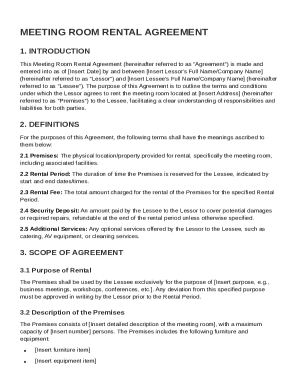
Get Meeting Room Rental Agreement Template
How it works
-

Open form follow the instructions
-

Easily sign the form with your finger
-

Send filled & signed form or save
How to fill out and sign Meeting Room Rental Agreement Template online?
Get your online template and fill it in using progressive features. Enjoy smart fillable fields and interactivity.Follow the simple instructions below:The times of frightening complicated legal and tax documents have ended. With US Legal Forms the whole process of filling out legal documents is anxiety-free. The best editor is already close at hand supplying you with various advantageous instruments for submitting a Meeting Room Rental Agreement Template. These guidelines, in addition to the editor will assist you through the complete procedure.
- Click the Get Form button to begin editing and enhancing.
- Switch on the Wizard mode on the top toolbar to obtain additional suggestions.
- Fill every fillable area.
- Be sure the info you add to the Meeting Room Rental Agreement Template is up-to-date and accurate.
- Add the date to the document using the Date feature.
- Click on the Sign tool and create an electronic signature. You can use three available choices; typing, drawing, or capturing one.
- Check once more every field has been filled in correctly.
- Click Done in the top right corne to save the file. There are various choices for getting the doc. An attachment in an email or through the mail as a hard copy, as an instant download.
We make completing any Meeting Room Rental Agreement Template simpler. Start now!
Tips on how to fill out, edit and sign Meeting Room Rental Agreement Template online
How to fill out and sign Meeting Room Rental Agreement Template online?
Get your online template and fill it in using progressive features. Enjoy smart fillable fields and interactivity.Follow the simple instructions below:
The times of frightening complicated legal and tax documents have ended. With US Legal Forms the whole process of filling out legal documents is anxiety-free. The best editor is already close at hand supplying you with various advantageous instruments for submitting a Meeting Room Rental Agreement Template. These guidelines, in addition to the editor will assist you through the complete procedure.
- Click the Get Form button to begin editing and enhancing.
- Switch on the Wizard mode on the top toolbar to obtain additional suggestions.
- Fill every fillable area.
- Be sure the info you add to the Meeting Room Rental Agreement Template is up-to-date and accurate.
- Add the date to the document using the Date feature.
- Click on the Sign tool and create an electronic signature. You can use three available choices; typing, drawing, or capturing one.
- Check once more every field has been filled in correctly.
- Click Done in the top right corne to save the file. There are various choices for getting the doc. An attachment in an email or through the mail as a hard copy, as an instant download.
We make completing any Meeting Room Rental Agreement Template simpler. Start now!
How to edit Meeting Room Rental Agreement Template: customize forms online
Say goodbye to a traditional paper-based way of executing Meeting Room Rental Agreement Template. Get the form filled out and certified in minutes with our top-notch online editor.
Are you forced to revise and fill out Meeting Room Rental Agreement Template? With a professional editor like ours, you can perform this in mere minutes without having to print and scan documents over and over again. We provide fully customizable and straightforward form templates that will serve as a starting point and help you complete the necessary document template online.
All forms, automatically, include fillable fields you can execute as soon as you open the template. However, if you need to polish the existing content of the document or add a new one, you can select from various customization and annotation tools. Highlight, blackout, and comment on the document; add checkmarks, lines, text boxes, graphics and notes, and comments. Moreover, you can swiftly certify the template with a legally-binding signature. The completed document can be shared with other people, stored, sent to external apps, or transformed into any popular format.
You’ll never go wrong by using our web-based solution to execute Meeting Room Rental Agreement Template because it's:
- Effortless to set up and utilize, even for those who haven’t completed the paperwork online before.
- Powerful enough to allow for various editing needs and form types.
- Safe and secure, making your editing experience safeguarded every time.
- Available for different devices, making it effortless to complete the form from just about anywhere.
- Capable of creating forms based on ready-drafted templates.
- Friendly to numerous file formats: PDF, DOC, DOCX, PPT and JPEG etc.
Don't spend time editing your Meeting Room Rental Agreement Template the old-fashioned way - with pen and paper. Use our full-featured option instead. It provides you with a versatile suite of editing tools, built-in eSignature capabilities, and convenience. What makes it differ from similar alternatives is the team collaboration capabilities - you can work together on documents with anyone, build a well-structured document approval workflow from A to Z, and a lot more. Try our online tool and get the best value for your money!