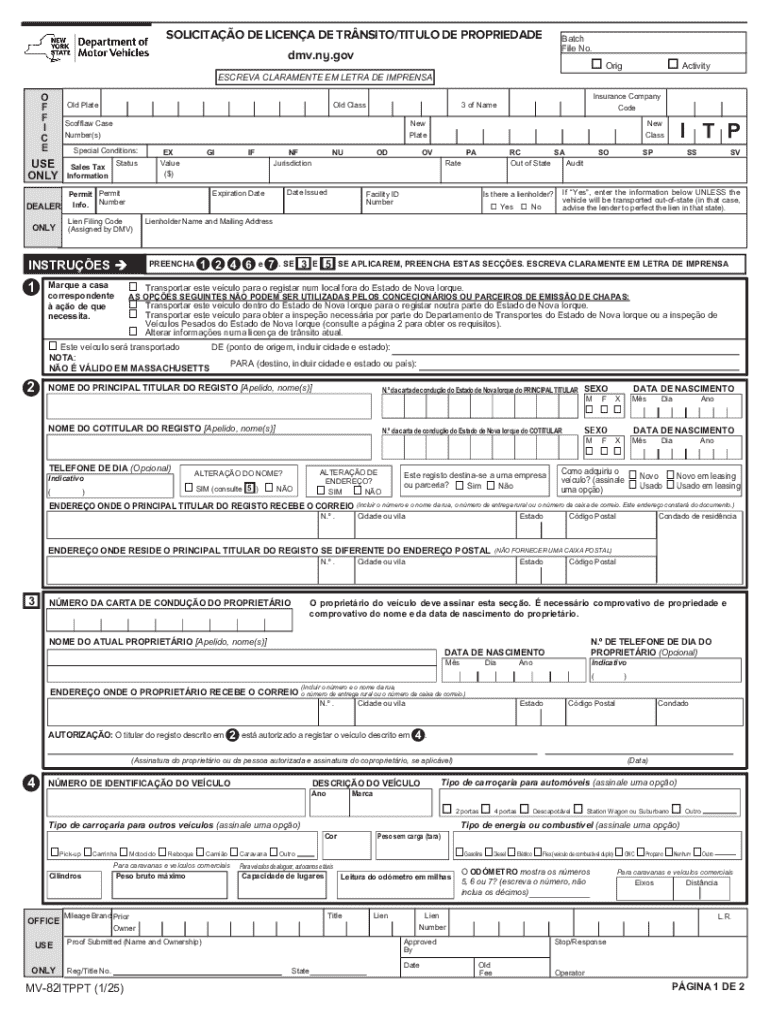
Ase Number(s) Special Conditions: USE ONLY Sales Tax Status Information DEALER Permit Permit Info. Number ONLY Lien Filing Code (Assigned by DMV) Marque a casa correspondente a o de que necessita. EX Value ($) GI NF Jurisdiction NU OD New Class OV PA RC SA Out of State Audit Rate Date Issued Facility ID Number SP SS SV If Yes , enter the information below UNLESS the vehicle will be transported out-of-state (in that case, advise the lender to perfect the lien in.
Loading

Open form follow the instructions

Easily sign the form with your finger

Send filled & signed form or save
How to fill out and sign NY MV-82ITPPT online?
Get your online template and fill it in using progressive features. Enjoy smart fillable fields and interactivity.Follow the simple instructions below:
Feel all the key benefits of submitting and completing forms on the internet. Using our solution completing NY MV-82ITPPT requires just a couple of minutes. We make that possible by giving you access to our full-fledged editor effective at transforming/correcting a document?s original text, adding unique boxes, and putting your signature on.
Complete NY MV-82ITPPT within a few minutes by using the instructions listed below:
- Find the document template you will need from our library of legal forms.
- Click the Get form key to open it and start editing.
- Fill out all the necessary boxes (these are yellow-colored).
- The Signature Wizard will help you add your e-autograph as soon as you have finished imputing data.
- Add the relevant date.
- Double-check the whole template to ensure you?ve completed everything and no corrections are required.
- Press Done and save the filled out document to the gadget.
Send your NY MV-82ITPPT in an electronic form when you finish filling it out. Your data is well-protected, as we adhere to the latest security standards. Join millions of satisfied users who are already filling in legal documents straight from their apartments.
Tips on how to fill out, edit and sign NY MV-82ITPPT online
How to fill and sign NY MV-82ITPPT
Get your online template and fill it in using progressive features. Enjoy smart fillable fields and interactivity.Follow the simple instructions below:
Feel all the key benefits of submitting and completing forms on the internet. Using our solution completing NY MV-82ITPPT requires just a couple of minutes. We make that possible by giving you access to our full-fledged editor effective at transforming/correcting a document?s original text, adding unique boxes, and putting your signature on.
Complete NY MV-82ITPPT within a few minutes by using the instructions listed below:
- Find the document template you will need from our library of legal forms.
- Click the Get form key to open it and start editing.
- Fill out all the necessary boxes (these are yellow-colored).
- The Signature Wizard will help you add your e-autograph as soon as you have finished imputing data.
- Add the relevant date.
- Double-check the whole template to ensure you?ve completed everything and no corrections are required.
- Press Done and save the filled out document to the gadget.
Send your NY MV-82ITPPT in an electronic form when you finish filling it out. Your data is well-protected, as we adhere to the latest security standards. Join millions of satisfied users who are already filling in legal documents straight from their apartments.
How to edit NY MV-82ITPPT
Check out a standalone service to deal with all of your paperwork with ease. Find, edit, and complete your NY MV-82ITPPT in a single interface with the help of smart instruments.
The days when people needed to print out forms or even write them by hand are long gone. These days, all it takes to find and complete any form, like NY MV-82ITPPT, is opening just one browser tab. Here, you will find the NY MV-82ITPPT form and customize it any way you need, from inserting the text directly in the document to drawing it on a digital sticky note and attaching it to the document. Discover instruments that will streamline your paperwork without extra effort.
Simply click the Get form button to prepare your NY MV-82ITPPT paperwork easily and start editing it instantly. In the editing mode, you can easily fill in the template with your details for submission. Just click on the field you need to change and enter the data right away. The editor's interface does not need any specific skills to use it. When finished with the edits, check the information's accuracy once more and sign the document. Click on the signature field and follow the instructions to eSign the form in a moment.
Use More instruments to customize your form:
- Use Cross, Check, or Circle instruments to pinpoint the document's data.
- Add textual content or fillable text fields with text customization tools.
- Erase, Highlight, or Blackout text blocks in the document using corresponding instruments.
- Add a date, initials, or even an image to the document if necessary.
- Utilize the Sticky note tool to annotate the form.
- Use the Arrow and Line, or Draw tool to add graphic components to your file.
Preparing NY MV-82ITPPT paperwork will never be puzzling again if you know where to find the suitable template and prepare it quickly. Do not hesitate to try it yourself.
How to fill and sign NY MV-82ITPPT
Get your online template and fill it in using progressive features. Enjoy smart fillable fields and interactivity.Follow the simple instructions below:
Feel all the key benefits of submitting and completing forms on the internet. Using our solution completing NY MV-82ITPPT requires just a couple of minutes. We make that possible by giving you access to our full-fledged editor effective at transforming/correcting a document?s original text, adding unique boxes, and putting your signature on.
Complete NY MV-82ITPPT within a few minutes by using the instructions listed below:
- Find the document template you will need from our library of legal forms.
- Click the Get form key to open it and start editing.
- Fill out all the necessary boxes (these are yellow-colored).
- The Signature Wizard will help you add your e-autograph as soon as you have finished imputing data.
- Add the relevant date.
- Double-check the whole template to ensure you?ve completed everything and no corrections are required.
- Press Done and save the filled out document to the gadget.
Send your NY MV-82ITPPT in an electronic form when you finish filling it out. Your data is well-protected, as we adhere to the latest security standards. Join millions of satisfied users who are already filling in legal documents straight from their apartments.
Experience a faster way to fill out and sign forms on the web. Access the most extensive library of templates available.
Related content
APPLICATION FOR TITLE. PAGE 1 OF 2. PLEASE PRINT WITH BLUE OR BLACK INK. IMPORTANT– DO...
Complete the Registration Application: Form MV-82 can be downloaded from the DMV website...
Nov 25, 2024 — *Robert A. Swarm, MD/Chair ϕ. Siteman Cancer Center at Barnes-. Jewish...
Get answers to your most pressing questions about US Legal Forms API.
How to make a DMV appointment in NY?
To make a DMV appointment in New York, visit the DMV website and navigate to the appointment section. You may need to select your desired service, like vehicle registration or title transfer, and fill in your contact details. Securing an appointment ensures you minimize your wait time at the DMV.
How to fill out a New York vehicle title?
Filling out a New York vehicle title involves providing accurate information regarding the vehicle and parties involved in the transaction. Use the NY MV-82ITPPT form for registration and title transfer. Ensure that all sections are completed properly to ensure smooth processing at the DMV.
Does NY require a notarized transfer of vehicle title from another state?
In New York, a notarized transfer of vehicle title from another state is typically not required. However, you must have the original title and complete the NY MV-82ITPPT form to facilitate the transfer. Check with your local DMV for any specific requirements or variations based on your situation.
How to fill out a New York title?
When filling out a New York title, start by entering the vehicle's details and your information clearly. Use the NY MV-82ITPPT form if you are registering or transferring the title. Ensure that all fields are completed accurately to avoid delays in processing at the DMV.
How to title an out-of-state vehicle in New York?
To title an out-of-state vehicle in New York, you must fill out the NY MV-82ITPPT form. You will also need to provide the original title from the previous state, proof of identification, and any relevant fees. Submitting these documents at your local DMV ensures a smooth titling process.
What form do I need to fill out to register a car in NY?
To register a car in New York, you will need to complete the NY MV-82ITPPT form. This form is essential for vehicle registration and includes necessary details about your vehicle, like the VIN and ownership information. After filling out the form, submit it along with other required documents to your local DMV office.
Can you go to DMV without an appointment in NY?
In New York, visiting the DMV without an appointment is generally discouraged, as many locations prioritize scheduled visits. While some services may be available for walk-ins, it's safer to book an appointment to ensure your needs are met. For a smooth experience, utilize the uslegalforms platform to secure your spot in advance, allowing you to focus on completing your tasks efficiently.
How to fill out a title when selling a car in NY?
When selling a car in New York, filling out the title correctly is crucial. You must complete the seller section of the title with your details and the buyer's information. Additionally, you should include the date of sale and the mileage on the odometer. Using the NY MV-82ITPPT as part of the sale can streamline the process, and uslegalforms provides helpful templates and instructions to assist you.
How to clear a suspended registration in NY?
To clear a suspended registration in New York, you must first address the reason for the suspension. This may involve paying fines or resolving any outstanding issues with the DMV. Once you have satisfied all requirements, you can submit the necessary forms, including the NY MV-82ITPPT, along with your payment. The uslegalforms platform has resources that can guide you through the steps to restore your registration efficiently.
What form do I need to register a vehicle in NY?
To register a vehicle in New York, you need to complete the NY MV-82ITPPT form. This form is essential for both new and used vehicle registrations. Along with the NY MV-82ITPPT, you'll also need to provide proof of identity, proof of ownership, and payment for registration fees. You can find more details and resources on the uslegalforms platform to help you navigate this process smoothly.
Use professional pre-built templates to fill in and sign documents online faster. Get access to thousands of forms.
If you believe that this page should be taken down, please follow our DMCA take down process here.