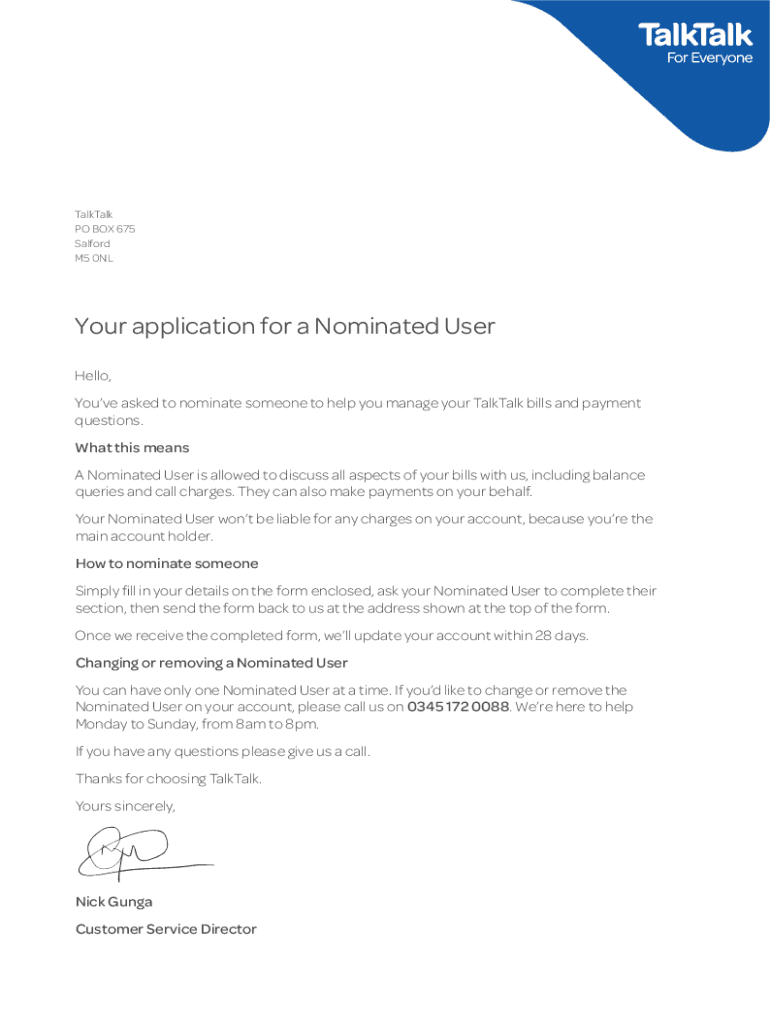
Ated User is allowed to discuss all aspects of your bills with us, including balance queries and call charges. They can also make payments on your behalf. Your Nominated User won t be liable for any charges on your account, because you re the main account holder. How to nominate someone Simply fill in your details on the form enclosed, ask your Nominated User to complete their section, then send the form back to us at the address shown at the top of the form. Once we receive the completed fo.
Loading

Open form follow the instructions

Easily sign the form with your finger

Send filled & signed form or save
How to fill out the UK TalkTalk Nominated User Application Form online
Filling out the UK TalkTalk Nominated User Application Form online allows you to designate someone to assist you with your TalkTalk bills and payment inquiries. This guide provides a detailed overview of how to complete each section of the form accurately.
Follow the steps to complete your application effectively
- Click ‘Get Form’ button to obtain the form and open it in your chosen online editor.
- Begin with the Customer Details section. Provide your TalkTalk landline number and account number to identify your account accurately.
- Fill in your title, first name, surname, address, and postcode in the designated fields. Ensure that all information is entered correctly.
- Read the agreement statement regarding your responsibility as the account holder, and confirm your understanding by marking the appropriate box.
- Enter the date and sign in the space provided to acknowledge your consent.
- Move on to the Nominee Details section. Here, your nominated user will need to provide their title, first name, surname, address, postcode, and date of birth.
- Ask your nominated user to provide their email address and choose a preferred security password, which must be up to 20 characters long.
- They should also complete the additional security question and the answer field, ensuring both entries do not exceed 80 characters.
- Input primary and alternative contact numbers for the nominated user. These will be used for communication regarding account specifics.
- Your nominated user must read and confirm their agreement to act on your behalf by signing and dating the form.
- Once all sections are filled out, review the form for any errors or missing information. You can then save changes, download, print, or share the completed form.
- Send the completed form back to TalkTalk at the address provided at the top of the form.
Complete your UK TalkTalk Nominated User Application Form online today and streamline your account management.
Experience a faster way to fill out and sign forms on the web. Access the most extensive library of templates available.
Related content
Jan 29, 2010 — The Proposals will create two new holding companies, TalkTalk (which will...
This study, which focuses on requirements for the commercial use of EU personal data by US...
This page or section is an archive. Please do not edit the contents of this page. Direct...
Get answers to your most pressing questions about US Legal Forms API.
How many people use TalkTalk?
TalkTalk serves millions of customers across the UK, offering various internet and communication services. Their broad user base reflects their commitment to providing reliable services at competitive prices. If you’re looking to join this community or need assistance with the UK TalkTalk Nominated User Application Form, you’ll find plenty of resources available.
Does TalkTalk have an email address?
TalkTalk does not provide a direct email address for customer support inquiries. Instead, they encourage users to reach out via their website or chat support, ensuring a quicker response. For issues related to the UK TalkTalk Nominated User Application Form, direct interaction may help clarify your questions more efficiently.
How many devices can I connect to my TalkTalk router?
You can typically connect multiple devices to your TalkTalk router, making it suitable for households with numerous gadgets. Most routers support around 20 devices, but performance may vary depending on your internet package. For optimal connectivity, make sure your settings align with the guidelines provided in the UK TalkTalk Nominated User Application Form.
How do I change ownership of my TalkTalk account?
Changing ownership of your TalkTalk account involves a few steps, including filling out a form to transfer the account to the new owner. You will likely need to provide relevant identification for both parties. The UK TalkTalk Nominated User Application Form may be helpful in this process, ensuring that all details are accurately captured.
How do I add a second email address to my TalkTalk account?
To add a second email address, log into your TalkTalk account and navigate to the email settings section. There, you can follow the prompts to add a new email address. This feature can be particularly useful if you need to set up additional communication channels while utilizing the UK TalkTalk Nominated User Application Form.
Can I add someone to my TalkTalk account?
Yes, you can add someone to your TalkTalk account by making them a nominated user. This allows them to manage certain aspects of your account. To initiate this process, you can refer to the UK TalkTalk Nominated User Application Form for detailed instructions and requirements.
How to talk to a human being at TalkTalk?
To speak with a human representative at TalkTalk, you can call their customer service number or use their live chat feature on the TalkTalk website. Make sure to have your account details handy to expedite the process. Reaching a human can be particularly helpful if you need assistance with the UK TalkTalk Nominated User Application Form.
What is a nominated user?
A nominated user is an individual you designate to manage your TalkTalk account on your behalf. This person can assist with decisions, make changes, and access specific account information. By filling out the UK TalkTalk Nominated User Application Form, you formally add them to your account, ensuring they have the necessary permissions to act as your representative. It's a helpful feature for shared accounts or assistance needs.
How do I get in touch with TalkTalk?
Getting in touch with TalkTalk is easy and convenient. You can contact them via their customer service phone line, live chat on the website, or through social media platforms. Additionally, for any specific inquiries related to your account, you can use the UK TalkTalk Nominated User Application Form to ensure the right assistance. Take advantage of these options to resolve your concerns swiftly.
How to register with TalkTalk?
To register with TalkTalk, visit their official website and navigate to the registration page. You will need to provide your personal information, including your name, address, and contact details. After filling out the necessary forms, you may need to confirm your identity. If you are looking to manage your account more effectively, consider completing the UK TalkTalk Nominated User Application Form.
Use professional pre-built templates to fill in and sign documents online faster. Get access to thousands of forms.
If you believe that this page should be taken down, please follow our DMCA take down process here.