Loading
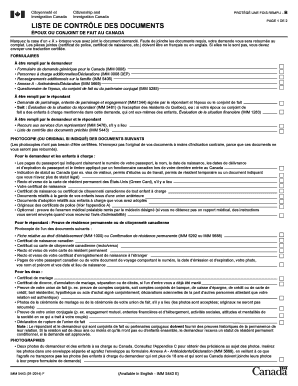
Get Liste De ContrÔle Des Documents
How it works
-

Open form follow the instructions
-

Easily sign the form with your finger
-

Send filled & signed form or save
How to use or fill out the LISTE DE CONTRÔLE DES DOCUMENTS online
The LISTE DE CONTRÔLE DES DOCUMENTS is a crucial part of the application process for Canadian immigration. This guide provides a comprehensive overview, offering step-by-step instructions on how to accurately fill out the form online, ensuring you submit all necessary documents.
Follow the steps to efficiently complete the LISTE DE CONTRÔLE DES DOCUMENTS.
- Click the ‘Get Form’ button to obtain the form and open it in your preferred online editor.
- Begin by marking an 'X' next to each required document you have included. This will help ensure that all necessary documents are accounted for and submitted together.
- Fill in the personal information section, including your full name, date of birth, and any identification numbers required. Ensure accuracy to prevent any delays in processing your application.
- Complete the section pertaining to your spouse or partner, including any necessary documentation to support your relationship status.
- If applicable, provide copies of your passport pages and any evidence of your status in Canada, ensuring that documents are in English or French, or include certified translations.
- Attach any required supporting documents such as birth certificates, partnership proof, and official identification as described in the guidelines.
- For the sponsor’s section, ensure to include proof of status or residency, along with recent financial documents, as specified.
- Review all completed sections and attached documents thoroughly. Double-check for signatures where required, particularly on forms that need to be co-signed by your partner or sponsor.
- Once satisfied with your form, save your changes to your device. You may also want to download or print a copy for your records before proceeding to submission.
- Submit your completed form online or according to the submission guidelines provided in the document. Ensure that all pages are included in your final submission.
Start filling out your LISTE DE CONTRÔLE DES DOCUMENTS online today to ensure a smooth application process.
To make a SIF file from Excel, you can first save your spreadsheet as a CSV file. After saving, use a conversion tool specifically designed to transform CSV files into SIF files. This method helps ensure your data remains well-organized, forming a key part of your LISTE DE CONTRÔLE DES DOCUMENTS.
Industry-leading security and compliance
US Legal Forms protects your data by complying with industry-specific security standards.
-
In businnes since 199725+ years providing professional legal documents.
-
Accredited businessGuarantees that a business meets BBB accreditation standards in the US and Canada.
-
Secured by BraintreeValidated Level 1 PCI DSS compliant payment gateway that accepts most major credit and debit card brands from across the globe.