Get Uk Application For Your Statutory Experian Credit Report 2018-2026
How it works
-

Open form follow the instructions
-

Easily sign the form with your finger
-

Send filled & signed form or save
How to fill out the UK Application For Your Statutory Experian Credit Report online
This guide provides clear instructions on how to fill out the UK Application For Your Statutory Experian Credit Report online. Whether you are new to the process or need assistance, this comprehensive guide will support you in completing the form accurately.
Follow the steps to successfully submit your application.
- Click the ‘Get Form’ button to obtain the form and open it in your preferred editor.
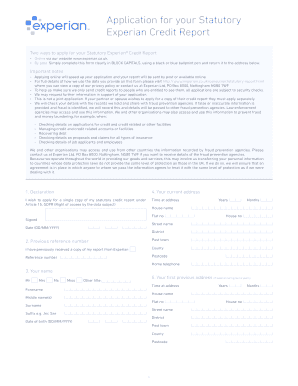
- Begin by filling in the personal information section. Clearly state your full name. Include your title such as Mr, Mrs, Ms, Miss, or other relevant titles. Additionally, provide your date of birth using the format DD/MM/YYYY.
- Proceed to enter your current address. Fill in details such as house name, flat number (if applicable), house number, street name, district, post town, county, and postcode. Specify how long you have lived at this address in years and months.
- If you have previously received a credit report, include your previous reference number in the designated field. This helps verify your identity and application history.
- Next, you need to provide your previous addresses where you have lived during the last six years. For each address, include similar information: time at the address in years and months, house name, flat number, house number, street name, district, post town, county, and postcode.
- Review all the information you have entered to ensure accuracy. Pay special attention to names and dates, as these are crucial for identity verification.
- Sign and date the form in the designated area provided for your signature and the date, ensuring to use the format DD/MM/YYYY.
- Once you have completed the form, you can save changes, download, print, or share the completed application as needed.
Complete your application online today to receive your Statutory Experian Credit Report quickly and efficiently.
To download your Experian credit report in the UK, first, ensure you have completed the UK Application For Your Statutory Experian Credit Report. Once your report is ready, log into your Experian account, where you will find the download option for your report. Click on the download link, and your report will be saved to your device. This process allows you to easily access and review your credit information anytime.