Loading
Get Uk Taxback Paye Tax Refund Instruction Form 2013-2026
How it works
-

Open form follow the instructions
-

Easily sign the form with your finger
-

Send filled & signed form or save
How to fill out the UK Taxback PAYE Tax Refund Instruction Form online
Completing the UK Taxback PAYE Tax Refund Instruction Form online is an efficient way to claim your tax refund. This guide provides step-by-step instructions to help ensure that your submission is accurate and timely.
Follow the steps to successfully complete your tax refund form online.
- Click ‘Get Form’ button to obtain the form and open it in the editor.
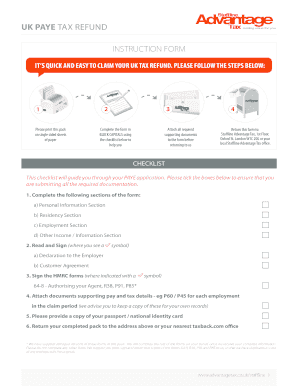
- Begin by filling out the Personal Information Section in BLOCK CAPITALS. Provide your first name(s), surname, date of birth, nationality, last known UK address, permanent home address, national insurance number, telephone number, mobile, and email.
- In the Residency Section, indicate your UK tax residency status. Clarify if you have always lived and worked in the UK and provide your exit dates if applicable.
- Complete the Employment Information Section. List all relevant employers during the tax years you are claiming, including start and finish dates, your occupation, and any tips or gratuities received.
- Fill out the Other Income Section if applicable. Report any additional income received from worldwide sources during the claiming period, including bank interest or rental income.
- Ensure to sign the Declaration to the Employer, granting Taxback.com authority to act on your behalf regarding your tax return application.
- Compile all necessary supporting documents, including P60 or P45 forms for each employer during the claim period, and a copy of your passport or national identity card.
- Review the completed form against the provided checklist to ensure all sections are filled out and all required documents are attached.
- Save your changes, and if necessary, download or print the completed form. Prepare to share it by returning it to Taxback.com at the address provided.
Start your process online to claim your UK tax refund today.
Related links form
When you leave the UK, you must usually send form P85 'Leaving the UK – getting your tax right' to HMRC. You can find the form on GOV.UK. Alternatively, you can make a claim online. The form allows you to claim a refund of income tax, if you are owed one.