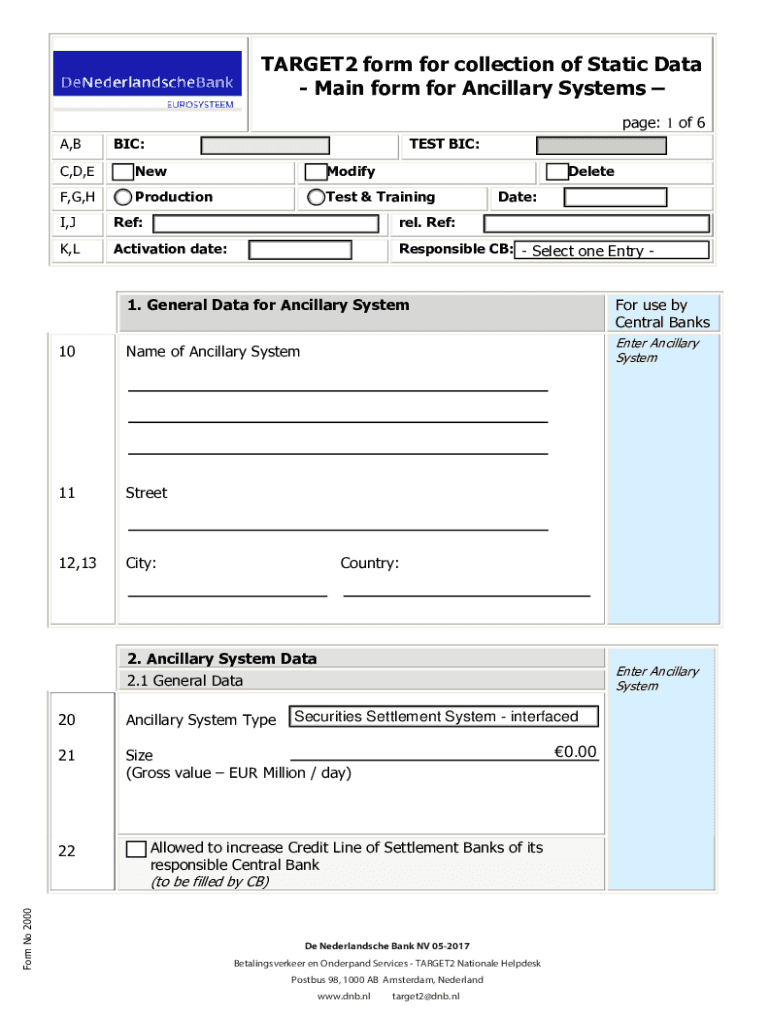
: rel. Ref: K,L Activation date: Responsible CB: - Select one Entry - 1. General Data for Ancillary System 10 Name of Ancillary System 11 Street 12,13 City: For use by Central Banks Enter Ancillary System Country: 2. Ancillary System Data Enter Ancillary System 2.1 General Data 20 Ancillary System Type 21 Size (Gross value EUR Million / day) Form No 2000 22 Securities Settlement System - interfaced 0.00 Allowed to increase Credit Line of Settlement Banks of its resp.

Open form follow the instructions

Easily sign the form with your finger

Send filled & signed form or save
How to fill out the 2017 NL De Nederlandsche Bank Form 2000 online
Filling out the 2017 NL De Nederlandsche Bank Form 2000 online can be a straightforward process when you understand each component. This guide provides a step-by-step approach to ensure that you accurately complete the form.
Follow the steps to effectively fill out the form online.
- Click 'Get Form' button to access the document. This action will allow you to open the form in your preferred online editing environment.
- In Section 1, provide the general data for the ancillary system. Input the name, street, city, and country details in the respective fields.
- Proceed to Section 2 to enter additional data regarding the ancillary system. Ensure to specify the type of ancillary system and its size in gross value, measured in EUR million per day.
- In Section 2.2, fill out the billing data. Choose between entering billing data directly or providing a billing address. Ensure accuracy in this section as it is crucial for communications.
- Section 3 focuses on SWIFT NET details. Select the appropriate options for receiving files from ASI and fill out the necessary organizational units as required.
- In Section 4, outline the settlement procedures. Provide the relevant account BICs and select the appropriate procedure for your needs, ensuring to include all types of settlement options applicable.
- Once all sections have been completed, review the form thoroughly to ensure all information is accurate and complete.
- Finally, save your changes. You may choose to download the form, print it for physical records, or share it online with relevant parties for further processing.
Get started by completing your 2017 NL De Nederlandsche Bank Form 2000 online today.
Experience a faster way to fill out and sign forms on the web. Access the most extensive library of templates available.
Related content
Prudential supervision is exercised by the Dutch Central Bank (De Nederlandsche Bank...
by CAB van der Cruijsen · 2008 · Cited by 8 — De Nederlandsche Bank (DNB) was hiervoor...
This climate publication offers an overview of how ABN AMRO's business lines and business...
Use professional pre-built templates to fill in and sign documents online faster. Get access to thousands of forms.
If you believe that this page should be taken down, please follow our DMCA take down process here.