Loading
Get Im Systems Group - Virtual Office Of Acquisition - Voa Marad Dot
How it works
-

Open form follow the instructions
-

Easily sign the form with your finger
-

Send filled & signed form or save
How to fill out the IM Systems Group - Virtual Office Of Acquisition - Voa Marad Dot online
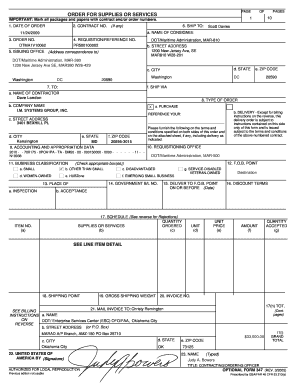
Filling out the IM Systems Group - Virtual Office Of Acquisition - Voa Marad Dot form online can seem daunting at first, but this guide will walk you through each step clearly and effectively. By following these instructions, you will complete the form with confidence.
Follow the steps to successfully fill out the form.
- Use the ‘Get Form’ button to access the form and open it in your preferred editor.
- Begin by entering the date of the order in the designated field. Ensure that you use the correct format for dates.
- Fill in the contract number if applicable. This field is essential for tracking and reference purposes.
- Provide your order number, which helps identify this particular transaction.
- Input the requisition or reference number, ensuring accuracy to avoid issues with processing.
- Complete the issuing office information by including the address where correspondence should be directed.
- Indicate the ship-to address, including the consignee's name, street address, city, state, and ZIP code.
- Select the type of order you are submitting. Check the appropriate box, indicating whether it is a purchase.
- Fill in the accounting and appropriation data as required.
- Complete the business classification section, selecting any applicable ownership status.
- Provide the delivery instructions, including the F.O.B. point and any required delivery dates.
- List the supplies or services being ordered, indicating quantities, unit prices, and total amounts as needed.
- Enter the billing information, including the name and address where invoices should be sent.
- Finally, review all entries for accuracy before saving your changes, downloading, printing, or sharing the completed form.
Ready to get started? Complete your documents online today!
Industry-leading security and compliance
US Legal Forms protects your data by complying with industry-specific security standards.
-
In businnes since 199725+ years providing professional legal documents.
-
Accredited businessGuarantees that a business meets BBB accreditation standards in the US and Canada.
-
Secured by BraintreeValidated Level 1 PCI DSS compliant payment gateway that accepts most major credit and debit card brands from across the globe.