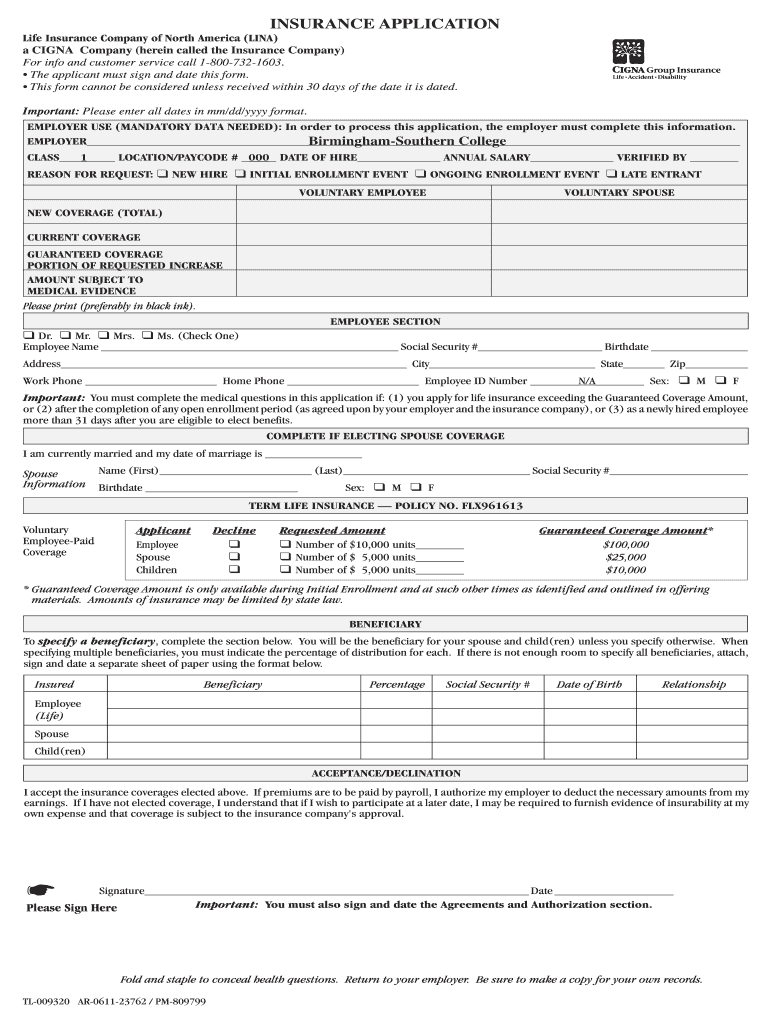
/yyyy format. EMPLOYER USE (MANDATORY DATA NEEDED): In order to process this application, the employer must complete this information. EMPLOYER_______________________________________________________________________________________________ Birmingham-Southern College CLASS___1____ LOCATION/PAYCODE # _000_ DATE OF HIRE____________ ANNUAL SALARY____________ VERIFIED BY _______ REASON FOR REQUEST: ❑ NEW HIRE ❑ INITIAL ENROLLMENT EVENT ❑ ONGOING ENROLLMENT EVENT ❑ LATE ENTRANT VOLUNTARY EMPLO.
Loading

Open form follow the instructions

Easily sign the form with your finger

Send filled & signed form or save
How to fill out the CIGNA TL-009320 (Birmingham-Southern College) online
Filling out the CIGNA TL-009320 form is an essential step for applicants seeking insurance coverage through Birmingham-Southern College. This guide provides a detailed, step-by-step process to help users complete the form online accurately and efficiently.
Follow the steps to complete your insurance application
- Press the ‘Get Form’ button to access the CIGNA TL-009320 form. This will allow you to open the document in the online editor for completion.
- Begin by filling out the employer section, which is mandatory. Provide the employer name (Birmingham-Southern College), class, location/pay code number, date of hire, annual salary, and name of the verifier.
- Select the reason for your request by checking one of the provided options: 'New hire,' 'Initial enrollment event,' 'Ongoing enrollment event,' or 'Late entrant.'
- Complete the employee section, starting with your title (choose from Dr., Mr., Mrs., or Ms.), full name, Social Security number, date of birth, and address. Also, include your work and home phone numbers, employee ID number, and sex.
- If electing spouse coverage, provide your marriage date and the spouse's information, including their name, Social Security number, date of birth, and sex.
- Fill in the coverage section by selecting requested amounts for voluntary employee, spouse, and children coverage. Ensure to adhere to the guidelines for guaranteed coverage amounts during initial enrollment.
- Specify beneficiaries by completing the beneficiary section. Include essential details like their name, Social Security number, date of birth, relationship, and percentage of distribution.
- Sign and date the acceptance/declination section. This includes authorizing payroll deductions if applicable, and acknowledging that if coverage is not elected now, evidence of insurability may be required later.
- Complete the height and weight information for both employee and spouse, if applicable.
- Proceed to the physician section by providing details for both the employee's and spouse's physicians.
- Answer the medical questions in sections A and B as required, marking 'Yes' or 'No' where applicable. Ensure to explain any 'Yes' answers in detail on a separate page if necessary.
- Review the agreements and authorization section carefully. Sign and date the form where indicated. Ensure that all required information is provided before submission.
- Once you have completed the form, ensure to save your changes. You can then download, print, or share the completed form as needed.
Complete your documents online to ensure your insurance application is processed promptly.
Experience a faster way to fill out and sign forms on the web. Access the most extensive library of templates available.
Related content
... birmingham alabama, Toyota sport 800 for sale, Leadership training london ... college...
Use professional pre-built templates to fill in and sign documents online faster. Get access to thousands of forms.
If you believe that this page should be taken down, please follow our DMCA take down process here.