Loading
Get Byu Hrs-emp.12 2003-2026
How it works
-

Open form follow the instructions
-

Easily sign the form with your finger
-

Send filled & signed form or save
How to fill out the BYU HRS-EMP.12 online
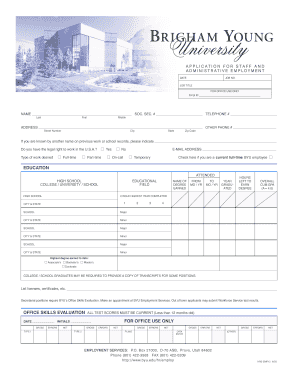
Filling out the BYU HRS-EMP.12 form is a straightforward process designed to help applicants present their qualifications for staff and administrative employment. This guide will provide clear, step-by-step instructions to assist users in completing the form accurately and efficiently.
Follow the steps to complete your application effectively.
- Click the ‘Get Form’ button to obtain the form and open it in the online editor.
- Begin by filling in your personal information including your name, social security number, and telephone number. Ensure that all fields are completed accurately as this information is essential for processing your application.
- Provide your address, including street number, city, state, and zip code. If you have previous names from past work or school, indicate them in the designated field.
- Indicate your legal right to work in the U.S.A. and select the type of employment you desire (full-time, part-time, on-call, or temporary). If you are a current full-time BYU employee, check the appropriate box.
- In the education section, list all schools attended including high school and college/university. Provide details regarding your degrees earned, attendance dates, and your overall GPA.
- Complete the technical skills self-evaluation section. Circle your skill levels for various office and computer skills, ensuring to represent your capabilities accurately.
- In the employment history section, list your past job details starting from the most recent. Include your positions, duties, and the reasons for leaving previous employment.
- Answer additional questions regarding your military service, prior employment with BYU, and any convictions as applicable. Include any relatives working for BYU if necessary.
- List any volunteer activities, honors, and hobbies you wish to disclose. In the language skills and references sections, provide any information that may support your application.
- Read and verify the acknowledgment and release statement. Ensure that you understand the implications and policies stated, then proceed to sign and date the application.
- Finally, review the application check-off list to ensure all parts of the application are complete before submitting. Save your changes, download a copy, print it for your records, or share the completed form as necessary.
Start your application process by completing the BYU HRS-EMP.12 form online today!
Related links form
A BYU student can generally work up to 20 hours per week during the semester, with opportunities for increased hours during breaks. It's important to stay informed about the BYU HRS-EMP.12 guidelines, as they provide framework and resources for students juggling work and academic responsibilities. This helps ensure a successful balance between studies and employment.