Loading
Get Human Resources, Safety
How it works
-

Open form follow the instructions
-

Easily sign the form with your finger
-

Send filled & signed form or save
How to fill out the Human Resources, Safety online
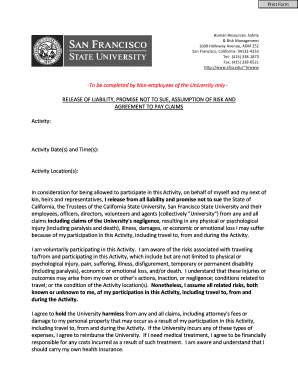
Filling out the Human Resources, Safety form is an important step for non-employees participating in activities at the university. This guide provides clear, step-by-step instructions to help you navigate the form effectively and ensure all necessary information is included.
Follow the steps to complete the form accurately.
- Click ‘Get Form’ button to obtain the form and open it in the editor.
- Begin by filling out the 'Activity' section. Clearly describe the activity you will be participating in to provide the necessary context.
- Next, enter the 'Activity Date(s) and Time(s)' to specify when the event will take place. Ensure the dates and times are accurate to avoid any confusion.
- Complete the 'Activity Location(s)' field with the precise locations where the activity will occur. This information helps in understanding the context of your participation.
- Review the release of liability section carefully. Understand the terms regarding your rights and responsibilities in case of injury or loss resulting from your participation. It is advisable to consult someone if you have questions about this section.
- If you are 18 years or older, sign the document in the 'Participant Signature' field, and print your name. Also, fill in the date of signing.
- If you are signing on behalf of a minor participant, ensure you complete the section for the parental or guardian signature. This includes providing your signature, name in print, the date, and the name of the minor participant.
- Once you have completed all sections of the form, review it thoroughly for accuracy. Ensure all fields are filled out correctly before proceeding.
- Finally, save your changes, and you may also choose to download, print, or share the completed form as required.
Complete your Human Resources, Safety form online to ensure a smooth participation process.
Pillar 1: Talent Management, Recruitment and Selection. ... Pillar 2: Learning and Development. ... Pillar 3: Human Resources Department Performance Management. ... Pillar 4: Compensation and Benefits. ... Pillar 5: Employee Relations. ... Pillar 6: Legal and Regulatory Compliance and Risk Management. ... Pillar 7: HR Technology and Analytics.
Industry-leading security and compliance
US Legal Forms protects your data by complying with industry-specific security standards.
-
In businnes since 199725+ years providing professional legal documents.
-
Accredited businessGuarantees that a business meets BBB accreditation standards in the US and Canada.
-
Secured by BraintreeValidated Level 1 PCI DSS compliant payment gateway that accepts most major credit and debit card brands from across the globe.