Loading
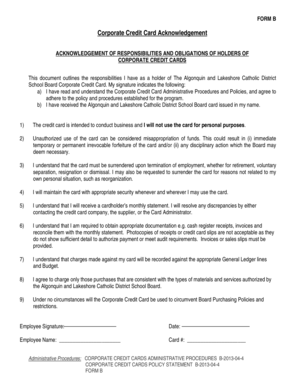
Get Canada Algonquin And Lakeshore Catholic District School Board Form B 2013-2026
How it works
-

Open form follow the instructions
-

Easily sign the form with your finger
-

Send filled & signed form or save
How to fill out the Canada Algonquin And Lakeshore Catholic District School Board Form B online
Filling out the Canada Algonquin And Lakeshore Catholic District School Board Form B is a straightforward process that requires careful attention to detail. This guide provides step-by-step instructions to help you complete the form accurately and efficiently.
Follow the steps to successfully complete the form online.
- Click ‘Get Form’ button to obtain the document and open it in the editor.
- Start by entering your full name in the 'Employee Name' field. Make sure to spell your name correctly as it will be used for official documentation.
- Next, enter your credit card number in the designated 'Card #' field. Double-check this information to avoid processing errors.
- Read through the list of responsibilities and obligations outlined in the document. Ensure you understand each point regarding usage and security of the corporate credit card.
- After reviewing the content, add your digital signature in the 'Employee Signature' section to confirm your acknowledgment and agreement to the outlined responsibilities.
- Finally, enter the current date in the 'Date' field right next to your signature.
- Once all fields are completed, be sure to save your changes. You can then download, print, or share the finalized form as needed.
Complete your documents online today for a more efficient processing experience.
Canadian Catholic schools were established in Upper Canada (Ontario) before Confederation. This raised tensions between the Protestant majority and Catholic minority. They wanted a separate education from the Protestants that focused on their religion. Catholic schools were often based in Irish Catholicism.