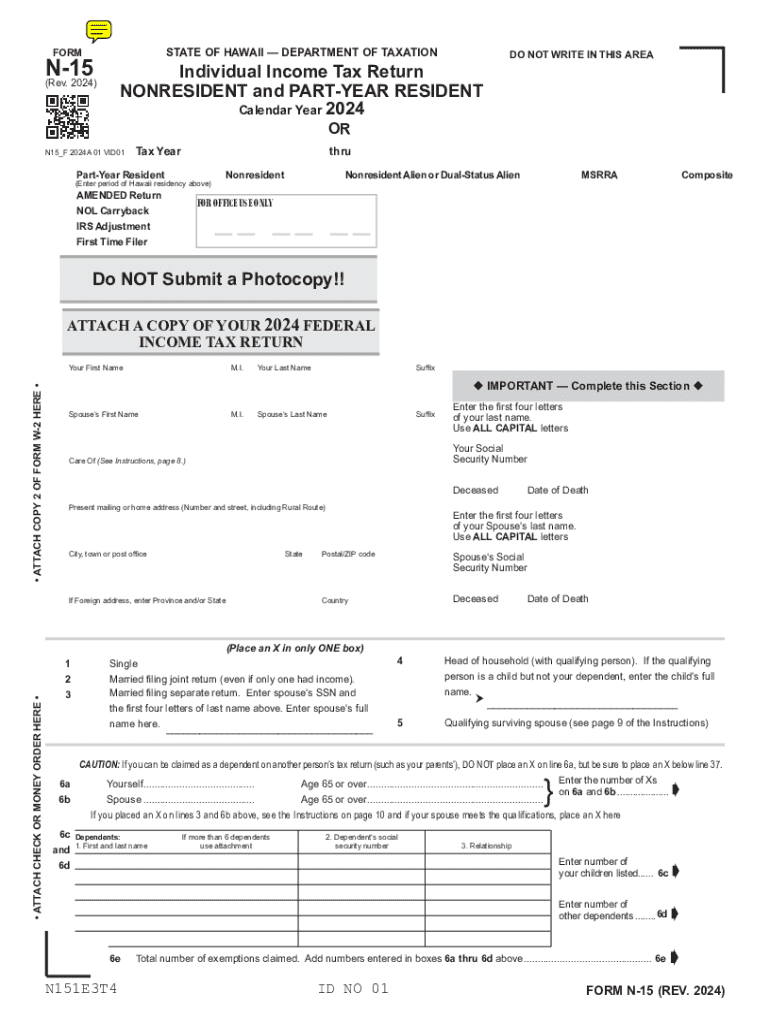
24A 01 VID01 Tax Year DO NOT WRITE IN THIS AREA Enter tax year dates in MMDDYY format. Do not enter dash (-) e.g. 123124. thru Part-Year Resident (Enter period of Hawaii residency above) AMENDED Return NOL Carryback IRS Adjustment First Time Filer Nonresident Nonresident Alien or Dual-Status Alien MSRRA Composite FOR OFFICE USE ONLY Do NOT Submit a Photocopy!! There are features on this form that are only supported by Adobe 6.0 or higher. You must use Adobe 6.0 or higher with this.
Loading

Open form follow the instructions

Easily sign the form with your finger

Send filled & signed form or save
How to fill out the HI N-15 online
The HI N-15 is a crucial form for individuals filing their income tax as nonresidents or part-year residents in Hawaii. This guide provides detailed, step-by-step instructions to ensure that you can accurately complete the form online with confidence.
Follow the steps to fill out your HI N-15 form online.
- Click 'Get Form' button to access the HI N-15 form and open it in your preferred PDF viewer.
- Begin by entering the tax year in the required MMDDYY format, ensuring you do not use dashes or any other characters.
- Indicate whether you are filing as a part-year resident or a nonresident. If applicable, check the box for amended return, NOL carryback, IRS adjustment, or first-time filer.
- In the personal information section, fill in your first name, middle initial, last name, and suffix. Make sure to enter all information in capital letters where indicated.
- Provide your social security number, spouse's information, and current mailing address, including city, state, and ZIP code.
- Select your filing status by checking the appropriate box (single, married filing jointly, etc.) and indicate any dependents you may have by providing their names, social security numbers, and relationships.
- Proceed to input your total income. Fill in all applicable lines for wages, interest income, dividends, and other sources of income based on your financial documents.
- Deduct any adjustments and calculate your adjusted gross income using the formula provided on the form.
- If you do not itemize deductions, enter the standard deduction based on your filing status. If itemizing, complete that section using the worksheets and instructions provided.
- Calculate your taxable income and tax liability by following the instructions for applying any relevant credits, including refundable tax credits.
- Complete the payment section by entering any tax payments made, overpayments, or contributions to designated funds.
- Finally, provide your signature and date at the bottom of the form, and ensure any additional attachments, such as your federal return, are included.
- Once all sections are completed, save your changes, and you can download, print, or share the form as needed.
Complete your HI N-15 online today to ensure a smooth filing process.
Experience a faster way to fill out and sign forms on the web. Access the most extensive library of templates available.
Use professional pre-built templates to fill in and sign documents online faster. Get access to thousands of forms.
If you believe that this page should be taken down, please follow our DMCA take down process here.