Loading
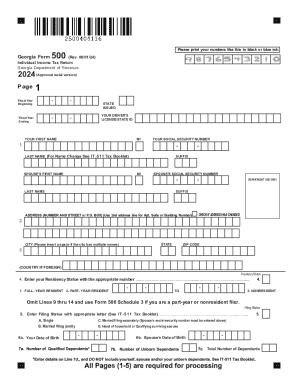
Get Ga Dor 500 2024-2026
How it works
-

Open form follow the instructions
-

Easily sign the form with your finger
-

Send filled & signed form or save
How to fill out the GA DoR 500 online
The GA DoR 500 form is the Individual Income Tax Return for residents of Georgia, designed to facilitate the filing of personal income taxes. This guide provides straightforward, step-by-step instructions on how to effectively complete and submit the form online, ensuring compliance with state tax regulations.
Follow the steps to efficiently complete the GA DoR 500 online.
- Press the ‘Get Form’ button to retrieve the GA DoR 500 form and open it in your browser for editing.
- Fill in your personal information, including your driver's license or state ID, name, and Social Security number in the respective fields.
- Enter your address details, ensuring that any address changes are marked accordingly.
- Indicate your residency status by selecting the appropriate option (Full-year resident, Part-year resident, or Nonresident) as guided on the form.
- Select your filing status (Single, Married filing jointly, Married filing separately, Head of household, or Qualifying surviving spouse) and complete the relevant fields.
- List the total number of dependents you are claiming and provide their details as required.
- Proceed to fill out income computations, entering your federal adjusted gross income from Form 1040, and follow the instructions for any adjustments or deductions.
- Complete the tax calculations based on the specific lines for deductions, credits, and taxable income, ensuring accuracy in your entries.
- Review your completed information for accuracy, ensuring all necessary pages and schedules are included.
- Finally, save your completed form, and download, print, or share it as needed for submission.
Complete your GA DoR 500 form online today to ensure timely and accurate tax filing.