Loading
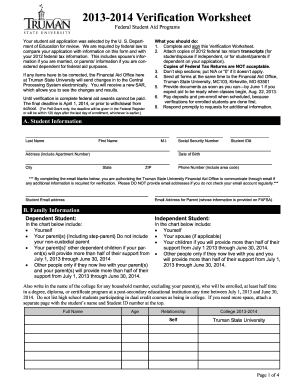
Get Truman State University Verification Worksheet For Dependent Students 2014
How it works
-

Open form follow the instructions
-

Easily sign the form with your finger
-

Send filled & signed form or save
How to fill out the Truman State University Verification Worksheet for Dependent Students online
This guide provides clear and supportive instructions for completing the Truman State University Verification Worksheet for Dependent Students online. Following these steps will ensure that your application complies with federal requirements and is submitted correctly.
Follow the steps to complete your verification worksheet online.
- Press the ‘Get Form’ button to access the Verification Worksheet, allowing you to begin filling it out.
- Enter your student information accurately in Section A, including your last name, first name, Social Security number, date of birth, and contact information.
- In Section B, provide details about your family, including family members you will report on this form, and ensure you follow the instructions for dependent students.
- Complete Section C regarding your income information. Indicate whether you or your spouse filed or will file a 2012 Federal IRS Tax Return, and provide any required income documentation.
- Fill out Section D with information about your parent's income, including the same options for tax filers as in Section C.
- If applicable, complete Section E by stating whether any child support was paid in 2012 and providing the requested details in the table provided.
- In Section F, check whether anyone in your household received benefits from SNAP during the specified years.
- Sign and date the worksheet in Section G. If you are a dependent student, ensure at least one parent also signs.
- Before submission, review all entries for accuracy. Then, you can save changes, print the form for mailing, or share it as required.
Complete your verification worksheet online today to ensure your financial aid is processed promptly.
Get form
Experience a faster way to fill out and sign forms on the web. Access the most extensive library of templates available.
The federal school code for the University of Phoenix (UOP) is 004302. Including this code on your FAFSA ensures that your financial information is appropriately routed to UOP for consideration of financial aid. If you’re comparing schools, always make sure to verify these codes so you can accurately assess your options for funding your education.
Get This Form Now!
Use professional pre-built templates to fill in and sign documents online faster. Get access to thousands of forms.