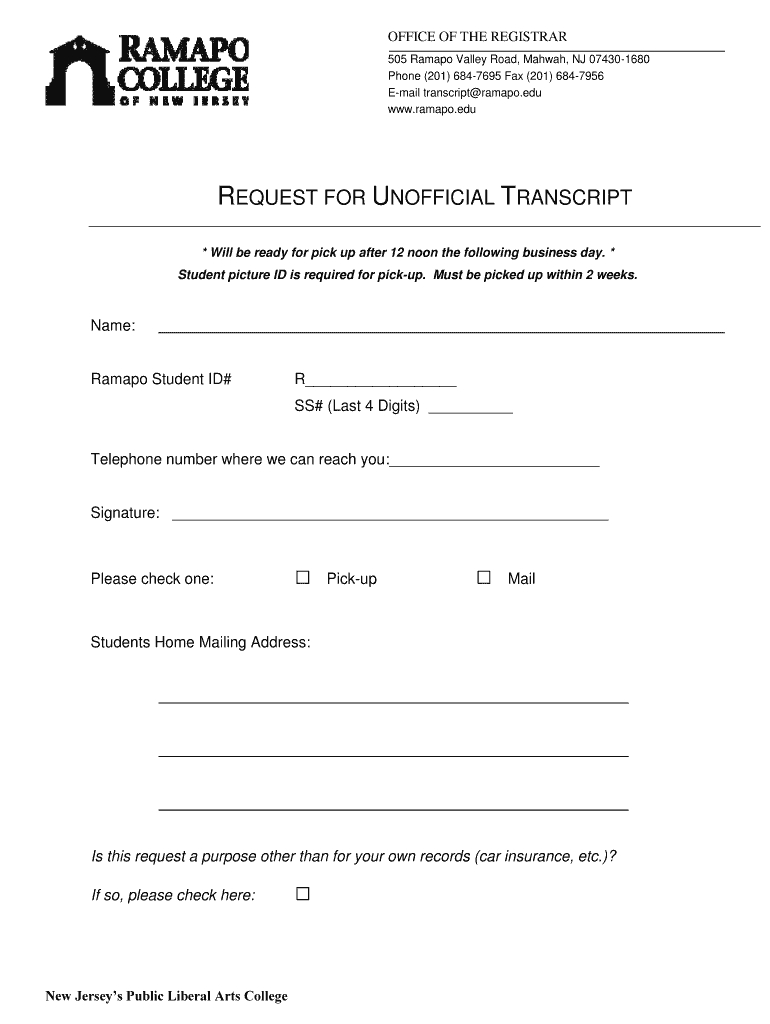
E ready for pick up after 12 noon the following business day. * Student picture ID is required for pick-up. Must be picked up within 2 weeks. Name: Ramapo Student ID# R__________________ SS# (Last 4 Digits) __________ Telephone number where we can reach you:_________________________ Signature: ____________________________________________________ Please check one: □ Pick-up □ Mail Students Home Mailing Address: Is this request a purpose other than for your own records (car insuran.
Loading

Open form follow the instructions

Easily sign the form with your finger

Send filled & signed form or save
How to fill out the Ramapo College Request for Unofficial Transcript online
Filling out the Ramapo College Request for Unofficial Transcript is a straightforward process that you can complete online. This guide will provide you with detailed steps to ensure that your request is submitted correctly.
Follow the steps to complete your request efficiently.
- Click ‘Get Form’ button to access the request form and open it for filling out.
- Enter your full name in the designated field. This should match the name associated with your student registration.
- Provide your Ramapo Student ID number in the section labeled 'Ramapo Student ID#.' This is essential for processing your transcript request.
- Fill in the last four digits of your Social Security number in the appropriate box. This acts as an additional identifier for your records.
- Include a telephone number where you can be reached, ensuring that the registrar can contact you if there are any issues with your request.
- Sign the form by providing your signature in the designated area. This confirms your request for the unofficial transcript.
- Indicate your preferred method of receiving the transcript by selecting either 'Pick-up' or 'Mail'. If you choose pick-up, remember to go to the office after 12 noon the following business day with your student picture ID.
- If this request is for a purpose other than your personal records, please check the appropriate box indicating the purpose.
- Complete your home mailing address if you selected 'Mail' for receiving your transcript.
- Review all the information you've entered to ensure accuracy before finalizing your submission.
- Once you have filled out the form, save your changes and proceed to download, print, or share the completed request form as needed.
Take the next step towards obtaining your unofficial transcript by completing the request online today!
Experience a faster way to fill out and sign forms on the web. Access the most extensive library of templates available.
Related content
To access your transcript, you need an access or verification code. If you don't have it...
You can request these transcripts via mail. Please complete the transcript request form...
Get answers to your most pressing questions about US Legal Forms API.
How do I get my unofficial college transcript online?
To get your unofficial college transcript online, start by visiting your college’s student portal. Log in and navigate to the registrar’s area, where unofficial transcripts are generally found. Complete any necessary steps to access your transcript. This method ensures you receive your Ramapo College Request for Unofficial Transcript quickly and easily.
How to get unofficial transcript UNM?
If you are looking to get an unofficial transcript from UNM, first, log in to your UNM student account. Navigate to the transcript requests section and follow the outlined steps. If you require further assistance, consider using platforms such as USLegalForms, which can guide you through the process. Remember, a clear understanding allows you to successfully obtain your Ramapo College Request for Unofficial Transcript.
How do I request an unofficial transcript?
Requesting an unofficial transcript from Ramapo College is a straightforward process. Start by logging into your student portal, then access the appropriate section for unofficial transcripts. Fill out the required details and submit your request. This will help you efficiently get your Ramapo College Request for Unofficial Transcript.
How to download unofficial transcript as pdf?
You can download your unofficial transcript as a PDF by accessing your student portal on the Ramapo College website. Once logged in, look for the transcripts section, where you will find an option for unofficial transcripts. Follow the prompts to generate and then download your PDF. This process provides a quick and easy way to obtain your Ramapo College Request for Unofficial Transcript.
How do I request a transcript from Ramapo College?
To request a transcript from Ramapo College, begin by visiting the official Ramapo College website. Navigate to the Registrar’s section and locate the transcript request form. Complete this form and submit it as instructed. After submission, you should receive confirmation of your request for the Ramapo College Request for Unofficial Transcript.
Is Ramapo College prestigious?
Ramapo College is recognized for its strong academic programs and dedicated faculty. Many students and graduates commend the personalized learning experience they receive. This positive reputation makes it a great choice for those seeking quality education and professional preparedness.
How to request for transcript of records?
You can request your transcript of records by completing the online request form available on the Ramapo College website. Be sure to provide all required information, including your student ID and any necessary identification. If you prefer, you can also contact the registrar's office for assistance with your request.
Can you request college transcripts online?
Yes, you can request college transcripts online for Ramapo College. The process is straightforward and user-friendly. Simply visit the official Ramapo College website and follow the instructions under the transcript request section.
How do I get a copy of my unofficial transcript?
To obtain a copy of your unofficial transcript from Ramapo College, you can log into your student portal. Navigate to the academic records section and select the unofficial transcript option. You will be able to view and print your unofficial transcript directly from there.
How do I download my unofficial transcript as a PDF?
You can download your unofficial transcript as a PDF by accessing your student account on the Ramapo College website. After logging in, find the unofficial transcript request area and follow the prompts. This method allows you to save your transcript easily and keeps your records organized. It streamlines the Ramapo College Request for Unofficial Transcript for current and former students.
Use professional pre-built templates to fill in and sign documents online faster. Get access to thousands of forms.
If you believe that this page should be taken down, please follow our DMCA take down process here.