Loading
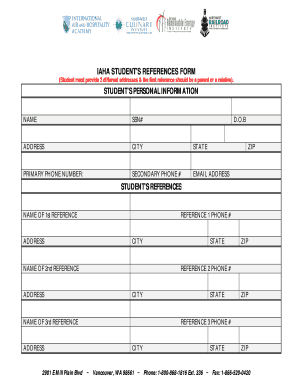
Get Iaha Student's Reference Form
How it works
-

Open form follow the instructions
-

Easily sign the form with your finger
-

Send filled & signed form or save
How to fill out the IAHA Student's Reference Form online
Completing the IAHA Student's Reference Form online is a straightforward process. This guide will walk you through each section and field to ensure you provide all necessary information accurately.
Follow the steps to successfully complete the reference form
- Click ‘Get Form’ button to acquire the form and open it in your preferred online editor.
- Begin by entering your personal information in the designated fields. This includes your full name, Social Security Number, date of birth, address, city, state, primary and secondary phone numbers, email address, and zip code.
- Proceed to the references section. You will need to provide details for three different references. The first reference should be a parent or a relative.
- For each reference, enter their full name, address, city, state, and zip code. Additionally, include their phone number for contact purposes.
- Double-check all entered information for accuracy and completeness to avoid issues in processing your form.
- Once you have filled out the form completely, you can either save the changes, download, print, or share the document as required for submission.
Complete your document online today to ensure a smooth submission process.