Loading
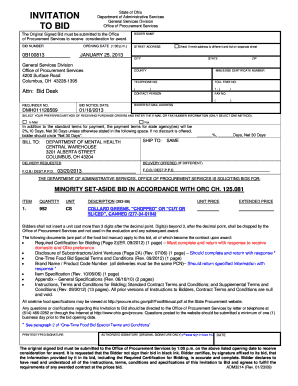
Get ) 0b100813 January 25, 2013 General Services Division Office Of Procurement Services 4200 Surface
How it works
-

Open form follow the instructions
-

Easily sign the form with your finger
-

Send filled & signed form or save
How to fill out the ) 0B100813 JANUARY 25, 2013 General Services Division Office Of Procurement Services 4200 Surface online
Completing the ) 0B100813 form for the General Services Division Office Of Procurement Services is a critical step in submitting a bid. This guide will provide you with a clear and supportive framework to successfully fill out the required information online.
Follow the steps to accurately complete your bid submission online.
- Click ‘Get Form’ button to obtain the form and view it in a suitable editor.
- Enter your bidder name in the designated field. Ensure that the name matches the legal entity you represent.
- Fill in the bid number, which in this case is 0B100813, to ensure proper tracking of your submission.
- Provide your street address, including any necessary details that might assist in identifying your location.
- Select the opening date, ensuring it is noted as January 25, 2013, at 1:00 p.m.
- If your remit address is different, indicate it by checking the relevant box and providing the information on a separate sheet.
- Fill in the required city, state, and county information accurately.
- Enter your telephone number and toll-free number as applicable, placing them in the designated fields.
- Add your contact person's name to ensure that any queries related to the bid can be addressed efficiently.
- Note the bid notice date, which is January 16, 2013, in its respective field.
- Provide your e-mail address for communication purposes.
- Choose your preferred method of receiving purchase orders, either via e-mail or fax, and enter the respective information.
- Outline the payment terms; if offering a discount, specify it or select 'Net 30 Days' if none is offered.
- Indicate the bill-to address, ensuring accuracy for effective communication and logistics.
- If applicable, provide delivery information, specifying any differences in delivery method or address.
- List the items you are bidding on, ensuring to provide accurate quantities and descriptions.
- Enter the unit price, maintaining the format with no more than three digits after the decimal point.
- Review the list of documents required and prepare them for submission alongside your bid.
- Complete the certification and sign the bid in blue ink, following all instructions for authenticating your submission.
- Once completed, save your changes, download the form, and ensure it is printed and ready for submission.
Complete your bid submission online today to ensure your proposal is considered.
Industry-leading security and compliance
US Legal Forms protects your data by complying with industry-specific security standards.
-
In businnes since 199725+ years providing professional legal documents.
-
Accredited businessGuarantees that a business meets BBB accreditation standards in the US and Canada.
-
Secured by BraintreeValidated Level 1 PCI DSS compliant payment gateway that accepts most major credit and debit card brands from across the globe.