Loading
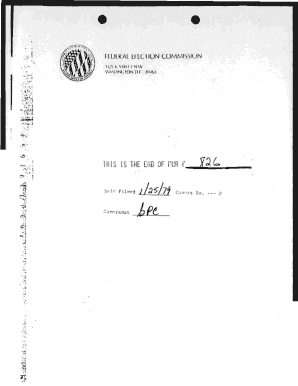
Get * I I Liaral - Fec
How it works
-

Open form follow the instructions
-

Easily sign the form with your finger
-

Send filled & signed form or save
How to fill out the * I I LIARAL - Fec online
Filling out the * I I LIARAL - Fec form can seem daunting, but this guide provides clear and concise instructions to help you navigate each section with ease. Whether you are experienced with digital forms or a first-time user, this guide is designed to support your needs.
Follow the steps to successfully complete the * I I LIARAL - Fec form.
- Click ‘Get Form’ button to obtain the * I I LIARAL - Fec form and open it in your preferred editor.
- In the SENDER section, fill out items 1, 2, and 3. Ensure you add your complete address in the RETURN TO space located on the reverse side of the form.
- For item 1, select the service requested by checking the appropriate box. Options include showing to whom and the date delivered or opting for restricted delivery.
- In the ARTICLE ADDRESSED TO section, provide the recipient's name and address. This information ensures that the correspondence reaches the correct party.
- In the ARTICLE DESCRIPTION field, specify the type of mail service being used, such as REGISTERED, CERTIFIED, or INSURED.
- Obtain a signature from the addressee or an authorized agent upon delivery verification. This serves as proof that the correspondence was received.
- Ensure to fill out the DATE OF DELIVERY section to record when the mail was delivered.
- If unable to deliver, indicate the reason in the UNABLE TO DELIVER section and provide the clerk's initials for verification.
- Review all filled information for accuracy before saving. Once satisfied, you can save changes, download a copy for your records, print the form, or share it as necessary.
Complete your documentation online today to ensure timely and accurate submissions.
Industry-leading security and compliance
US Legal Forms protects your data by complying with industry-specific security standards.
-
In businnes since 199725+ years providing professional legal documents.
-
Accredited businessGuarantees that a business meets BBB accreditation standards in the US and Canada.
-
Secured by BraintreeValidated Level 1 PCI DSS compliant payment gateway that accepts most major credit and debit card brands from across the globe.