Loading
Form preview
  • US Legal Forms
  • Other Templates
  • More Forms
  • More Multi-State Forms
  • Eirotech Daily Team Briefing Form: Safe Start 2018

Get Eirotech Daily Team Briefing Form: Safe Start 2018-2026

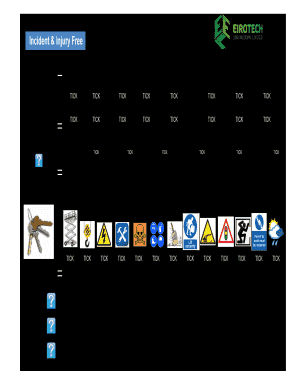
Equip certificate Exclusion Zones Signage TICK TICK TICK TICK TICK TICK TICK TICK Ask yourself do I need! Hot Works Crane/HIAB checklist Life Line set up Correctly Harness wearing correctly House keeping Permit to load Language TICK TICK TICK TICK TICK TICK TICK During the briefing ask EVERYONE Do WE ? Ask which keys WE need to complete this job safely Have the right skills for the job? Work at Height TICK Need a signed permit to work? TICK Li.

How it works

  1. Open form

    Open form follow the instructions

  2. Easily sign form

    Easily sign the form with your finger

  3. Share form

    Send filled & signed form or save

How to fill out the EiroTech Daily Team Briefing Form: Safe Start online

Completing the EiroTech Daily Team Briefing Form: Safe Start is essential for ensuring workplace safety and compliance. This guide will provide you with a clear, step-by-step approach to help you fill out the form efficiently and accurately.

Follow the steps to complete the form effectively

  1. Click ‘Get Form’ button to obtain the form and open it in an appropriate online editing tool.
  2. Begin by filling in the 'Job' field, specifying the job title or project name relevant to the briefing.
  3. Next, enter the 'Supervisor' name responsible for the team overseeing the task.
  4. Record the 'Date' of the briefing in the designated field for accurate record-keeping.
  5. Include the 'Method statement No' to reference the relevant safety procedures that will be followed.
  6. Review and tick the boxes under 'Before each Team Briefing' to confirm that essential assessments and statements (like supervision and risk assessment) have been completed.
  7. During the briefing, address the questions listed under 'Ask EVERYONE' to ensure proper skills and permits are in place.
  8. Document potential hazards and corresponding actions in the 'HAZARD' section, assigning responsibilities to specific individuals.
  9. At the end of the form, collect the names and signatures of all operatives attending the briefing to ensure acknowledgment and accountability.
  10. Finally, enter the total number of workers attending the briefing and the number of workers designated for the group, before saving, downloading, or printing the completed form.

Complete your EiroTech Daily Team Briefing Form: Safe Start online for consistent safety practices.

Get form

Experience a faster way to fill out and sign forms on the web. Access the most extensive library of templates available.
Get form

Related content

Data Communications Plan - NOAA Tides and Currents
Center for Operational Oceanographic Products and Services. National Ocean Service...
Learn more
Eurotech Students in Germany: Preparation...
by DA Michaels · 2012 — Let us view the disadvantages of sending a youth to Europe. To...
Learn more
GILLES VILLENEUVE'S BOLD F1 DEBUT - Porsche cars...
Jul 13, 2017 — COULD WE NOW HAVE THREE CONTENDERS FOR THE. 2017 Formula 1 World...
Learn more

Related links form

CA VCGCB-GC-002 2015 Renseignements Additionnels Sur La Famille Imm 5406 Htts Dd 1172 Form Pdfiller Com Manoul Of Fire Track Inspection Weekly Report

Questions & Answers

Get answers to your most pressing questions about US Legal Forms API.

Contact support

A briefing is a meeting at which information or instructions are given to people, especially before they do something.

Instead of waiting until an annual meeting rolls around to discuss important organizational goals, regular team briefings can help keep open lines of communication between leadership and front-line workers. This helps keep employees engaged, with a plan to follow for the day ahead.

Such talks are typically delivered by a site supervisor and will be held regularly (often daily) on site, before the start of site access, a particular job or shift, and are likely to be fairly brief (30 minutes maximum) to ensure that attendees are able to give their full concentration to the briefing without ...

Safety Briefings are a simple, easy-to-use tool that front-line staff can use to share information about potential safety problems and concerns on a daily basis.

Briefing is the process by which client requirements are investigated, developed and communicated to the construction industry.

9 Ways to Give an Effective Safety Briefing Grab the crew's attention. ... Review the scope of work for the day. ... Ask for previous experiences in the project's specific type of labor. ... Consider new and different safe techniques to execute the job. ... Allow time for coaching and mentoring before starting new work.

Set Your Start Time. Keep It Short. Be Prepared. ... Set a time to start your morning briefing and stick to it. Be consistent. ... Building a high-performance team means starting on time. E.g. Monday - Friday 9 am. ... Set Your Start Time. Keep It Short. ... Set a time to start your morning briefing and stick to it. Be consistent.

Get This Form Now!

Use professional pre-built templates to fill in and sign documents online faster. Get access to thousands of forms.
Get form
If you believe that this page should be taken down, please follow our DMCA take down processhere.
Get EiroTech Daily Team Briefing Form: Safe Start
Get form
  • Adoption
  • Bankruptcy
  • Contractors
  • Divorce
  • Home Sales
  • Employment
  • Identity Theft
  • Incorporation
  • Landlord Tenant
  • Living Trust
  • Name Change
  • Personal Planning
  • Small Business
  • Wills & Estates
  • Packages A-Z
  • Affidavits
  • Bankruptcy
  • Bill of Sale
  • Corporate - LLC
  • Divorce
  • Employment
  • Identity Theft
  • Internet Technology
  • Landlord Tenant
  • Living Wills
  • Name Change
  • Power of Attorney
  • Real Estate
  • Small Estates
  • Wills
  • All Forms
  • Forms A-Z
  • Other Templates
  • Legal Hub
  • About Us
  • Help Portal
  • Legal Resources
  • Blog
  • Affiliates
  • Contact Us
  • Delete My Account
  • Site Map
  • Industries
  • Forms in Spanish
  • Localized Forms
  • State-specific Forms
  • Forms Kit
  • Real Estate Handbook
  • All Guides
  • Notarize
  • Incorporation services
  • For Consumers
  • For Small Business
  • For Attorneys
  • USLegal
  • FormsPass
  • pdfFiller
  • signNow
  • altaFlow
  • DocHub
  • Instapage
Form Packages
  • Adoption
  • Bankruptcy
  • Contractors
  • Divorce
  • Home Sales
  • Employment
  • Identity Theft
  • Incorporation
  • Landlord Tenant
  • Living Trust
  • Name Change
  • Personal Planning
  • Small Business
  • Wills & Estates
  • Packages A-Z
Form Categories
  • Affidavits
  • Bankruptcy
  • Bill of Sale
  • Corporate - LLC
  • Divorce
  • Employment
  • Identity Theft
  • Internet Technology
  • Landlord Tenant
  • Living Wills
  • Name Change
  • Power of Attorney
  • Real Estate
  • Small Estates
  • Wills
  • All Forms
  • Forms A-Z
  • Other Templates
Customer Service
  • Legal Hub
  • About Us
  • Help Portal
  • Legal Resources
  • Blog
  • Affiliates
  • Contact Us
  • Delete My Account
  • Site Map
  • Industries
  • Forms in Spanish
  • Localized Forms
  • State-specific Forms
  • Forms Kit
Legal Guides
  • Real Estate Handbook
  • All Guides
Prepared for you
  • Notarize
  • Incorporation services
Our Customers
  • For Consumers
  • For Small Business
  • For Attorneys
Our Sites
  • USLegal
  • FormsPass
  • pdfFiller
  • signNow
  • altaFlow
  • DocHub
  • Instapage
Social Media
Call us now toll free:
+1 833 426 79 33
As seen in:
© Copyright 1999-2026 airSlate Legal Forms, Inc. 17 Station Street, Ste. 203, Brookline, MA 02445
  • Your Privacy Choices
  • Terms of Service
  • Privacy Notice
  • Content Takedown Policy
  • Bug Bounty Program