Loading
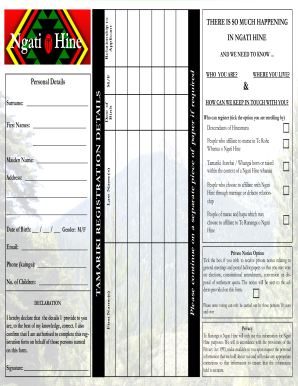
Get Ngati Hine Whakapapa Registration Form
How it works
-

Open form follow the instructions
-

Easily sign the form with your finger
-

Send filled & signed form or save
How to fill out the Ngati Hine Whakapapa Registration Form online
Filling out the Ngati Hine Whakapapa Registration Form online is a key step in connecting with your Ngati Hine heritage. This guide provides a clear, step-by-step approach to ensure you complete the registration successfully.
Follow the steps to accurately complete your registration form
- Click the ‘Get Form’ button to access the Ngati Hine Whakapapa Registration Form and open it in your preferred editor.
- Begin by entering your address in the designated fields. Ensure that your current address is accurate and fully detailed.
- Next, provide your date of birth. Fill in the day, month, and year carefully.
- Indicate your gender by selecting either 'M' for male or 'F' for female.
- Enter your email address to facilitate communication regarding your registration.
- Provide your phone number, ensuring to include your area code.
- Indicate the number of children you wish to register.
- In the declaration section, acknowledge that the information you provided is correct and confirm your authority to complete the registration. Sign in the designated area.
- If you are registering on behalf of someone else, indicate your relationship to the applicant.
- For any additional names, such as maiden name, last names, or first names, fill in the appropriate fields.
- Complete the Tamariki registration details by providing personal information related to the children being registered, including their date of birth and gender.
- Select the criteria that qualifies you for registration by ticking the appropriate boxes.
- If you wish to receive private notices regarding general meetings and postal ballots, tick the respective box and confirm the provided address for notifications.
- Acknowledge the privacy statement, understanding how your information will be used and stored.
- Once all sections are completed, review your information for accuracy. You can then save your changes, download, print, or share the completed form.
Complete your Ngati Hine Whakapapa Registration Form online today to connect with your heritage.
The first place to look for information about your whakapapa or stories about your iwi, is your marae and your whānau. If your immediate whānau don't know, then try connecting with one of the iwi organisations here and ask them who you should talk to about your whakapapa. We understand this can feel daunting.