Loading
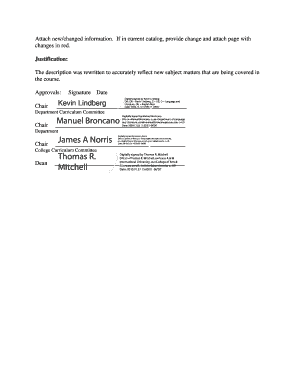
Get College Document # Coas 013 Ucc Document # Date Received Catalog Year 20102011 (please Use Separate
How it works
-

Open form follow the instructions
-

Easily sign the form with your finger
-

Send filled & signed form or save
How to fill out the College Document # COAS 013 UCC Document # Date Received CATALOG YEAR 20102011 (Please Use Separate online
Filling out the College Document # COAS 013 is essential for any updates related to courses within the College of Arts and Sciences. This guide will assist users in completing the form accurately and efficiently to ensure a smooth submission process.
Follow the steps to fill out the College Document # COAS 013
- Click ‘Get Form’ button to access the document and open it for editing.
- Begin by filling in the UCC Document number, which is required for proper submission. Ensure you have the correct number to avoid processing delays.
- Enter the date the document is received in the designated field. This should reflect the accurate date of submission.
- Identify and fill in the catalog year; for this document, input '2010-2011' accordingly.
- Indicate the college by selecting ‘Arts and Sciences’ in the appropriate section.
- Specify the current catalog page number affected by the changes. This field is critical for tracking and addressing specific curriculum adjustments.
- Select the course changes you are proposing—adding, deleting, or changing a course—by checking the corresponding boxes.
- If adding or changing a course, provide comprehensive details including Course Prefix, Course Number, Title, Semester Credit Hours (SCH), and Description. Ensure prerequisites are also noted if applicable.
- Complete the program and minor sections if applicable, attaching any necessary new or changed descriptions and four-year plans.
- Provide justifications for all changes made to clarify the reasons behind course updates or curriculum adjustments.
- Ensure that all required signatures are obtained in the approvals section to validate and authenticate the document.
- Review the entire document for accuracy, then save your changes, and download or print for submission.
Complete your documents online to streamline the management of course changes.
Industry-leading security and compliance
US Legal Forms protects your data by complying with industry-specific security standards.
-
In businnes since 199725+ years providing professional legal documents.
-
Accredited businessGuarantees that a business meets BBB accreditation standards in the US and Canada.
-
Secured by BraintreeValidated Level 1 PCI DSS compliant payment gateway that accepts most major credit and debit card brands from across the globe.