Loading
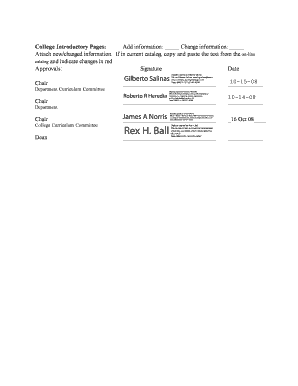
Get College Document # Coas 016 Ucc Document # Date Received 15 Oct 08 Catalog Year 20092010 (please
How it works
-

Open form follow the instructions
-

Easily sign the form with your finger
-

Send filled & signed form or save
How to fill out the College Document # COAS 016 UCC Document # Date Received 15 Oct 08 CATALOG YEAR 20092010 online
Filling out the College Document # COAS 016 is an important process for submitting changes to course offerings, programs, or faculty information. This guide provides you with detailed instructions to ensure that you can complete the form accurately and efficiently.
Follow the steps to successfully complete the document online.
- Click the ‘Get Form’ button to obtain the form and open it in your preferred editing tool.
- Enter the UCC Document number in the designated field. This identifier is essential for tracking your submission.
- Indicate the date received, ensuring that you accurately enter '15 Oct 08'.
- Specify the catalog year by entering '2009-2010' in the designated field.
- Complete the college/school section by selecting 'Arts and Sciences' from the list.
- Identify the current catalog page(s) affected by the change. This ensures that all relevant information is accurately represented.
- In the course section, indicate any changes by marking the appropriate boxes for 'Add,' 'Change,' or 'Delete.' Be sure to fill in the course number, title, SCH (semester hours), description, and prerequisite if applicable.
- Provide a justification for the changes, specifying the rationale behind any course deletions or adjustments.
- Repeat similar processes for the program, minor, and faculty sections by indicating if you are adding, changing, or deleting entries and attaching relevant documentation.
- Complete the college introductory pages section by adding or changing information as necessary.
- Lastly, ensure all required signatures and dates from department chairs and deans are obtained before final submission.
- Once all sections are filled out, save your changes, then download or print the document to share it as needed.
Complete your documents online today and ensure timely submissions.
Industry-leading security and compliance
US Legal Forms protects your data by complying with industry-specific security standards.
-
In businnes since 199725+ years providing professional legal documents.
-
Accredited businessGuarantees that a business meets BBB accreditation standards in the US and Canada.
-
Secured by BraintreeValidated Level 1 PCI DSS compliant payment gateway that accepts most major credit and debit card brands from across the globe.