Loading
Get Page 19 Of 19
How it works
-

Open form follow the instructions
-

Easily sign the form with your finger
-

Send filled & signed form or save
How to fill out the Page 19 Of 19 online
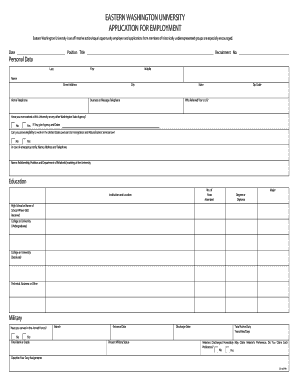
This guide provides a comprehensive overview of how to fill out the Page 19 Of 19 form online. It offers clear instructions for each section of the form, ensuring that users can complete it accurately and efficiently.
Follow the steps to successfully complete the Page 19 Of 19 form.
- Click the ‘Get Form’ button to obtain the form and open it in an appropriate online editor.
- Begin by filling in your personal data. Enter your last name, first name, and middle name in the designated fields. Provide your street address, home telephone number, and business or message telephone number.
- Indicate how you were referred to the university and answer whether you have previously worked at this university or any other Washington State agency. If yes, specify the agency and the dates of your employment.
- Confirm your eligibility to work in the United States under Immigration and Naturalization Services law. Provide the name and contact information of an emergency contact.
- Complete the education section by indicating the institutions you attended, the degree or diploma obtained, and the major studied. Enter the number of years attended for each institution.
- Fill out the employment record section, listing your current or most recent employer first. Include the title, firm name, employment dates, and reason for leaving. Also, note your supervisor's information.
- Provide any professional licenses or permits you hold, including your driver's license information. Then list references who are familiar with your work abilities.
- Review the legal questions regarding felony convictions and veterans preference, answering truthfully as required. Ensure that you certify the truthfulness of your application with your signature.
- Lastly, complete the Applicant Data Sheet, providing voluntary information to assist with affirmative action commitments. Submit the completed application and additional materials, if necessary.
- Once all sections are filled out, save your changes. You can download, print, or share the form as needed.
Complete your application for positions at Eastern Washington University online today!
Isaiah 55:11 in Other Translations 11 so shall my word be that goes out from my mouth; it shall not return to me empty, but it shall accomplish that which I purpose, and shall succeed in the thing for which I sent it.
Industry-leading security and compliance
US Legal Forms protects your data by complying with industry-specific security standards.
-
In businnes since 199725+ years providing professional legal documents.
-
Accredited businessGuarantees that a business meets BBB accreditation standards in the US and Canada.
-
Secured by BraintreeValidated Level 1 PCI DSS compliant payment gateway that accepts most major credit and debit card brands from across the globe.