Loading
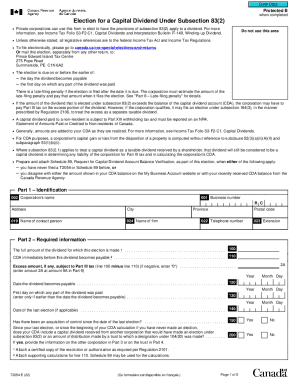
Get Canada T2054 E 2022-2026
How it works
-

Open form follow the instructions
-

Easily sign the form with your finger
-

Send filled & signed form or save
How to fill out the Canada T2054 E online
The Canada T2054 E form is used by private corporations to elect for the provisions of subsection 83(2) to apply to a dividend. This guide provides a clear, step-by-step approach to filling out the form online, ensuring a smooth and accurate submission process.
Follow the steps to complete the T2054 E form online:
- Press the ‘Get Form’ button to acquire the form and access it in your editor.
- In Part 1, enter the corporation's name, business number, address, contact person's name, firm name, telephone number, and extension.
- In Part 2, provide the full amount of the dividend for which this election is made, and list the capital dividend account (CDA) immediately before the dividend becomes payable.
- Complete the dates indicating when the dividend becomes payable and when any part of the dividend was paid.
- Indicate if there was an acquisition of control since the last election, and provide necessary details regarding any capital dividends received from other corporations.
- Fill out Part 5 to report any capital gain or loss during the current tax year, including details of the asset, acquisition date, proceeds of disposition, adjusted cost base, and any associated outlays.
- In Part 6, provide information about shareholders who received dividends, including their names, business or social insurance numbers, payment dates, and share of capital dividends.
- Complete Part 7 if the CDA balance includes net life insurance proceeds, supplying details about the insured individual, beneficiary, policy number, adjusted cost basis, and total net proceeds received.
- In Part 8, if applicable, calculate and report any late-filing penalty.
- In Part 9, complete information regarding the excess amount of dividend declared subject to Part III tax and calculate the applicable tax.
- Total any amounts owing in Part 10, ensuring to include late-filing penalties and Part III tax.
- Finally, in Part 11, authorize the election by signing and dating the form, certifying that the information provided is accurate.
- Once completed, save changes, download a copy for your records, and submit the form as instructed.
Start filing your documents online today for an efficient process.