Loading
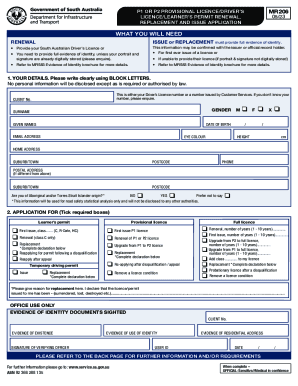
Get Mr206 P1 Or P2 Provisional Licence/drivers Licence/learners Permit Renewal, Replacement And Issue
How it works
-

Open form follow the instructions
-

Easily sign the form with your finger
-

Send filled & signed form or save
How to use or fill out the MR206 P1 Or P2 Provisional Licence/Drivers Licence/Learners Permit Renewal, Replacement And Issue online
Filling out the MR206 form online for a provisional licence, driver’s licence, or learner’s permit is a straightforward process that requires careful attention to detail. This guide will walk you through each section of the form to ensure a smooth application experience.
Follow the steps to complete the MR206 online form successfully.
- Click ‘Get Form’ button to obtain the form and open it in the editor.
- In the 'Your Details' section, clearly fill in your personal information in BLOCK LETTERS. This includes your driver’s licence number or a customer service issued number, gender, surname, given names, date of birth, email address, eye colour, height, home address, postal address (if different), and contact number.
- Indicate whether you are of Aboriginal and/or Torres Strait Islander origin by selecting 'Yes,' 'No,' or 'Prefer not to say.' Note that this information is for statistical analysis only.
- In the 'Application For' section, tick the box next to the service required: provisional licence, learner’s permit, or renewal. For each option, provide additional details, such as the class of the licence or duration for renewal.
- If applicable, complete the declaration regarding the reason for replacement. Clearly state whether your licence/permit was surrendered, lost, or destroyed.
- In the 'Transport Concession' section, provide your concession number if applicable, and indicate if you hold specific pension entitlement cards.
- Provide information about any medical conditions or impairments that may affect your ability to drive. If you answer 'Yes' to any question, include further details.
- Indicate whether you are currently disqualified from holding a licence, or if you wish to register as an organ donor.
- If you hold any other licences in another state or country, specify the type, class, and place of issue.
- At the end of the form, ensure to sign and date the declaration, confirming that all information is truthful and accurate.
- Once the form is completed, save changes, download the form, or print it for your records.
Start filling out your MR206 form online today for a hassle-free experience.
You can apply to renew your driving licence within 3 months of the expiry date. You can also renew a driving licence up to 10 years after its expiry date. If my driving licence has been lost, stolen or damaged, can I apply for a replacement online?