Loading
Get Wi Employee Performance Evaluation - Milwaukee County 2018-2026
How it works
-

Open form follow the instructions
-

Easily sign the form with your finger
-

Send filled & signed form or save
How to fill out the WI Employee Performance Evaluation - Milwaukee County online
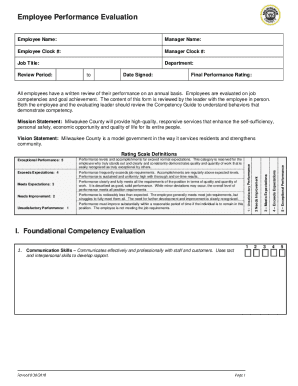
Filling out the WI Employee Performance Evaluation - Milwaukee County online is an essential process for assessing employee performance accurately and effectively. This guide will provide you with step-by-step instructions to ensure you complete the evaluation thoroughly.
Follow the steps to complete your evaluation form online.
- Click ‘Get Form’ button to access the evaluation form and open it in your preferred editor.
- Begin by entering the employee name and job title in the designated fields. Ensure accurate information to reflect the employee's identity and position.
- Fill in both the manager's name and clock number, as well as the employee clock number. This information helps to identify the responsible parties for the evaluation.
- Specify the department and the review period by indicating the start and end dates. These details are crucial for context regarding the performance being evaluated.
- Review the performance rating section. Be familiar with the rating scale definitions: 5 for exceptional performance down to 1 for unsatisfactory performance.
- Proceed to the foundational competency evaluation section. Rate the employee's competencies in communication skills, accountability, reliability, customer focus, adaptability, and initiative using the scale provided.
- For each competency rated, provide comments that support your evaluation. Be specific about observations that warrant the rating assigned.
- In the goal review section, document last year's goals and their outcomes, providing a rating for each. Make sure to calculate and record the total scores and averages as instructed.
- Set next year’s goals by defining clear, measurable goals for the employee in the designated section.
- Conclude by filling in the final performance rating, which is based on the average of competency and goal scores. This will also need to be documented at the top of the evaluation form.
- Finally, ensure both employee and supervisor sign the document, indicating acknowledgment of the evaluation. If the employee is unable to sign, note that accordingly.
- Once all fields are completed, save your changes, and download, print, or share the evaluation form as necessary.
Complete your employee performance evaluations online today for an efficient and streamlined process.