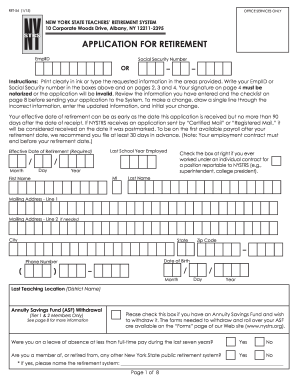
Get Ny Ret-54 2015
How it works
-

Open form follow the instructions
-

Easily sign the form with your finger
-

Send filled & signed form or save
How to fill out the NY RET-54 online
The NY RET-54 form is crucial for individuals seeking retirement under the New York State Teachers’ Retirement System. This guide provides a clear outline for each section of the form, ensuring that users can successfully navigate the online submission process.
Follow the steps to fill out the NY RET-54 form online effectively.
- Click ‘Get Form’ button to obtain the form and open it in the online editor.
- Begin by entering your EmplID or Social Security Number in the designated boxes on the first page. This information is critical and must be included on all pages.
- Fill in your personal information, including your first name, last name, mailing address, date of birth, and phone number. Ensure that all details are accurate and clearly stated.
- Indicate the last school year employed and your effective date of retirement. Make sure the effective date falls within the allowable range of no more than 90 days from the receipt of this application.
- If applicable, check the box indicating any previous individual contract work reportable to NYSTRS.
- Address the section regarding the Annuity Savings Fund Withdrawal if you are a Tier 1 or 2 member wishing to withdraw your funds. Additional forms can be found on the NYSTRS website.
- Complete the Retirement Benefit Election section by reviewing the payment options and selecting one that best suits your needs. You may only choose one option.
- In the Beneficiary section, list your primary and contingent beneficiaries. Do not repeat individuals if already included on a previous page.
- If relevant, provide information regarding any outstanding loan payments and consider membership reinstatement procedures as needed.
- Finalize the application by signing it, ensuring that your signature is notarized. This is essential for validating your application.
- Review the checklist on page 8 to confirm all required fields are completed, and make any necessary adjustments.
- Once finished, save, download, print, or share the completed form as needed.
Take the established steps to complete and submit your NY RET-54 form online for a smooth retirement process.
Get form
After retirement, the NYSTRS provides a death benefit to cover expenses after a member passes away. This benefit, part of the NY RET-54 specifications, is important for providing peace of mind to retirees and their families. The specific amount may vary based on contributions and time served, so it is wise to check your retirement plan details. Using resources like USLegalForms can simplify this process and clarify your entitlements.