Loading
Get Ga Dor 600 2023-2026
How it works
-

Open form follow the instructions
-

Easily sign the form with your finger
-

Send filled & signed form or save
How to fill out the GA DoR 600 online
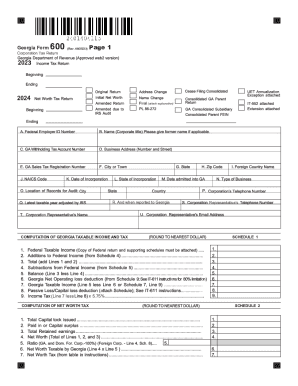
Filling out the GA DoR 600 form, which is the Corporation Tax Return for Georgia, is an important task for businesses operating in the state. This guide provides clear and supportive instructions on how to complete this form online, ensuring that users of all backgrounds can efficiently manage their tax obligations.
Follow the steps to complete the GA DoR 600 form online
- Click ‘Get Form’ button to obtain the form and open it for completion.
- Begin filling in the corporation name and Federal Employer Identification Number (FEIN) at the top of the form. Ensure that these details are accurate, as they identify your business in the tax system.
- Proceed to Schedule 1, where you will compute your Georgia taxable income. Carefully follow the prompts to enter relevant income and deductions.
- Move to Schedule 2 for the computation of net worth tax. Enter the required figures, including the total value of property and gross receipts from business. Make sure to divide the figures to calculate the Georgia ratio accurately.
- Complete the signature section on page 3. This includes a declaration of the truthfulness of the information provided, signatures from the responsible officer and preparer, and the date.
- If applicable, provide information for direct deposit options, including routing and account numbers. Ensure that these details are correct to receive refunds promptly.
- Finally, review all entries to ensure accuracy and completeness. Once satisfied, you can save your changes, download the form, print a copy, or share it as needed.
To finalize your tax obligations, complete your GA DoR 600 form online today.
Both the Georgia net worth and corporation income taxes are computed and filed on Form 600for corporations, or Form 600S for small business corporations (see ¶6-005).