Loading
Form preview
  • US Legal Forms
  • Form Library
  • More Forms
  • More Multi-State Forms
  • Dod Da-5016-r 2009

Get Dod Da-5016-r 2009-2026

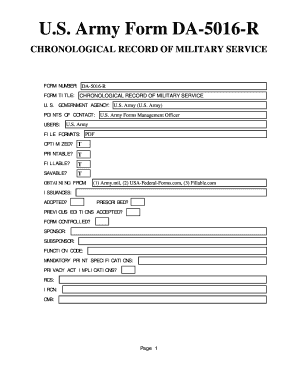
CY: U.S. Army (U.S. Army) POINTS OF CONTACT: U.S. Army Forms Management Officer USERS: U.S. Army FILE FORMATS: PDF OPTIMIZED? T PRINTABLE? T FILLABLE? T SAVABLE? T OBTAINING FROM: (1) Army.mil, (2) USA-Federal-Forms.com, (3) Fillable.com ISSUANCES: ADOPTED? PRESCRIBED? PREVIOUS EDITIONS ACCEPTED? FORM CONTROLLED? SPONSOR: SUBSPONSOR: FUNCTION CODE: MANDATORY PRINT SPECIFICATIONS: PRIVACY ACT IMPLICATIONS? RCS: IRCN: OMB: Page 1.

How it works

  1. Open form

    Open form follow the instructions

  2. Easily sign form

    Easily sign the form with your finger

  3. Share form

    Send filled & signed form or save

How to fill out the DOD DA-5016-R online

This guide provides a step-by-step approach to completing the DOD DA-5016-R, Chronological Record of Military Service, online. Whether you are new to digital forms or looking for clear instructions, this resource is designed to assist you in navigating the process efficiently.

Follow the steps to fill out the DOD DA-5016-R completely and accurately.

  1. Use the ‘Get Form’ button to access the DOD DA-5016-R and open it in your preferred digital editing tool.
  2. Begin by entering your personal identification information in the designated fields at the top of the form, including your full name, Social Security number, and military service details.
  3. Proceed to fill in the chronological sections that record your military service history, ensuring accuracy in dates, ranks, and assignments.
  4. Review any additional information requested in the form, such as training details, awards, and other recognitions received during service.
  5. Once all sections are completed, make sure to double-check for any errors or missing information. It is crucial to provide accurate and complete details.
  6. After verifying your information, you have the option to save changes to the form, download it for personal records, print a hard copy, or share it electronically as required.

Complete your DOD DA-5016-R online today and ensure all your military service records are accurately documented.

Get form

Experience a faster way to fill out and sign forms on the web. Access the most extensive library of templates available.
Get form

Related content

To verify retirement point calculations
Army Reserve: Soldiers should review their Chronicle Retirement Point Statement DA 5016 at...
Learn more
Army Casualty Program
Apr 30, 2007 — The method will include using DA Form 1156 and the Defense Casualty...
Learn more
Resilient Today for a Brighter Tomorrow
13 Aug 2021 — We are constantly looking at better ways to shape tomorrow, today and we...
Learn more

Related links form

Form # 062RA - Department Of Safety & Professional Services Retirement Service Solutions Town Of High River Out Of Town Business License Application Hilliard Funeral Home

Questions & Answers

Get answers to your most pressing questions about US Legal Forms API.

Contact support

Soldiers can check their Retirement Accounting Statement by logging into the Integrated Personnel and Pay System - Army (IPPS-A Landing Page (army.mil)), select HR Professional, then select View Retirement Points.

As long as you have no break in service, your Retirement Year Ending date (RYE) will be one year later. For example, a Soldier who joins the Army Reserve on 2 July would have a retirement year beginning date of 2 July and a RYE of 1 July one year later.

Drill for Points Only. IRR members may be authorized to perform IDT and ADT for retirement point credit only (no pay). This is commonly referred to as 'drilling for points' or 'DFPO'. Approval from RPM must be obtained prior to an IRR member drilling for points or performing duty of any type.

Retired Pay Multiplier Years of Service2025Final Pay50%62.5%High-3650%62.5%REDUX40%57.5%BRS40%50%

DA FORM Pub/Form NumberDA FORM 5016Pub/Form TitleCHRONOLOGICAL STATEMENT OF RETIREMENT POINTS (COPY AVAILABILITY AT HTTPS://.HRCAPPS.ARMY.MIL)Unit Of Issue(s)CS EFILEPub/Form ProponentG-1Pub/Form StatusINACTIVE3 more rows

Army Reserve: Soldiers should review their Chronicle Retirement Point Statement DA 5016 at .hrc.army.mil. Select "My Record” tab to review. Note: CAC card required.

Army Reserve: Soldiers should review their Chronicle Retirement Point Statement DA 5016 at .hrc.army.mil. Select "My Record” tab to review.

What is a DA Form 5016? DA Form 5016 (Chronological Statement of Retirement Points) Establishing the Anniversary Year Ending Date. Recording and Reporting Retirement Points.

Get This Form Now!

Use professional pre-built templates to fill in and sign documents online faster. Get access to thousands of forms.
Get form
If you believe that this page should be taken down, please follow our DMCA take down processhere.

Industry-leading security and compliance

US Legal Forms protects your data by complying with industry-specific security standards.
  • In businnes since 1997
    25+ years providing professional legal documents.
  • Accredited business
    Guarantees that a business meets BBB accreditation standards in the US and Canada.
  • Secured by Braintree
    Validated Level 1 PCI DSS compliant payment gateway that accepts most major credit and debit card brands from across the globe.
Get DOD DA-5016-R
Get form
  • Adoption
  • Bankruptcy
  • Contractors
  • Divorce
  • Home Sales
  • Employment
  • Identity Theft
  • Incorporation
  • Landlord Tenant
  • Living Trust
  • Name Change
  • Personal Planning
  • Small Business
  • Wills & Estates
  • Packages A-Z
  • Affidavits
  • Bankruptcy
  • Bill of Sale
  • Corporate - LLC
  • Divorce
  • Employment
  • Identity Theft
  • Internet Technology
  • Landlord Tenant
  • Living Wills
  • Name Change
  • Power of Attorney
  • Real Estate
  • Small Estates
  • Wills
  • All Forms
  • Forms A-Z
  • Form Library
  • Legal Hub
  • About Us
  • Help Portal
  • Legal Resources
  • Blog
  • Affiliates
  • Contact Us
  • Delete My Account
  • Site Map
  • Industries
  • Forms in Spanish
  • Localized Forms
  • State-specific Forms
  • Forms Kit
  • Real Estate Handbook
  • All Guides
  • Notarize
  • Incorporation services
  • For Consumers
  • For Small Business
  • For Attorneys
  • USLegal
  • FormsPass
  • pdfFiller
  • signNow
  • altaFlow
  • DocHub
  • Instapage
Form Packages
  • Adoption
  • Bankruptcy
  • Contractors
  • Divorce
  • Home Sales
  • Employment
  • Identity Theft
  • Incorporation
  • Landlord Tenant
  • Living Trust
  • Name Change
  • Personal Planning
  • Small Business
  • Wills & Estates
  • Packages A-Z
Form Categories
  • Affidavits
  • Bankruptcy
  • Bill of Sale
  • Corporate - LLC
  • Divorce
  • Employment
  • Identity Theft
  • Internet Technology
  • Landlord Tenant
  • Living Wills
  • Name Change
  • Power of Attorney
  • Real Estate
  • Small Estates
  • Wills
  • All Forms
  • Forms A-Z
  • Form Library
Customer Service
  • Legal Hub
  • About Us
  • Help Portal
  • Legal Resources
  • Blog
  • Affiliates
  • Contact Us
  • Delete My Account
  • Site Map
  • Industries
  • Forms in Spanish
  • Localized Forms
  • State-specific Forms
  • Forms Kit
Legal Guides
  • Real Estate Handbook
  • All Guides
Prepared for you
  • Notarize
  • Incorporation services
Our Customers
  • For Consumers
  • For Small Business
  • For Attorneys
Our Sites
  • USLegal
  • FormsPass
  • pdfFiller
  • signNow
  • altaFlow
  • DocHub
  • Instapage
Social Media
Call us now toll free:
+1 833 426 79 33
As seen in:
© Copyright 1999-2026 airSlate Legal Forms, Inc. 3720 Flowood Dr, Flowood, Mississippi 39232
  • Your Privacy Choices
  • Terms of Service
  • Privacy Notice
  • Content Takedown Policy
  • Bug Bounty Program