Loading
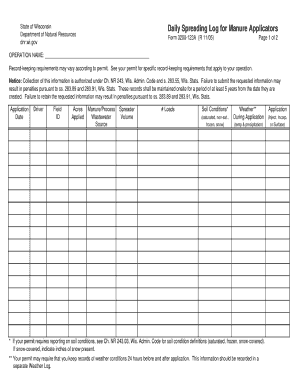
Get Wi 3200-123a 2005-2026
How it works
-

Open form follow the instructions
-

Easily sign the form with your finger
-

Send filled & signed form or save
How to fill out the WI 3200-123A online
The WI 3200-123A is an important form used for various purposes, and understanding how to fill it out correctly is crucial. This guide provides a comprehensive, step-by-step approach to help you complete the form with ease and accuracy.
Follow the steps to successfully fill out the WI 3200-123A online.
- Click the ‘Get Form’ button to access the form and open it in your preferred digital editor.
- Begin by entering your personal information in the designated fields. This includes your full name, contact information, and any other identifying details required.
- Proceed to the next section which may request specific identifiers or case numbers related to your submission. Make sure this information is accurate to avoid processing delays.
- Complete any additional sections that ask for relevant details, ensuring you follow all provided instructions carefully.
- Review all entries for accuracy and completeness. It is essential to double-check that all information is filled out as required.
- Once you have finished filling out the form, you can save your changes, download the document, print it if necessary, or share it as needed.
Complete your forms online to ensure a smooth submission process.