Loading
Get Mn Dhs-3163b 2014-2026
How it works
-

Open form follow the instructions
-

Easily sign the form with your finger
-

Send filled & signed form or save
How to fill out the MN DHS-3163B online
The MN DHS-3163B form is essential for individuals seeking child support assistance in Minnesota. This guide provides a step-by-step approach to completing the form accurately and efficiently online.
Follow the steps to fill out the form correctly.
- Press the ‘Get Form’ button to obtain the form and open it in the online editor.
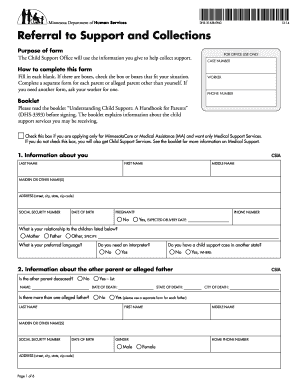
- Begin by providing your personal information in section 1, including your last name, first name, address, social security number, date of birth, and preferred language. Ensure to check if you are pregnant and provide the expected delivery date, if applicable.
- In section 2, enter information about the other parent or alleged father, including their name, whether they are deceased, and any relevant details such as their social security number and date of birth.
- In section 3, you will need to specify the children living with you whose other parent you listed previously. Fill in their names, genders, social security numbers, dates of birth, and their relationship to the other parent using the provided codes.
- Proceed to section 4, where you will need to provide employment information for both yourself and the other parent, including employer names, addresses, job titles, and monthly salaries.
- Section 5 focuses on the other parent’s child support payments. Indicate if there is a court order, detailing its type, amount, and frequency, or if there are informal payments. Attach any relevant documentation.
- In section 6, provide information about the other parent's medical support responsibility, including if there is a court order in place and their insurance details.
- Complete section 7 by sharing additional identifying data about the other parent, such as past names, race, and other pertinent information.
- Fill out section 8 regarding your relationship with the other parent and any visitation details.
- Finally, in section 9, answer questions about the other parent's background, including their driver’s license, military status, and any known financial assistance they may receive.
- Review the Authorization, Understanding, and Declaration section. Sign and date the form to confirm the information provided is true and correct.
- Once completed, save your changes, download a copy for your records, and print the form if necessary. You may also share the form as required.
Start your application by completing the MN DHS-3163B form online today.