Loading
Get Irs 990 Or 990-ez - Schedule L 2022-2026
How it works
-

Open form follow the instructions
-

Easily sign the form with your finger
-

Send filled & signed form or save
How to fill out the IRS 990 Or 990-EZ - Schedule L online
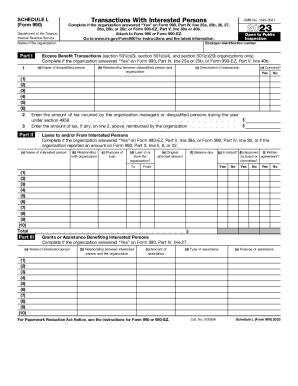
Filling out the IRS 990 or 990-EZ - Schedule L is essential for organizations reporting transactions with interested persons. This guide provides step-by-step instructions to help you complete the form online easily and effectively.
Follow the steps to complete Schedule L online:
- Click ‘Get Form’ button to access the form and open it in your preferred online editor.
- Begin by entering your organization's employer identification number (EIN) and name at the top of the form. Ensure that these details are accurate as they are used for identification.
- Move to Part I, which addresses excess benefit transactions. Complete this section if your organization answered 'Yes' on Form 990, Part IV, line 25a or 25b, or Form 990-EZ, Part V, line 40b. List the names of disqualified persons, their relationship to the organization, a description of the transaction, and whether it has been corrected.
- In line 2 of Part I, provide the amount of tax incurred by the organization under section 4958 for the year. Specify the amount reimbursed, if applicable.
- Proceed to Part II, which covers loans to and/or from interested persons. Complete this section if your organization answered 'Yes' on the relevant lines of Form 990 or Form 990-EZ. Fill out the name, relationship, purpose of the loan, and other necessary details.
- Continue to Part III to document any grants or assistance benefiting interested persons. Fill in the required fields including the name of the person, their relationship, amount of assistance, type, and purpose.
- Finally, if applicable, complete Part IV regarding business transactions involving interested persons by detailing their names, relationships, transaction amounts, and descriptions. Confirm whether there was any sharing of your organization's revenues.
- Review all entries for accuracy before finalizing. Save changes, and once you are satisfied, download, print, or share the form as necessary.
Start filling out your IRS 990 or 990-EZ - Schedule L online today!
Because of the great differences between Forms 990 and 990-EZ, TaxSlayer Pro cannot change one to the other. If you have created one and wish to or need to switch to the other, you will need to delete the return and restart it using the correct form.