Loading
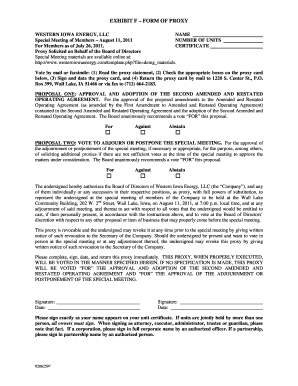
Get Exhibit F To Proxy Statement - Form Of Proxy - Western Iowa Energy ...
How it works
-

Open form follow the instructions
-

Easily sign the form with your finger
-

Send filled & signed form or save
How to fill out the Exhibit F To Proxy Statement - Form Of Proxy - Western Iowa Energy online
This guide provides clear, step-by-step instructions for completing the Exhibit F To Proxy Statement - Form Of Proxy for Western Iowa Energy online. Whether you are familiar with the form or filling it out for the first time, this resource aims to support your needs and ensure a smooth process.
Follow the steps to complete the proxy form online.
- Click ‘Get Form’ button to access and open the proxy form for editing.
- Fill in your full name as it appears on your unit certificate in the designated field.
- Identify and enter the number of units you hold in the corresponding section.
- Review the proposals listed in the form. For each proposal, mark your vote by checking the appropriate box for 'For', 'Against', or 'Abstain'.
- In the section for proxy authorization, provide your signature and the date. If there are multiple owners of the units, ensure all signatures are included.
- To finish, save your changes. You may choose to download, print, or share the completed form as needed.
Complete your proxy statement online to ensure your voice is heard.
Industry-leading security and compliance
US Legal Forms protects your data by complying with industry-specific security standards.
-
In businnes since 199725+ years providing professional legal documents.
-
Accredited businessGuarantees that a business meets BBB accreditation standards in the US and Canada.
-
Secured by BraintreeValidated Level 1 PCI DSS compliant payment gateway that accepts most major credit and debit card brands from across the globe.