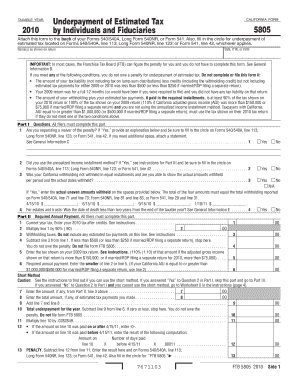
Get 2010 California Form 5805 -- Underpayment Of Estimated Tax ... - Efile
How it works
-

Open form follow the instructions
-

Easily sign the form with your finger
-

Send filled & signed form or save
How to fill out and sign a form online?
Get your online template and fill it in using progressive features. Enjoy smart fillable fields and interactivity. Follow the simple instructions below:Have you been searching for a quick and practical tool to fill in 2010 California Form 5805 -- Underpayment Of Estimated Tax ... - EFile at an affordable price? Our platform offers you a wide variety of forms that are available for submitting on the internet. It takes only a few minutes.
Follow these simple steps to get 2010 California Form 5805 -- Underpayment Of Estimated Tax ... - EFile prepared for sending:
- Choose the sample you want in the library of legal templates.
- Open the form in the online editor.
- Look through the guidelines to find out which info you must give.
- Choose the fillable fields and add the requested details.
- Put the date and place your e-signature after you fill in all of the fields.
- Double-check the document for misprints and other errors. In case you necessity to correct some information, our online editor and its wide range of tools are available for you.
- Download the new form to your device by hitting Done.
- Send the electronic form to the intended recipient.
Completing 2010 California Form 5805 -- Underpayment Of Estimated Tax ... - EFile does not need to be confusing anymore. From now on easily get through it from home or at the business office right from your smartphone or personal computer.
To make your payment online. Visit our payment options . There is a separate payment form for each due date. Be sure you use the form with the correct due date shown in the top margin of the form.
Industry-leading security and compliance
-
In businnes since 199725+ years providing professional legal documents.
-
Accredited businessGuarantees that a business meets BBB accreditation standards in the US and Canada.
-
Secured by BraintreeValidated Level 1 PCI DSS compliant payment gateway that accepts most major credit and debit card brands from across the globe.