Loading
Get Aba Listing Report Form - Aba
How it works
-

Open form follow the instructions
-

Easily sign the form with your finger
-

Send filled & signed form or save
How to fill out the ABA LISTING REPORT FORM - Aba online
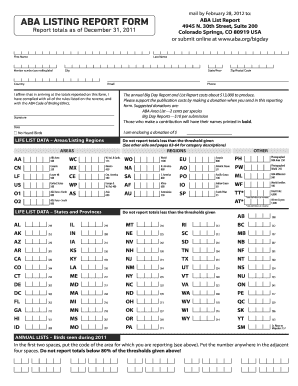
Completing the ABA Listing Report Form online is a straightforward process that allows users to submit their birding accomplishments efficiently. This guide provides step-by-step instructions tailored to meet the needs of all users, ensuring that you can accurately and easily complete the form.
Follow the steps to fill out the ABA listing report form online.
- Click ‘Get Form’ button to obtain the ABA Listing Report Form and open it in your editor.
- Begin filling in your personal details, including your last name, first name, member number (found on the mailing label), state or province, city, country, and email address.
- Indicate your affirmation by checking the box stating that you have complied with the rules and the ABA Code of Birding Ethics. Include your signature to confirm.
- Fill out the zip or postal code and your phone number. Ensure that all contact details are accurate to facilitate communication.
- Specify the date of your report and indicate if you are enclosing a donation, along with the amount. Suggested donations include $0.02 per species for the ABA Area List and $10 per submission for Big Day Reports.
- Complete the Lifelist Data section for Areas/Listing Regions by reporting totals that meet the minimum thresholds. Carefully refer to the area codes listed for your submissions.
- Proceed to fill out the Lifelist Data for States and Provinces, again ensuring you comply with the threshold requirements specified in the form.
- For the Annual Lists section, enter the appropriate area codes followed by your respective totals, making sure they meet the reporting standards outlined.
- Review all entries for accuracy and completeness before finalizing your submission. Ensure that no totals are reported below the specified thresholds.
- Once you are satisfied with the information provided, save changes, and choose to either download, print, or share your completed form as needed.
Submit your ABA Listing Report Form online to contribute your birding achievements today.
Code-4: Casual. Species not recorded annually in the ABA Area, but with six or more total records—including three or more in the past 30 years—reflecting some pattern of occurrence.
Industry-leading security and compliance
US Legal Forms protects your data by complying with industry-specific security standards.
-
In businnes since 199725+ years providing professional legal documents.
-
Accredited businessGuarantees that a business meets BBB accreditation standards in the US and Canada.
-
Secured by BraintreeValidated Level 1 PCI DSS compliant payment gateway that accepts most major credit and debit card brands from across the globe.