Loading
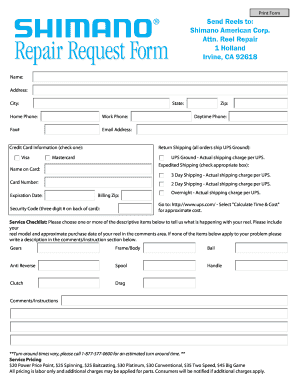
Get Name: Address: City: State: Zip: Home Phone: Work Phone: Daytime ...
How it works
-

Open form follow the instructions
-

Easily sign the form with your finger
-

Send filled & signed form or save
How to fill out the Name: Address: City: State: Zip: Home Phone: Work Phone: Daytime ... online
Filling out online forms can seem daunting, but with clear guidance, you can easily complete the Name: Address: City: State: Zip: Home Phone: Work Phone: Daytime ... form. This guide will provide a structured approach to ensure that all necessary information is accurately submitted.
Follow the steps to complete your online form successfully.
- Click the ‘Get Form’ button to obtain the form and launch it in your preferred online document editor.
- Begin by entering your full name in the designated Name field. Ensure that your name is spelled correctly, as it will be used for identification purposes.
- In the Address section, provide your complete street address. This should include any apartment or unit number if applicable.
- Fill in the City field with the name of the city where you reside. Double-check for any spelling errors.
- Select your State from the provided options. If your state is not listed, you may need to check the dropdown menu or add it manually if allowed.
- In the Zip field, enter your postal code. This helps in accurately identifying your location.
- Provide your Home Phone number in the corresponding field. Make sure to include the area code.
- Enter your Work Phone number if applicable. This is particularly important if you prefer to be contacted at work.
- Input your Daytime Phone number, which should be the best number for general contact purposes.
- If applicable, fill in your Email Address to facilitate electronic communication.
- For the Credit Card Information section, choose your preferred payment method by checking the corresponding box for Visa or Mastercard.
- Enter the Name on Card as displayed on your credit card.
- Provide the Card Number and ensure it is accurate to avoid processing issues.
- Fill in the Expiration Date of your card. This is typically found on the front of your card.
- Enter the Billing Zip code associated with your credit card for payment verification.
- Input the Security Code found on the back of your card to ensure secure transactions.
- Select your preferred shipping option from the Expedited Shipping section. Options typically include 3 Day, 2 Day, or Overnight.
- Provide any additional comments or instructions related to your reel or service request in the Comments/Instructions section.
- Once all fields have been filled out correctly, review your entries for accuracy and completeness.
- Finally, save your changes, and download, print, or share the completed form as necessary.
Complete your documents online with confidence and ease!
Industry-leading security and compliance
US Legal Forms protects your data by complying with industry-specific security standards.
-
In businnes since 199725+ years providing professional legal documents.
-
Accredited businessGuarantees that a business meets BBB accreditation standards in the US and Canada.
-
Secured by BraintreeValidated Level 1 PCI DSS compliant payment gateway that accepts most major credit and debit card brands from across the globe.