Loading
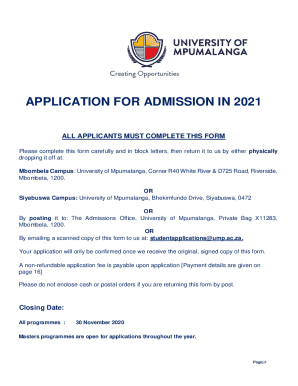
Get Za University Of Mpumalanga Application For Admission 2021-2025
How it works
-

Open form follow the instructions
-

Easily sign the form with your finger
-

Send filled & signed form or save
How to fill out the ZA University of Mpumalanga Application for Admission online
Filling out the ZA University of Mpumalanga Application for Admission online can seem daunting, but with the right guidance, the process can be completed smoothly. This guide provides clear, step-by-step instructions on how to fill out each section of the application form.
Follow the steps to complete your application successfully.
- Press the ‘Get Form’ button to obtain the application form and open it in the designated editor for completion.
- Begin with Section A, where you will choose your preferred study programs. Indicate your first and second choices clearly.
- In Section 1, 'Personal Details,' provide your title, name, and date of birth in block letters. Ensure all details are filled accurately to avoid any issues.
- Proceed to Section 2, 'Citizenship,' and indicate your citizenship status. If you are not a South African citizen, mention your country of permanent residence and attach a certified copy of your ID or passport.
- In Section 3, 'Contact Details,' provide your physical and postal addresses including all relevant contact numbers for effective communication.
- Complete Section 4, which collects general personal information. Indicate any disabilities for accommodation purposes and tick any relevant boxes regarding your demographic information.
- Fill in Section 5 with your next of kin details. Ensure that the information provided is up-to-date and accurate.
- In Section 6, disclose your South African qualifications and attach certified copies of relevant certificates as requested.
- If applicable, complete the section for international applications by providing information about your qualifications and any exemption needs.
- For previous and current higher education studies, accurately disclose any educational history in Section 7 and attach necessary transcripts.
- In Section D, provide details about the individual responsible for fee payment and ensure they also sign and date the declaration.
- Pay the non-refundable application fee as specified in Section D. Ensure proof of payment is attached when submitting your application.
- Lastly, review Section F to ensure all required documents are attached and that all sections have been completed. Mark each item with a tick to confirm.
- Once completed, save your changes, download the form, or share it by printing or emailing to the admissions office based on your preferred submission method.
Start your application process online today to ensure your enrollment at the University of Mpumalanga!
Related links form
Fee Structure INITIAL DEPOSIT2024Tuition other than 3rd year Dip Agric in Plant prod5 468Application Fee2024South African StudentR200SADC StudentR4007 more rows
Industry-leading security and compliance
US Legal Forms protects your data by complying with industry-specific security standards.
-
In businnes since 199725+ years providing professional legal documents.
-
Accredited businessGuarantees that a business meets BBB accreditation standards in the US and Canada.
-
Secured by BraintreeValidated Level 1 PCI DSS compliant payment gateway that accepts most major credit and debit card brands from across the globe.