Loading
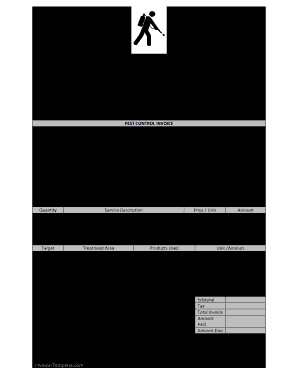
Get Pest Control Invoice 2015-2026
How it works
-

Open form follow the instructions
-

Easily sign the form with your finger
-

Send filled & signed form or save
How to fill out the Pest Control Invoice online
Filling out a pest control invoice accurately ensures that both service providers and clients have clear records of services rendered. This guide provides step-by-step instructions to help you easily complete the Pest Control Invoice online.
Follow the steps to complete the Pest Control Invoice efficiently.
- Press the ‘Get Form’ button to access the Pest Control Invoice and open it in your preferred document editor.
- Enter the company name in the designated field at the top of the invoice. This identifies the service provider.
- Fill in the company address, including street, city, state, and zip code, ensuring all information is accurate.
- Provide a contact phone number for the company, along with the website address, if applicable.
- Record the invoice date in the specified section to establish the billing period.
- Assign a unique invoice number to help track this particular transaction.
- Indicate the terms of payment clearly to inform clients about payment expectations.
- Input the service date when the pest control service was rendered.
- Fill in the start and finish times of the service to document the duration of work.
- If applicable, indicate any warranty associated with the service provided.
- In the 'Bill To' section, enter the name of the person or business being billed.
- Provide the billing address, ensuring that it includes all required details.
- Complete the service location details if it differs from the billing address.
- Record the quantity and the service description of the services rendered, along with the price per unit.
- Calculate and enter the total amount for each service rendered. Ensure stakeholders can verify these amounts easily.
- In the sections for products used and treatment area, document any specific details about the pest control measures applied.
- Complete the technician's name and their license number to verify credentialing.
- Calculate and indicate the subtotal, tax, and total invoice amount at the bottom of the document.
- Finally, include the paid amount and remaining amount due, providing clarity on the financial transaction.
- Once all fields are completed, save your changes, and consider downloading, printing, or sharing the invoice as needed.
Start filling out your Pest Control Invoice online today!
Related links form
Average Cost of Pest Control Service Payment Time FrameAverage CostAnnual$400–$950Monthly$30–$50Per visit$80–$120Initial visit$130–$350 Nov 7, 2023