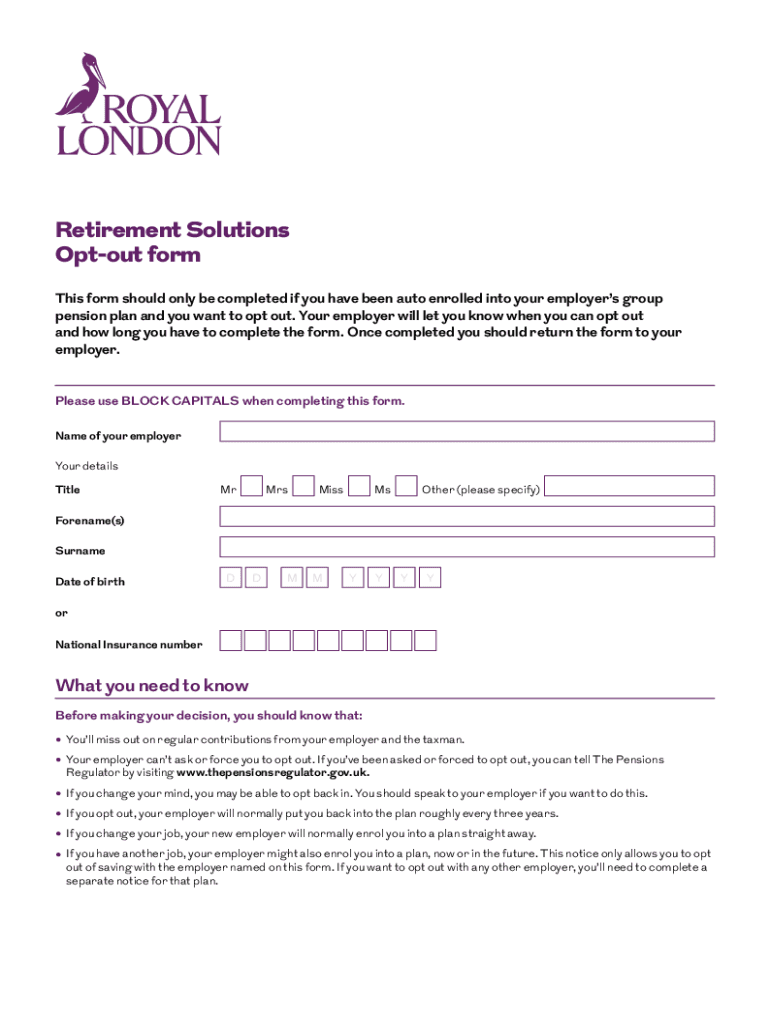
Retirement Solutions Op tout form This form should only be completed if you have been auto enrolled into your employers group pension plan, and you want to opt out. Your employer will let you know.
Loading

Open form follow the instructions

Easily sign the form with your finger

Send filled & signed form or save
How to fill out the UK Royal London 14A1577 online
This guide will provide you with clear and detailed instructions on how to fill out the UK Royal London 14A1577 opt-out form online. Whether you are new to this process or looking for a refresher, our step-by-step approach will help you complete the form accurately.
Follow the steps to successfully complete the form online
- Click the ‘Get Form’ button to access the document and open it in your editing environment.
- In the 'Name of your employer' field, input the name of your employer as directed, using BLOCK CAPITALS.
- Move to the 'Your details' section. Choose your title (Mr, Mrs, Miss, Ms, or Other). Specify your chosen title only if you select 'Other'.
- Enter your forename(s) and surname in the designated fields, again using BLOCK CAPITALS.
- Fill in your date of birth in the format DD/MM/YYYY, ensuring accuracy in each section.
- Input your National Insurance number if applicable, as instructed.
- Carefully read the information provided regarding opting out. Take time to understand the implications of your decision.
- In the 'Your declaration' section, confirm your intention to opt out by marking the corresponding statement.
- Sign the form to indicate your agreement with the declaration and enter the date of signing in the same DD/MM/YYYY format.
- Once you have filled out all the necessary fields, save your changes, and either download, print, or share the completed form as required. Remember to return the form to your employer.
Complete your documents online with ease and confidence.
Experience a faster way to fill out and sign forms on the web. Access the most extensive library of templates available.
Get answers to your most pressing questions about US Legal Forms API.
What is my Royal London plan number?
You'll need to have your plan number to hand. You can find it in your welcome pack or in your most recent benefit statement. You may have also received an access code from us. If you have, you can use this to get started, too.
Can I withdraw money from Royal London pension?
At the moment, when you reach age 55, you'll be able to access your pension savings, even if you're still working. This is increasing to age 57 from the 6th of April 2028. So, whenever the time feels right for you, you'll find three main ways to enjoy the money you've saved.
How do I find all my pensions?
The Pension Tracing Service is a free government service. It searches a database of more than 200,000 workplace and personal pension schemes to try to find the contact details you need. You can phone the Pension Tracing Service on 0800 731 0193 or use the link below to search their online directory for contact details.
How long does it take to cash a pension in Royal London?
We'll typically pay tax-free cash into your bank account within 5 working days.
Can I withdraw all my pension in cash?
You can take your whole pension pot as cash straight away if you want to, no matter what size it is. You can also take smaller sums as cash whenever you need to. 25% of your total pension pot will be tax-free. You'll pay tax on the rest as if it were income.
Can I cash out my Royal London pension?
At the moment, from age 55, you can choose to take your pension savings as a cash payment. This is increasing to age 57 from the 6th of April 2028. This could be all in one go or spread over a series of smaller lump sums.
What is the registration number for Royal London FCA?
The Royal London Mutual Insurance Society Limited is authorised by the Prudential Regulation Authority and regulated by the Financial Conduct Authority and the Prudential Regulation Authority. Our FCA Register number is 117672.
Can I see my Royal London pension online?
Access your pension plan details with our secure online service. It's really simple to use and you'll be up and running in no time. This online service is only available if you've taken out a plan with Royal London since 2004 or previously Scottish Life.
What is the phone number for the Royal London pension plan?
For help with your RL(CIS) pension, please call 0345 605 7777.
How can I access my Royal London pension?
Access your pension plan details with our secure online service. It's really simple to use and you'll be up and running in no time. This online service is only available if you've taken out a plan with Royal London since 2004 or previously Scottish Life.
Use professional pre-built templates to fill in and sign documents online faster. Get access to thousands of forms.
If you believe that this page should be taken down, please follow our DMCA take down process here.