Loading
Get Au Hartin Schute Bell Tenancy Application Form 2016-2026
How it works
-

Open form follow the instructions
-

Easily sign the form with your finger
-

Send filled & signed form or save
How to fill out the AU Hartin Schute Bell Tenancy Application Form online
Completing the AU Hartin Schute Bell Tenancy Application Form online can seem daunting, but with a clear understanding of each section, the process becomes straightforward. This guide will walk you through filling out the form step-by-step, ensuring you provide all necessary information accurately and efficiently.
Follow the steps to successfully complete your application.
- Press ‘Get Form’ button to acquire the form and access it in the editing interface.
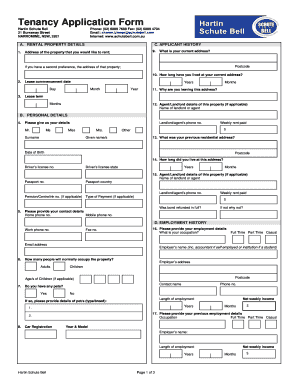
- In Section A (Rental Property Details), provide the address of the rental property you are interested in, including the postcode. Include your current address and, if applicable, a second preference.
- Also in Section A, indicate the desired lease commencement date and the lease term in months.
- In Section B (Personal Details), fill in your title, surname, given names, date of birth, driver’s license number and state, as well as any applicable passport number and pension or Centrelink number. Ensure to provide your contact details, including your home and mobile phone numbers.
- Moving to Section C (Applicant History), indicate how long you have lived at your current address and explain why you are leaving. If applicable, provide the agent or landlord details of your current residence.
- In Section D (Employment History), include your employment details, net weekly income, and how many people will occupy the property. Specify your occupation and employer’s name and address.
- Proceed to Section E (Emergency Contacts) by providing the name, relationship, and contact information of an emergency contact.
- In Section F (References), list two personal references who are not related to you, ensuring to include their contact numbers.
- Navigate to Section G (Payment Details), where you will state the property rental amount per week, the first payment of rent in advance, and the rental bond amount. Ensure to calculate the total payment correctly.
- Complete the 100 Point Check in Section H, where you list the necessary documentation you are providing with your application for verification.
- In Section I (Declaration), review and confirm all the information is accurate. Sign and date the application as required.
- Finally, save your changes, download, print, or share the completed form as necessary.
Start completing your AU Hartin Schute Bell Tenancy Application Form online today!