Loading
Get Au Amp Bank 28087 2015-2026
How it works
-

Open form follow the instructions
-

Easily sign the form with your finger
-

Send filled & signed form or save
How to fill out the AU AMP Bank 28087 online
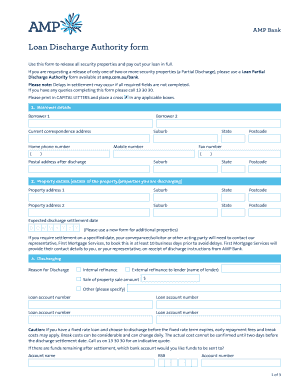
The AU AMP Bank 28087 form is crucial for releasing security properties related to your loan. This guide will provide you with a straightforward, step-by-step approach to completing the online form, ensuring that you include all necessary information for a smooth discharge process.
Follow the steps to successfully complete the form
- Press the ‘Get Form’ button to obtain the form and access it in the online editor.
- Fill in the borrower details section, including information for Borrower 1 and 2, such as names, correspondence address, home and mobile phone numbers, and suburb, state, and postcode details.
- Provide the postal address after discharge if it differs from the current correspondence address.
- Enter the property details for the property or properties being discharged, including the property address, suburb, state, postcode, and the expected discharge settlement date.
- Complete the discharging section, indicating the reason for discharge, loan account numbers, and where any remaining funds should be sent.
- If relevant, address the Offset Deposit Account section, deciding whether to close or keep the account open and providing necessary details.
- If discharging through a representative, complete their details, including name, address, phone number, and relevant contact information.
- All borrowers must read and agree to the declaration, then sign and date the form in the specified sections.
- After completing all sections, you can save changes, download, print, or share the form as needed.
Complete your AU AMP Bank 28087 form online to ensure a timely and efficient loan discharge.
Count your cash so you know how much you're depositing. At the ATM, insert your debit or ATM card and enter your PIN. ... Select the option for making a deposit. Choose the account that will receive the deposit and insert bills. ... Wait for your funds to show up in your account.